
Update September 25, 2023: On the eve of macOS Sonoma becoming publicly available, a reader found a tip on how to file messages from the keyboard on macOS (dating back to 2011) using the Help menu. Read this post for the details and limitations when compared with MsgFiler.
tl;dr: Support for macOS Mail Plug-ins, deprecated in macOS 12 Monterey, has been removed completely in macOS 14 Sonoma.
It is rare for technology to last forever, be it software, hardware, or a service. Take a moment and think back to all the devices, applications, and subscriptions you have used over the course of your lifetime that, for whatever reason, you stopped using or are no longer available.
I grew up in the 80’s and 90’s, so highlights from my list include:
- Apple ][e
- Macintosh SE/30
- Microsoft Word 5.1
- Macintosh PowerBook 180
- Newton MessagePad 2100
- Newton Toolkit
- Quickeys
- Adobe Creative Suite 4
- Final Cut Pro 7
While it’s possible via emulation to relive the technological past, I’m not sure I would want to go back to lugging PowerBook 180 as my daily driver, seeing that it’s 6.8 pounds with a 640×400 active matrix grayscale LCD screen.
There are some outliers, however. Software that I continue to use that have stood the test of time include:
- BBEdit – released in 1992
- PCalc – also released in 1992
MsgFiler

Less known, but dear to my heart is my MsgFiler application for filing messages quickly to macOS Mail folders. MsgFiler was developed and released nearly 17 years ago. Alex King encouraged me to create a filing solution for Mail, having enjoyed a similar feature in Mozilla Thunderbird and Eudora. The original 1.0 version, released during the Panther 10.4 days, relied purely on AppleScript to file messages between mailboxes in MacOS X Mail. In 2007, with the gracious help of James Dempsey, I launched MsgFiler 2.x as a Mail Plug-In. When the Mac App Store was launched in 2011 with MacOS X Snow Leopard, I rewrote the application once again as a Mac app. That transition was an interesting one, since MsgFiler 3 required a Mail Plug-In, the MsgFiler Engine, to broker communication between the app and Mail. Today, there are essentially two versions of MsgFiler:
- MsgFiler Classic – The original Mail Plug-in. Self-contained and fast.
- MsgFiler 3 + MsgFiler Engine – The Mac App Store version of MsgFiler and the corresponding and required Engine plug-in.
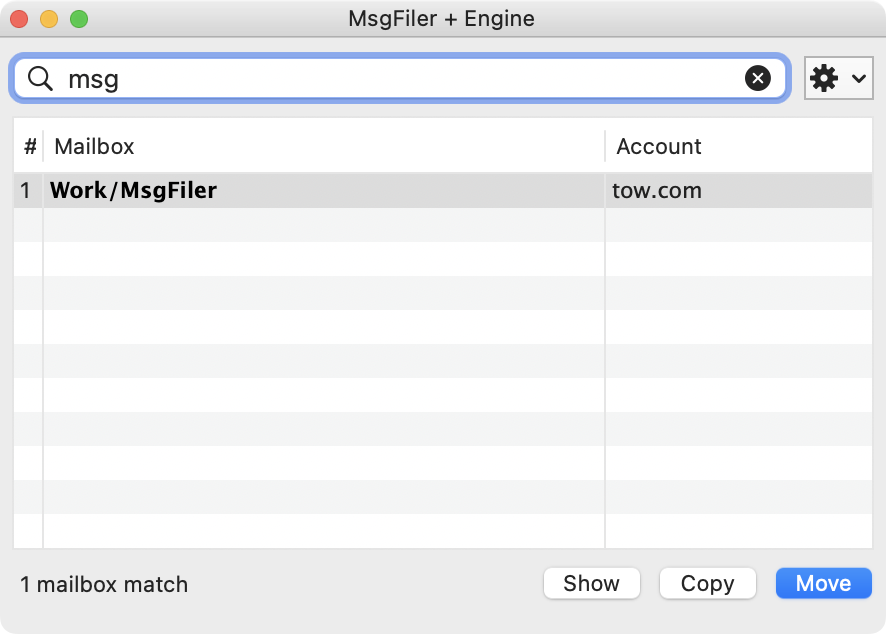
MsgFiler has garnered a loyal following of customers from around the world. Users swear by the app and have expressed their sadness at the prospect of it no longer working for them. Unfortunately, that time will come in the fall with the release of macOS Sonoma, which I have humorously nicknamed “So No Mail Plug-ins.”
Mail Plug-ins Explained
Let’s delve into the world of Mail Plug-ins for a moment. Historically, macOS Mail has supported the use of Mail Plug-ins, unofficial bundles that could be installed in the ~/Library/Mail/Bundles folder and activated through command line commands.
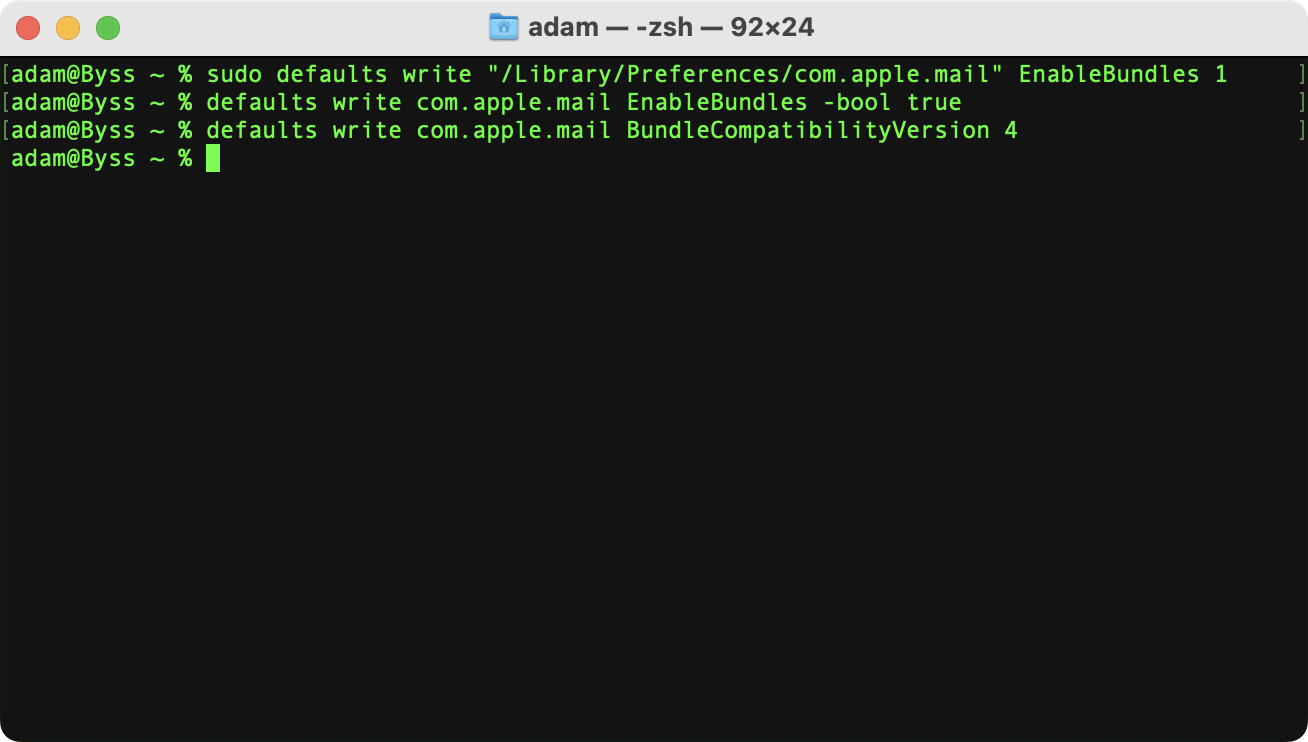
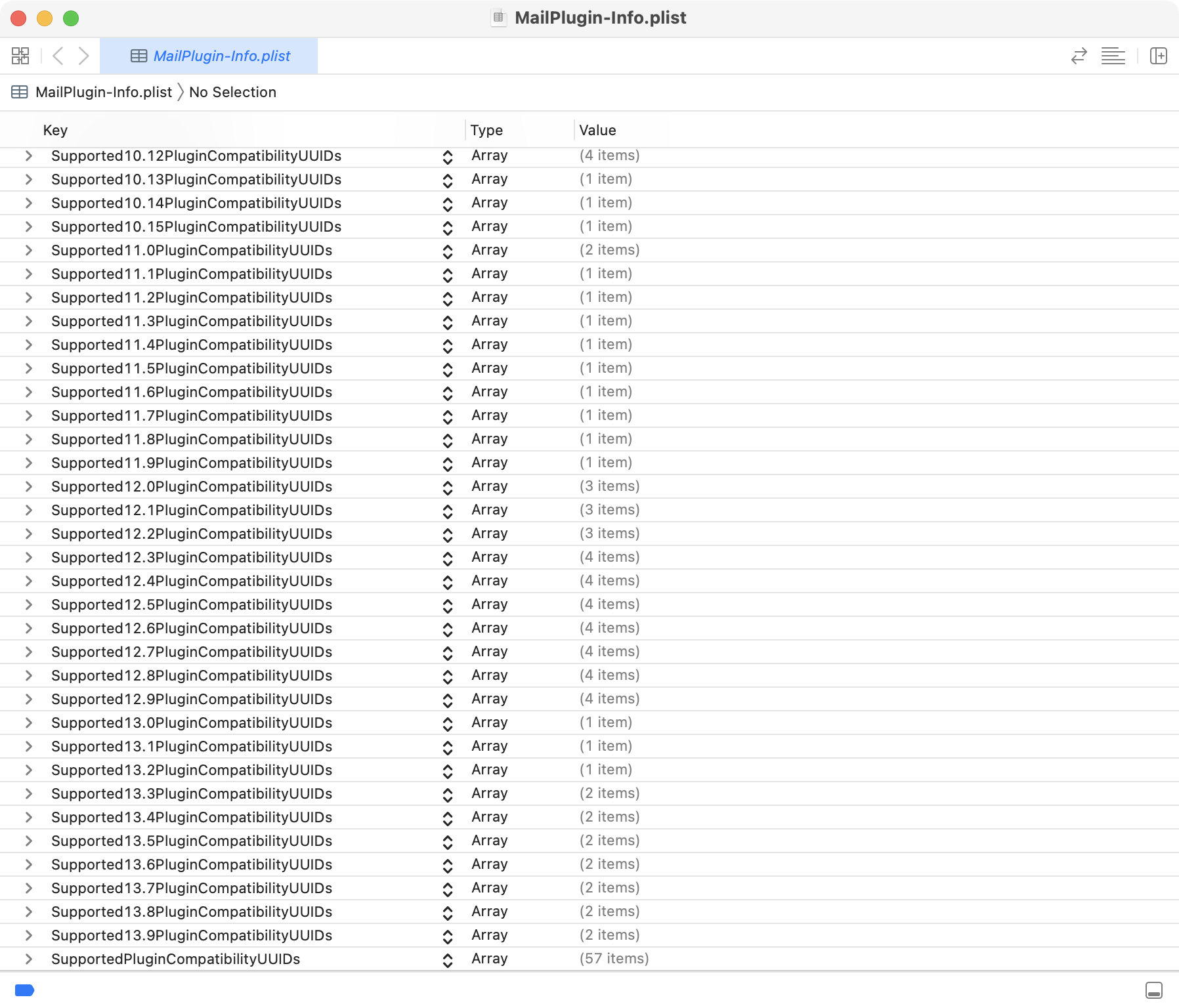
Until macOS Sonoma, Mail Plug-ins provided a reliable and consistent feature for Mail users. Developers, however, had to navigate through hoops each year between WWDC and the fall release of macOS to ensure compatibility. They also had to be vigilant when point releases of macOS were introduced, as a specific string called the PlugInCompatibilityUUID needed to be added to a Mail Plug-in’s Info.plist file to prevent Mail from disabling it.
Two years ago, at WWDC 2021, Apple introduced MailKit, a new framework for creating Mail extensions, and simultaneously announced the deprecation of Mail Plug-ins. Two years later, here we are.
Whenever a company cancels or discontinues a product, there’s often a vocal set of users who will complain. Sometimes, this group becomes loud enough, be it through protests, boycotts, or media coverage that the company changes its mind and reverses its decision. This worked for the following TV shows, technology, and products:
- Star Trek, the Original Series
- Brooklyn Nine-Nine
- Lucifer
- Family Guy
- Arrested Development
- Windows Start Menu
- Coca-Cola Classic
- Twinkies
We are seeing this play out today with the popular Reddit client Apollo from Christian Selig. Reddit, on the verge of going IPO, has stated it’s time for developers to start paying for use of its API. Selig and other developers have shared that the pricing is far beyond their ability to pay. The only recourse for them is to shut down their software and call it a day. Developers of Twitter clients such as Tweetbot and Twitterific went through this months ago when Twitter revised its own API pricing models. Today, over 6,000 subreddits have gone dark or private in protest of the API pricing changes. It’s too early to tell whether Twitter or Reddit will change their minds, but it’s still within the realm of possibility.
The End of Mail Plug-ins has Arrived
With Mail Plug-ins, there’s no such ambiguity or chance for a reprieve. Read Apple’s reasoning in response to a feedback report:
Thank you for your feedback, it is noted. Engineering has determined that there are currently no plans to address this issue.
As announced at WWDC 2021, Mail.app plugins were deprecated, and have now been shut off in macOS Sonoma.
If you are experiencing issue adopting to MailKit, please file a new requests through Feedback explaining the issue encountered.
Feedback Assistant response from Apple
Working as intended. Not a bug. Will not fix. Cue the sad violins.
For a number of years, I have only provided compatibility updates to the app because I knew MsgFiler’s days were numbered. Mail Plug-ins are admittedly a security hole in macOS, as they operate within Mail’s runtime environment. While this has led to some great Mail Plug-ins, they have also been used by alternative app stores for iOS and iPadOS. Someone at Apple Security and Engineering must have said enough is enough and drew a line in the sand that Sonoma was the end.

I understand Apple’s reasoning behind this decision, and I am by no means advocating for the boycott of Apple, Mail, or anything like that.
However, MailKit has not been improved enough to serve as a viable alternative for Mail Plug-In developers. WWDC 2022 and 2023 came and went without additional labs or sessions dedicated to framework enhancements. The lack of a viable solution to replace the functionality of Mail Plug-Ins in macOS Sonoma means that macOS 14 will be a disappointment for Mail users. Perhaps macOS 15 will bring a complete rewrite of the app and feature an enhanced MailKit framework. That’s another year out, though, and we have mail to read and messages to file!
Sadly, the absence of widespread coverage about the demise of Mail Plug-ins leads me to believe a few things:
- No one is using Mail Plug-ins these days.
- Everyone just archives their mail and uses search to find them today.
What’s Next for MsgFiler
I’ve had an app that was “Sherlocked” (LaunchCuts) before. And we can’t forget my history with the Newton. In the case of MsgFiler, however, I would be happy if Apple copied the feature and built it directly into macOS Mail. Adding keyboard-based filing is a straightforward move for Apple since they have all the necessary information: the list of mailboxes for every account, methods to transfer selected or focused messages to such mailboxes, and more. With their advanced technologies, they could even enable voice-based filing or provide intelligent auto-suggestions using machine learning.
I’ll be updating the MsgFiler website with a notice of the impending shutdown of the app. I will take a look to see if filing messages using pure AppleScript works better today. Unfortunately, seeing that my feedbacks dating back to 2011 (FB5933458, FB5480300, FB5929173, FB6078156) have yet to be addressed, I’m not optimistic. When Sonoma comes out, I’ll pull MsgFiler from the App Store, since there’s no way to specify a maximum macOS version, only a minimum macOS version.
Users who are aware of Mail Plug-ins expiring shelf life have asked me how to help. I have always told them to write feedback to Apple and encourage them to do one of two things:
- Improve MailKit so developers can create solutions that offer MsgFiler functionality.
- Incorporate the functionality of MsgFiler into the Mail client itself.
While it may be too late for macOS Sonoma to include such a feature, I am now writing this post to seek the public’s assistance in raising awareness, not only for my app, which I am bidding farewell to, but also for all the fantastic plug-ins developed by the Mail Plug-in community over the years:
Raise your glasses to these applications and developers. In the ebb and flow of technological tides, Mail Plug-ins like MsgFiler may soon recede, their fading presence a testament to the impermanence of our digital realm. Yet, let us not forget the impact they had on the macOS Mail landscape!








 tow.com
Leave a comment