
Look Straight – Face Control and Automation is my new app available for macOS, iOS and iPadOS.
Look Straight recognizes head turns, tilts, and nods, eye movements, and mouth expressions. You can then trigger actions like sounds, text-to-speech, shortcuts, OSC messages, web requests, photos, and HomeKit control, and get feedback instantly when detecting these gestures.

Look Straight helps you maintain focus, awareness, and control through face, head, eye, and mouth detection. Use it for productivity, accessibility, or creative automation. Here are some use cases for how you can incorporate Look Straight into your life.

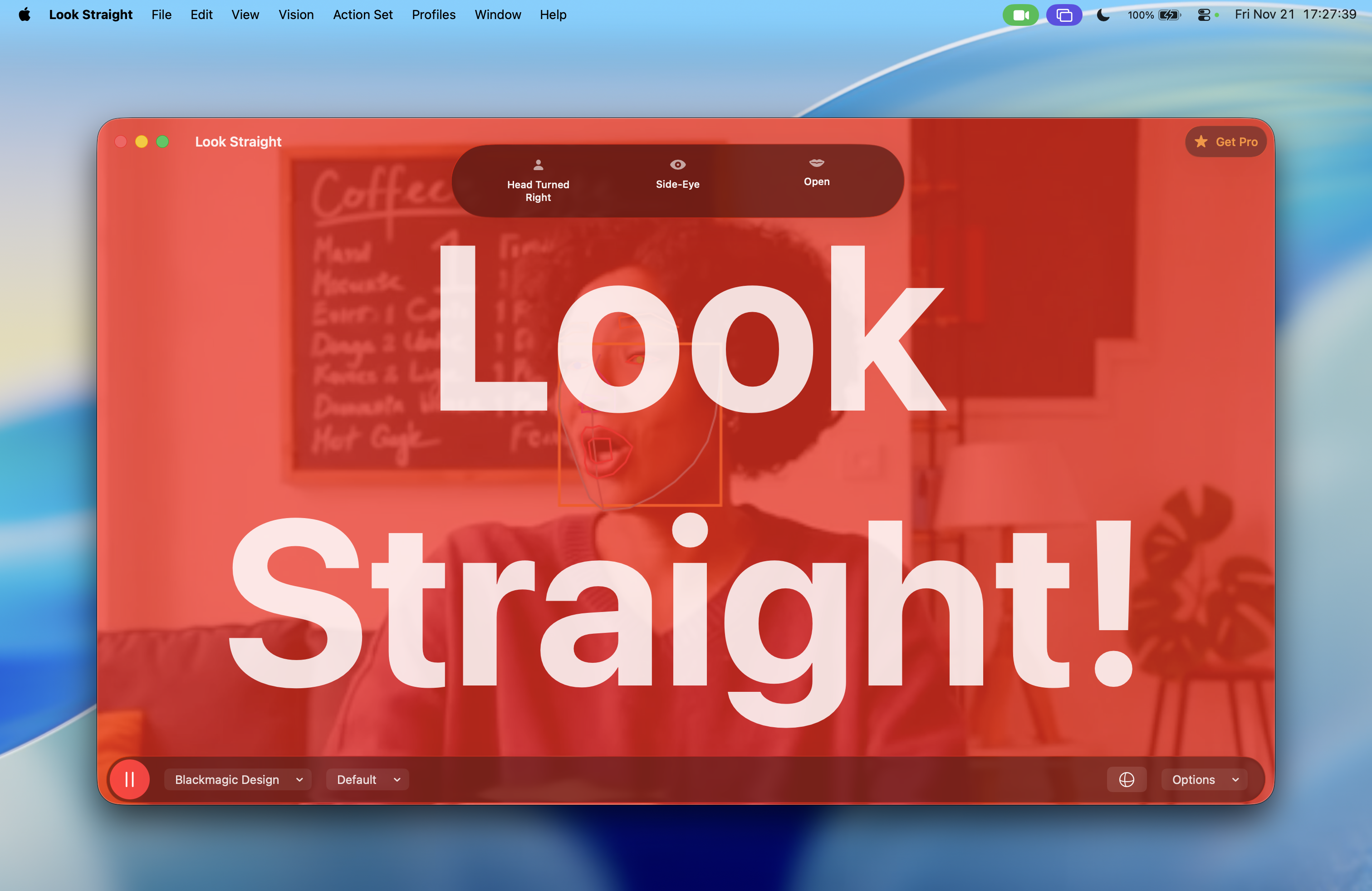
👁️ Maintain Eye Contact During Video Calls
Are you a remote professional, streamer, or presenter? Do you have a habit of looking off-screen or off-camera?
Look Straight can monitor your head and gaze direction to alert you when you’ve looked away for too long.
- Flash a visual indicator when your attention drifts.
- Trigger a sound or text-to-speech reminder (“Look at the camera”).
- Log attention over time to improve focus during calls or recordings.
🧠 Improve Focus and Posture
Even when you’re not on camera, Look Straight can help you stay attentive.
It detects when your head turns, tilts, or your eyes wander, letting you know when focus drifts.
- Play a gentle alert to regain attention.
- Run a Shortcut to change lighting or start a “Focus Mode.”
- Record focus metrics for self-tracking or habit improvement.
Ideal for studying, reading, or any task where maintaining mental presence matters.
🧍♀️ Accessibility and Assistive Control
Look Straight can be used as a hands-free control system for people with mobility or accessibility needs.
By assigning actions to head turns, eye blinks, or facial gestures, you can:
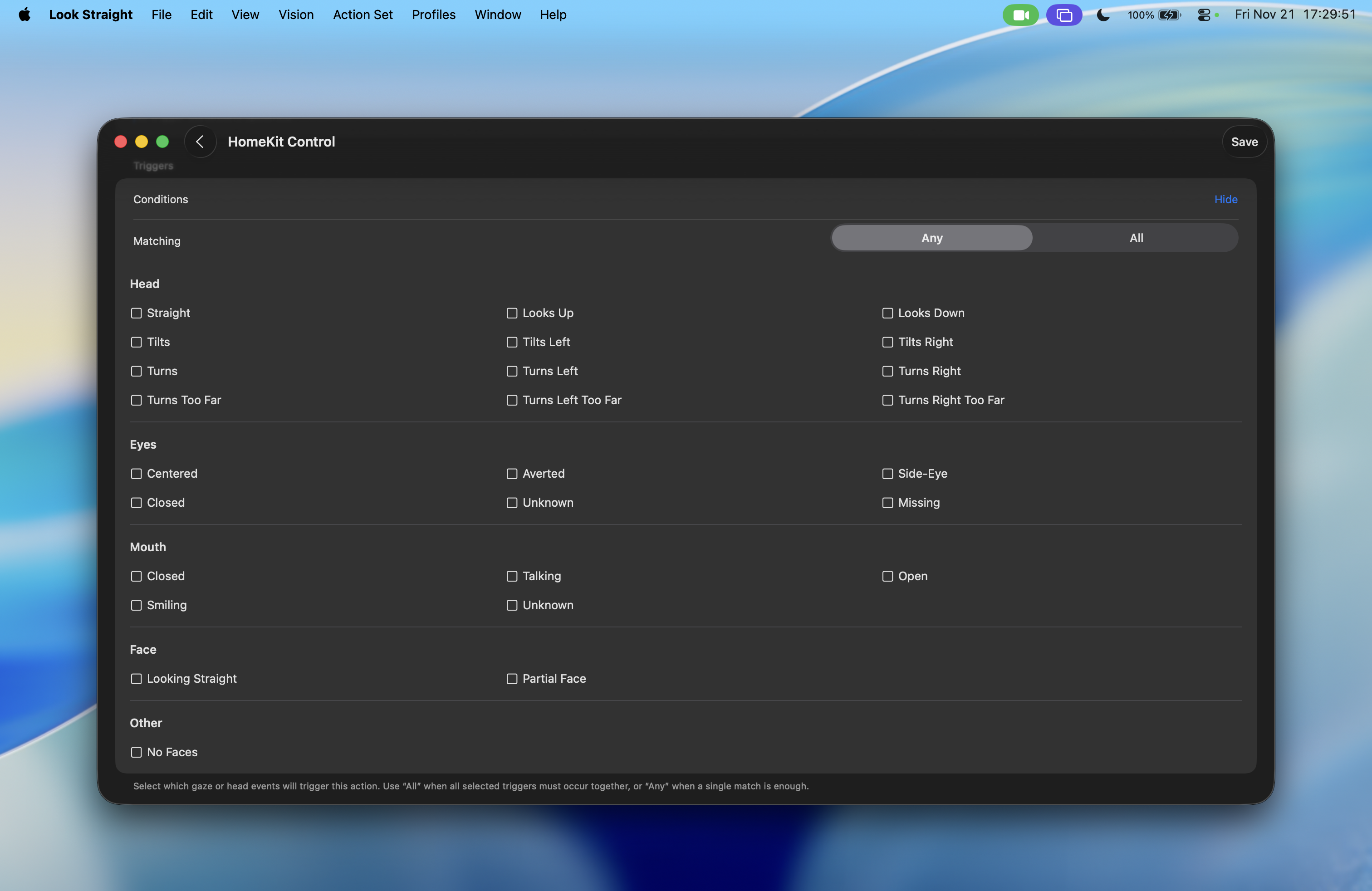
- Trigger a HomeKit scene (i.e. lights on when you smile).
- Send OSC commands to creative software or hardware.
- Run a shortcut to automate tasks without touching a device.
Ideal for users seeking hands-free control or adaptive input through subtle facial gestures.
🎬 Live Production & AV Control
When integrated via OSC (Open Sound Control) or Apple Shortcuts, Look Straight becomes a powerful controller for live production setups.
- Trigger camera or scene changes when you turn your head.
- Activate tally lights or cue monitors when you turn your head.
- Send control messages to apps like Companion, TouchDesigner, or OBS.

Perfect for producers, streamers, and technicians who want to control their setup without touching a switcher.
🧩 Creative Experiments & Research
Developers, artists, and researchers can use Look Straight to explore gaze-based interactions.
- Log gaze, head, and expression data for research.
- Prototype interactive art that responds to facial movement.
- Analyze engagement or emotion in controlled experiments.
All activity logs remain local to your device and can be exported manually for analysis.
Great for creative technologists blending art, science, and behavior tracking.
🏠 Home Automation
Combine Look Straight with Apple Shortcuts or HomeKit to control your smart home with subtle facial gestures.
- Eyes closed for 5 seconds → Turn off the lights.
- Smile for 5 seconds → Trigger a “Good Morning” scene.
- Look away → Pause media playback.
Great for smart-home enthusiasts who want to link natural gestures to lights, media, and scenes.
🎥 On-Camera Coaching & Training
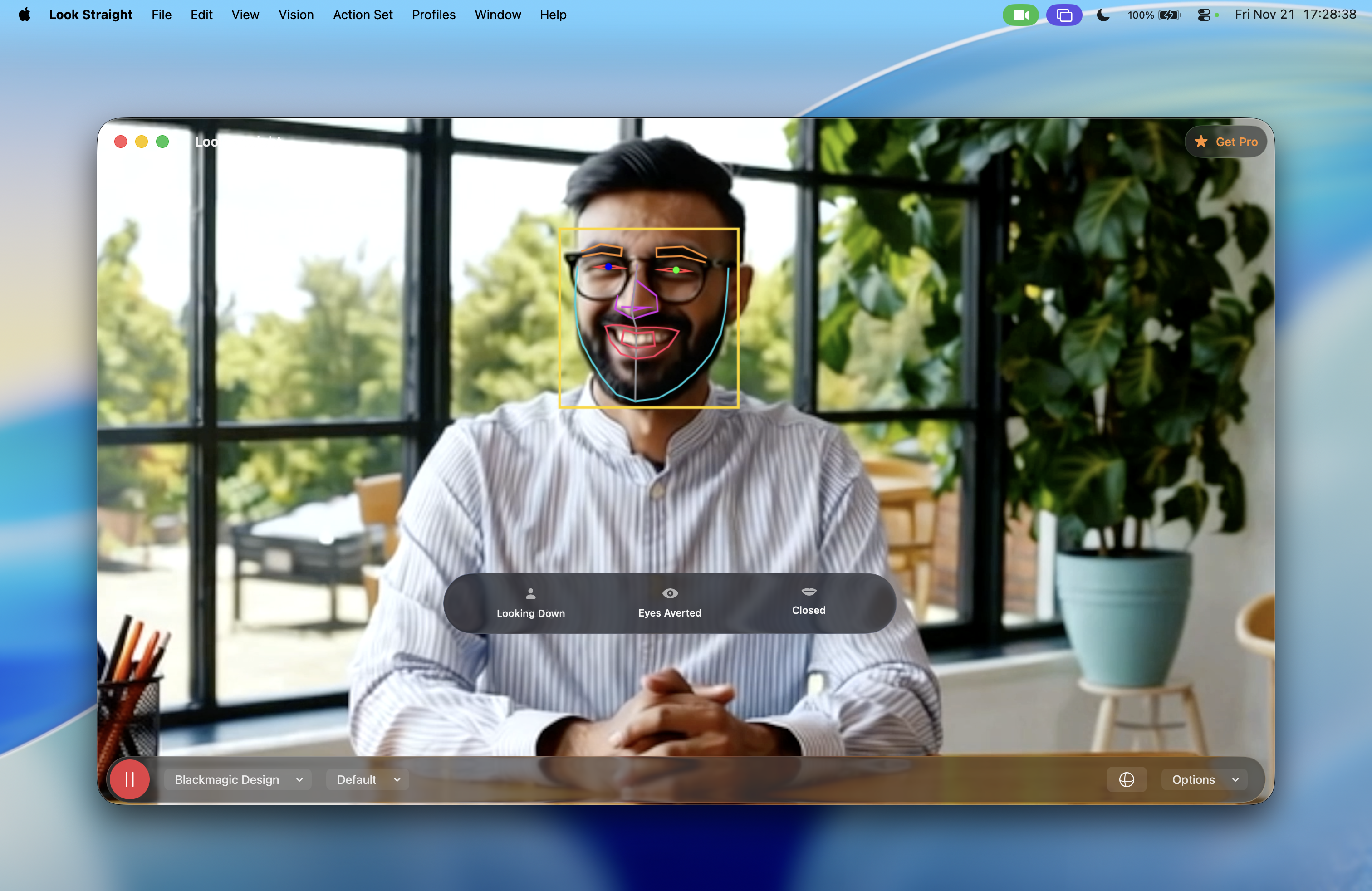
Actors, presenters, and video creators can use Look Straight to practice camera alignment and awareness.
- Receive visual feedback when you drift off-axis.
- Analyze your head and eye alignment over time.
- Use logs to review how consistently you maintain connection with the lens.
Essential for performers, presenters, and coaches who want to refine camera presence and engagement.
Pricing and Availability
Look Straight is free to download and use. You have access to one action set (i.e. folder of actions) and up to two active actions at a time. Unlock Pro for a single in-app purchase — no subscriptions required — to access the following features:
- Unlimited actions
- Multiple action sets
- Run multiple actions together
- User profiles and calibration settings
- Activity logs
- Automations with Apple Shortcuts and OSC
- Exporting and importing of actions and action sets






 tow.com
Leave a comment