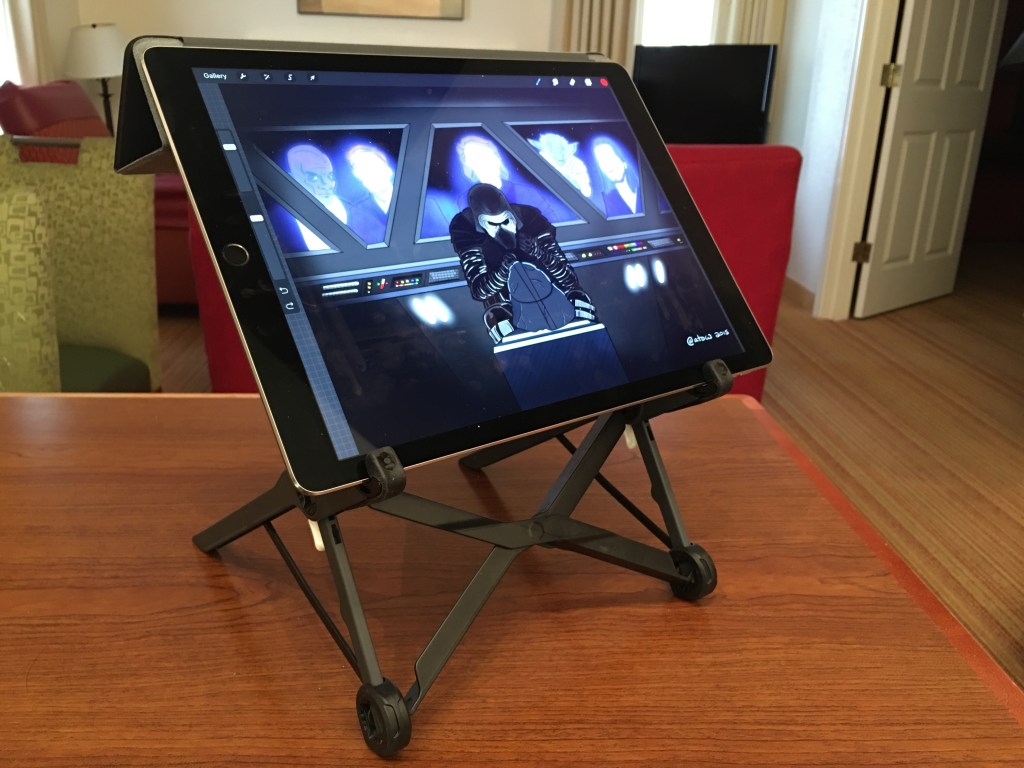
Last year, I supported the Roost Laptop Stand on Kickstarter. The Roost is a portable, height-adjustable stand for laptops. At home, I use a Rain Design mStand with my MacBook Pro. It’s a nice stand, but it does not travel well. The Roost appealed to me because it was lightweight, foldable, and could adjust its height, features the aluminum mStand lacks.
I’ve been at CES 2016 the entire week, and I had the opportunity to walk the showroom floor on opening day. There is a large section, sponsored by iLounge, devoted to mobile gadgets and accessories. When I turned the corner at the end of the exhibit hall, I immediately saw and recognized the Roost and its inventor, James Olander. I introduced myself as a backer and told him how eager I was to receive the Roost later this month. He graciously fulfilled my Kickstarter pledge right there on the show floor!

On this trip, I left the laptop at home and brought only my iPhone and iPad Pro. Using the iPad Pro as a drawing tablet has been a revelation, but I do notice increased neck and shoulder fatigue while illustrating because I am constantly hunched over. And, while it doesn’t replace the MacBook Pro for all my use cases, the iPad Pro can certainly function as a laptop replacement for many of my needs. If I paired it with an external Bluetooth keyboard (I am still waiting for the TextBlade to ship), the height of the iPad propped up with the Smart Cover) is still lower than I would like. The dynamic design of the Roost allows me to use the iPad Pro for both purposes, and my initial ergonomic impressions are positive.
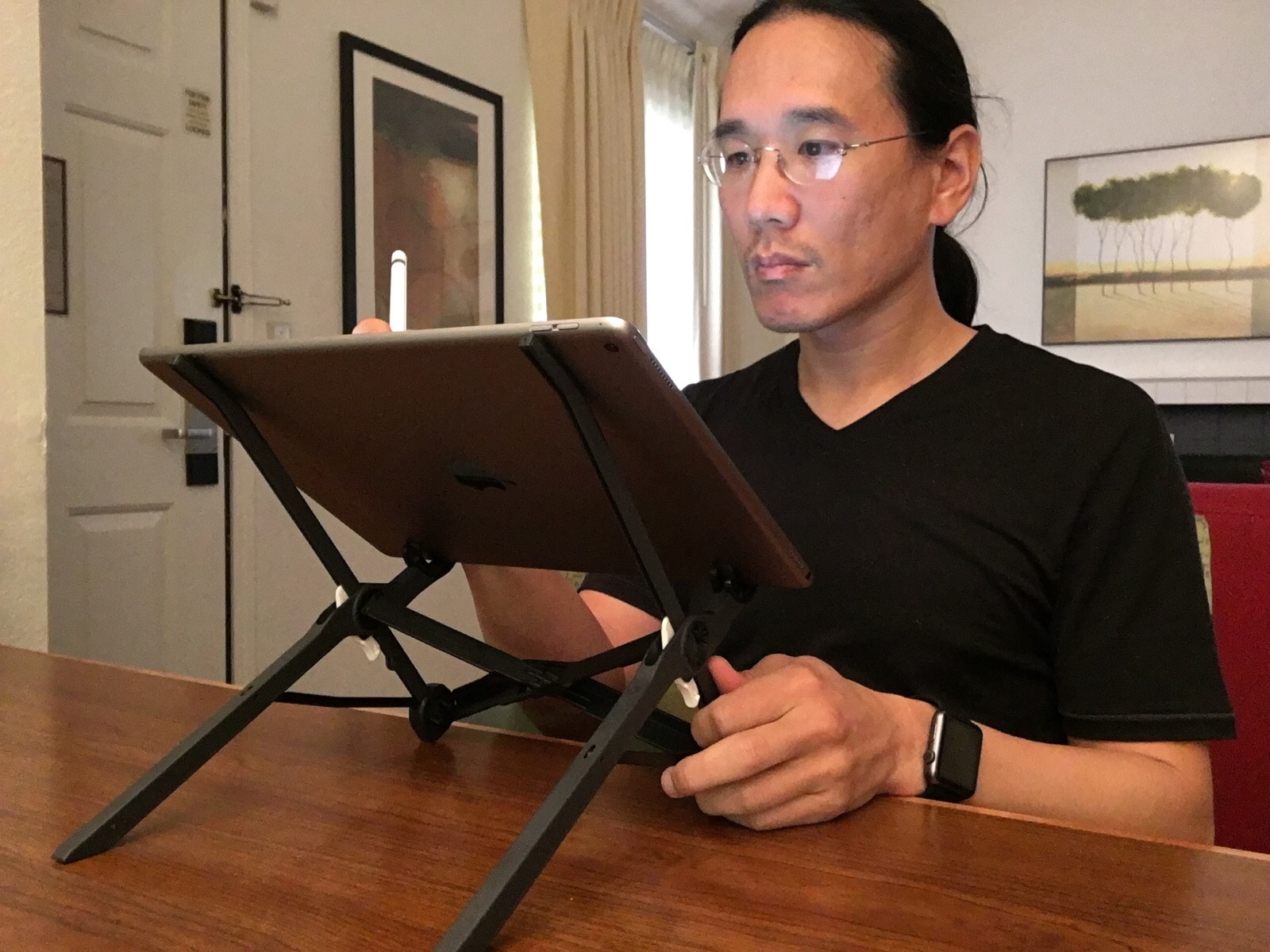
For drawing, I place the iPad Pro, sans cover and with the volume buttons facing up, onto the Roost. When working in this position, I am more upright, and my neck and shoulders feel much better. Increased arm strain is a possibility, since my hand is now angled upwards instead of resting on the display and table.
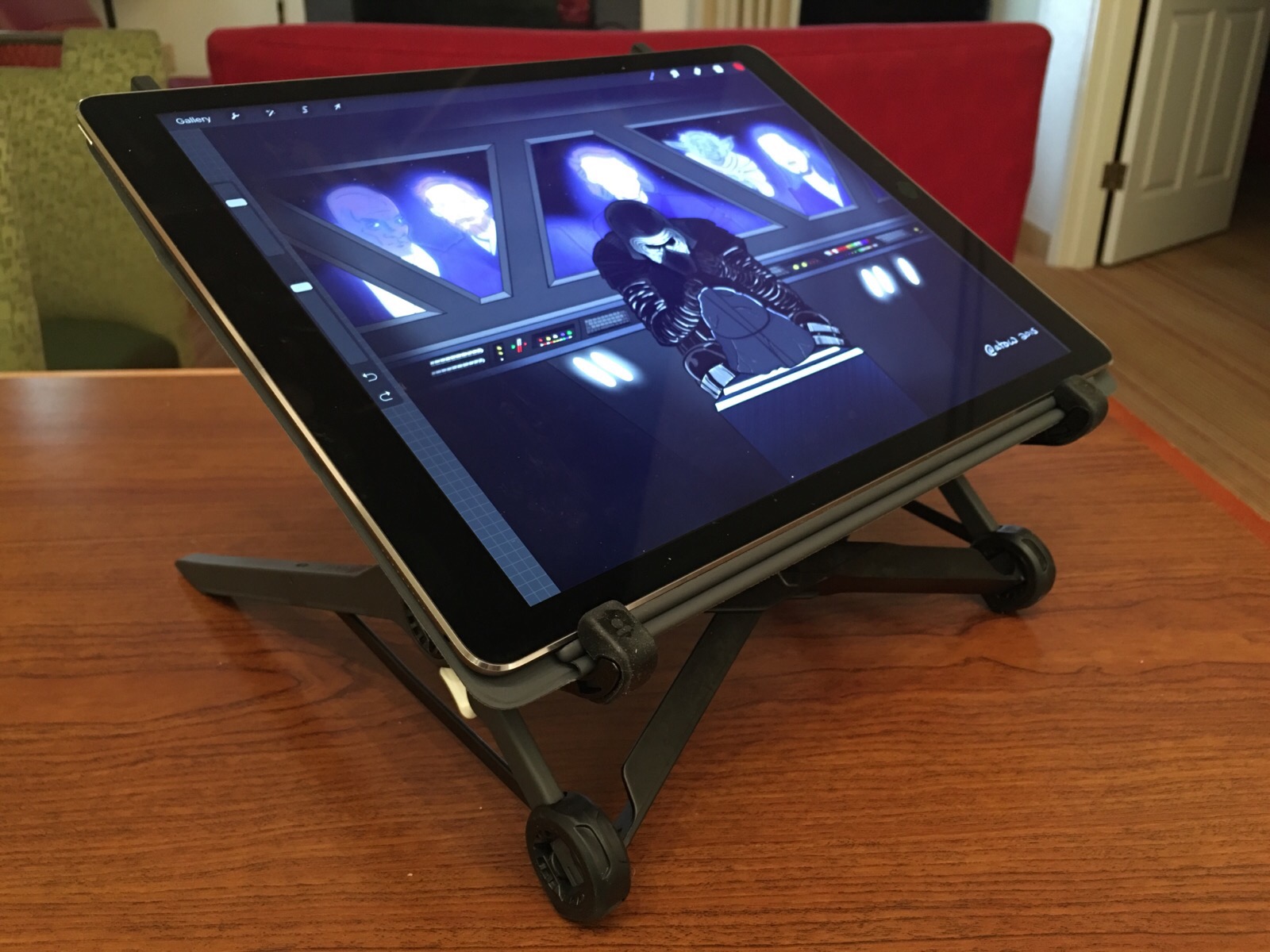
To make the iPad Pro more suitable for use as a laptop replacement, I attach the iPad Pro’s Smart Cover and rest the folded triangle on top of the Roost’s two vertical arms.
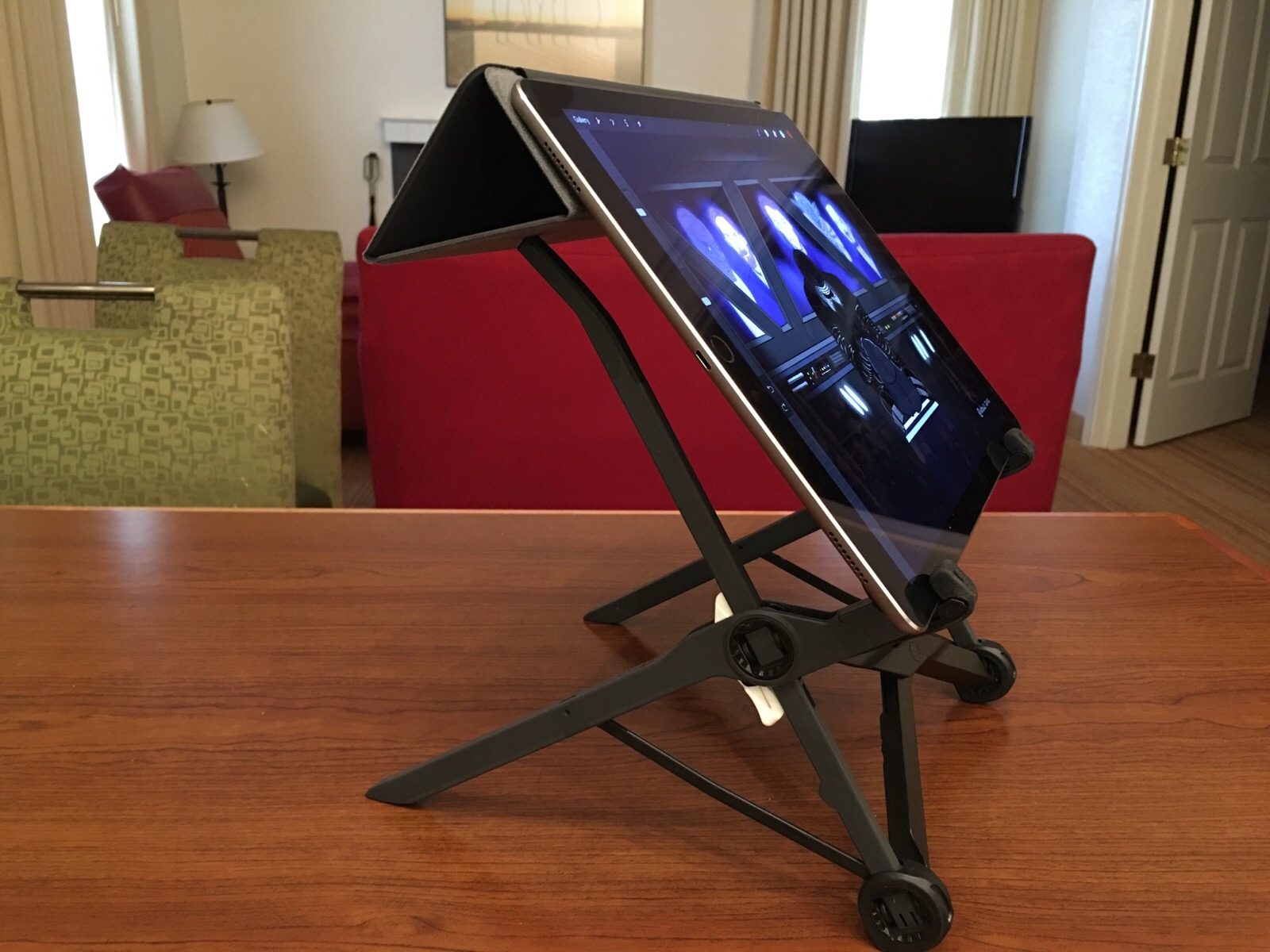
It’s not as precarious as it sounds and might look, and I am able to tilt the Roost + iPad Pro side to side. See this animated GIF below:
The Roost has medical-grade silicone around the pivoting grips, which provide friction to keep a laptop from slipping. Two reminders when using it with the iPad Pro: first, don’t tilt the Roost towards you, as the iPad will fall out. Second, be sure not to place the Pro in the Roost such that the volume buttons get pressed accidentally in the right pivoting grip.
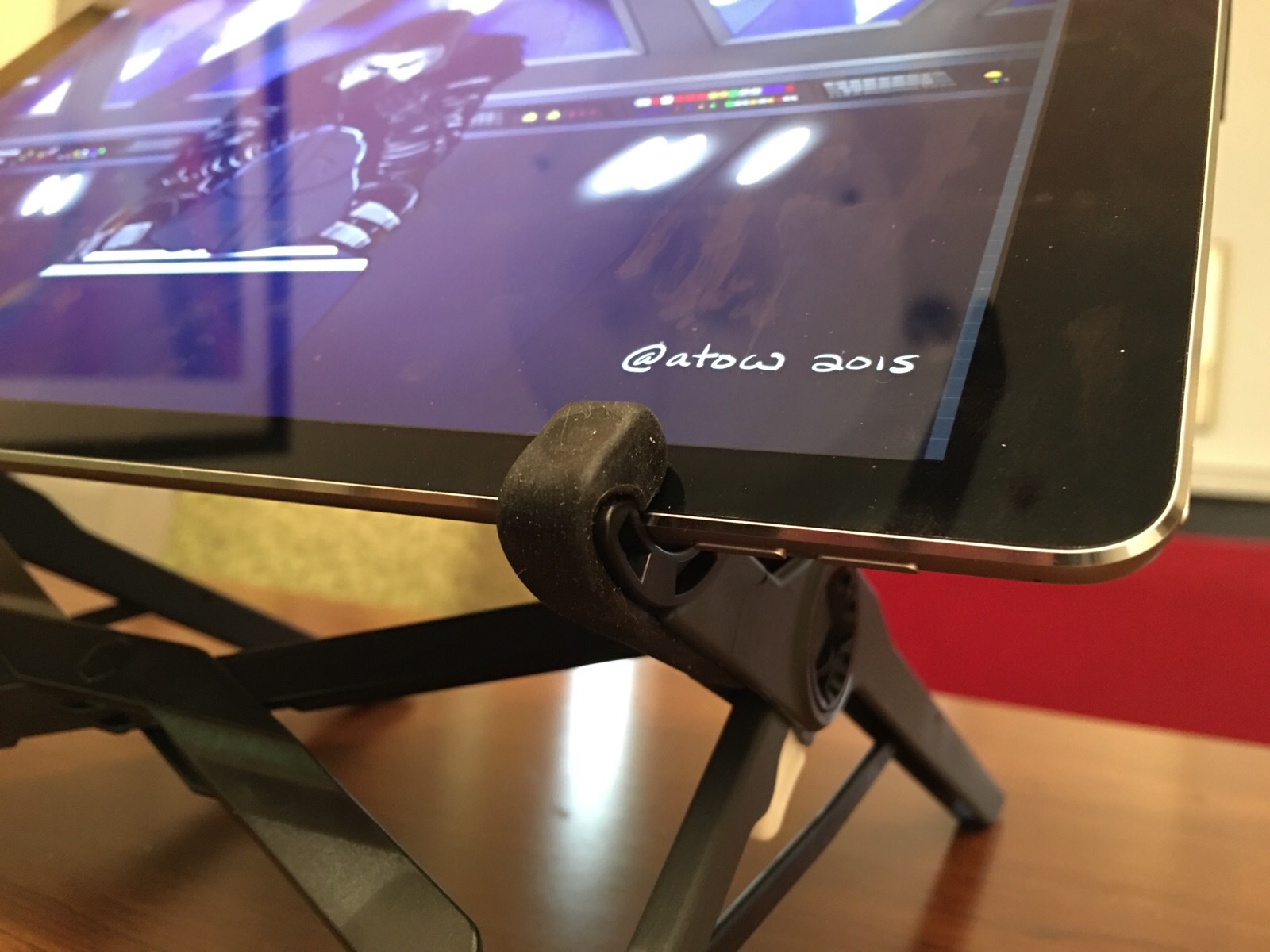
I’m happy that I ran into James and the Roost booth today at CES. I got my Roost early and was able to chat with the inventor. The product looks and operates exactly as it has been described. And, although it wasn’t designed with the iPad Pro in mind, it works well with it.
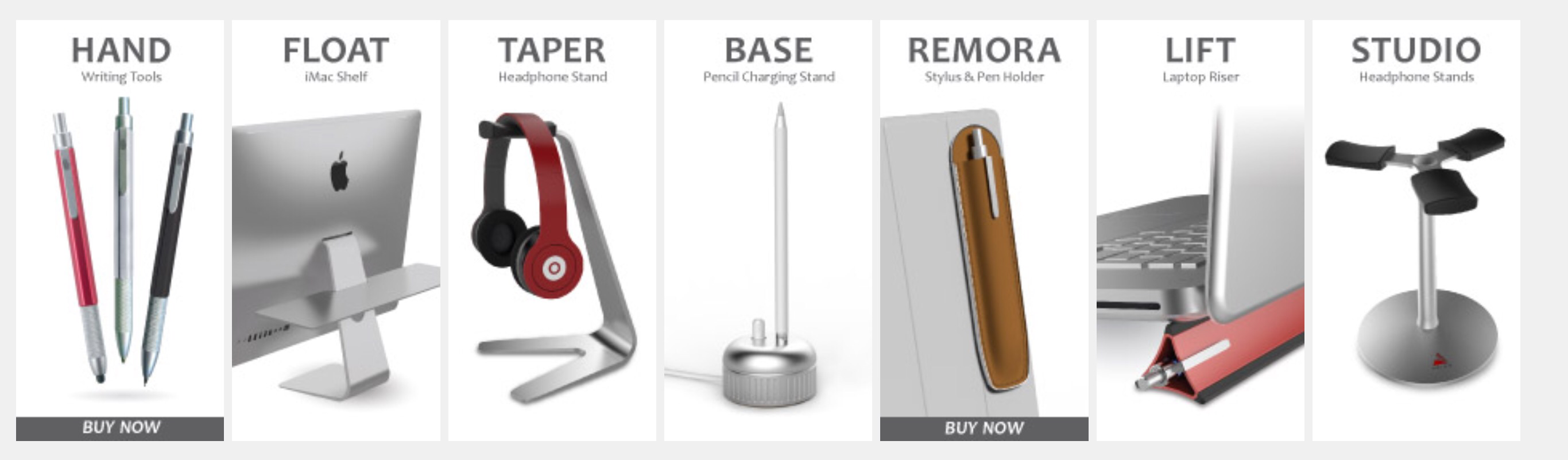
If you’re at CES, be sure to visit Roost at the Las Vegas Convention Center, North Hall, Booth 6635. James is sharing the space with Steve King at California Pacific Designs, who is demoing several well-designed Apple accessories. Steve showed me his BASE Apple Pencil charging stand, the FLOAT, an elegant shelf for the iMac or Cinema Displays, and a series of nice aluminum headphone (and Oculus Rift) stands. Check them out!





 tow.com
Leave a reply to Alex Cancel reply