
My first laptop was the Apple PowerBook 180. Originally released in 1992, it was one of the most advanced laptops out there, with a 33 MHz 68030 processor and a 68882 floating point processor (FPU). It featured a 640×400 active matrix LCD screen capable of displaying 16 shades of gray, a 40 MB hard drive, a 1.44 MB floppy disk drive, and a center mounted trackball (an innovation at the time).
Young ones out there reading this blog post should note that these were pretty decent specs back in 1993!
It was relatively svelte too, coming in with a thickness of 2.25 inches and weighing 6.8 pounds. I absolutely loved my PowerBook 180, and I used it over my four years of college.
Thirty one years later, I look at the PowerBook 180 now and half-heartedly wonder how I managed to get by with it and lug it around!
Macs Today
I envy students now because they have so many Mac choices to get things done. Affordable options like the MacBook Air, iMac, and Mac mini are orders of magnitude more powerful than my 180. The MacBook Pro, Mac Studio, or a Mac Pro exist if they need even more power.
iPhone and Apple Vision Pro
Now that the iPhones have USB-C, you can plug one into a hub to access external video, Ethernet, and a keyboard and mouse. I wonder if there are students out there using just their phone to do all of their schoolwork.
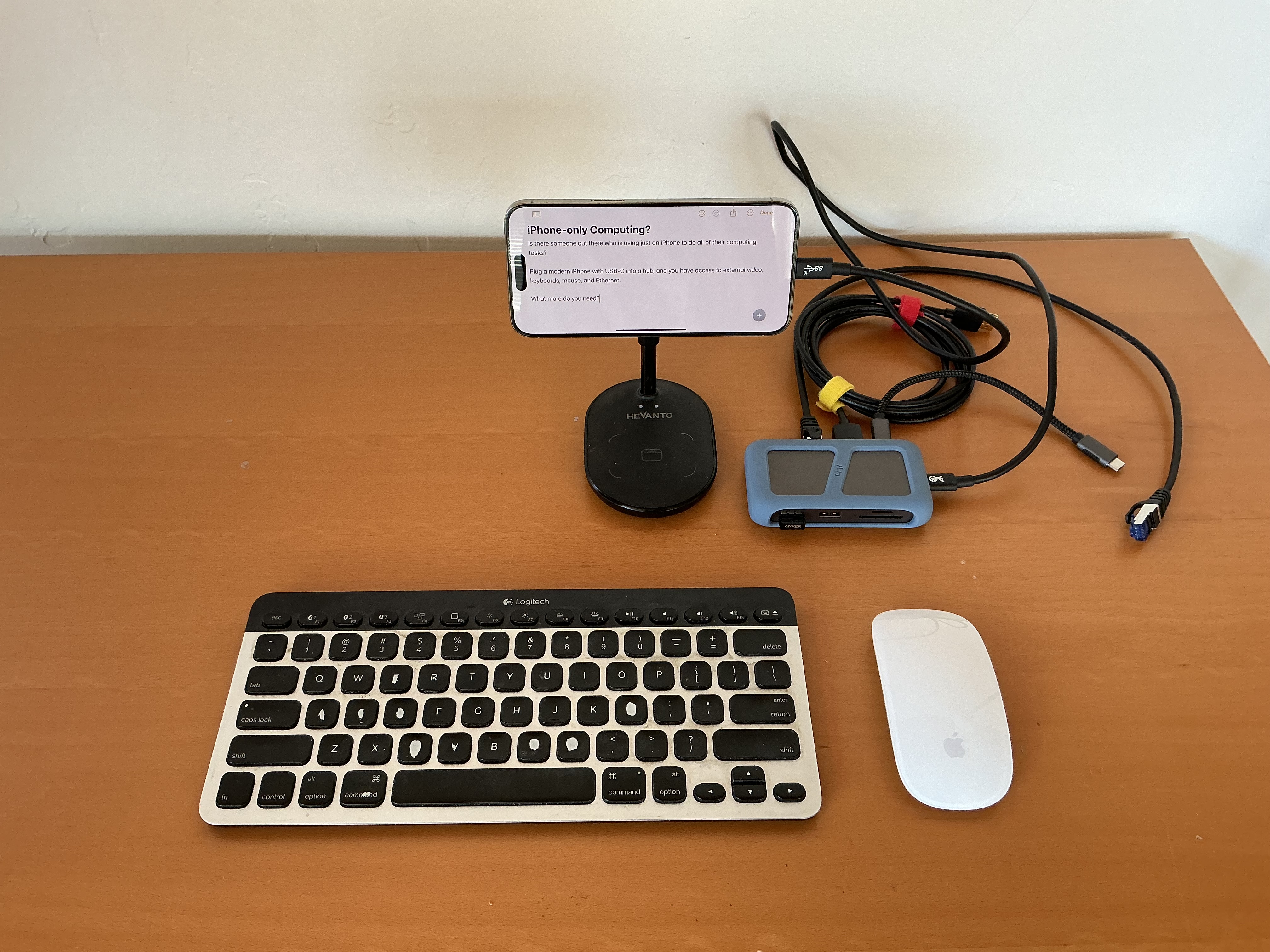
And, maybe there’s even someone who is using an Apple Vision Pro as their only computing device. There’s one thing the Apple Vision Pro matches my PowerBook 180 despite the passage of time, and that’s its battery life of two hours!
iPad
I think if I was just starting out, I could easily make it through four years of college with just an iPad. Sure, if I was studying computer science, I would need a Mac. But, if I were a liberal arts student who wasn’t taking any CS courses, I could easily go iPad-only. The iPads are so much more powerful than my PowerBook 180 that even the base model iPad (10th generation) would be enough.
With all that said, I wanted to see how many of my iPad Pros with Smart Keyboard Folio or Magic Keyboard cases would equal the size and thickness of that PowerBook 180.
The answer is four!
- 2015 12.9″ iPad Pro with the Smart Keyboard Folio
- 2018 12.9″ iPad Pro with the Smart Keyboard Folio
- 2021 12.9″ iPad Pro (M1) with Magic Keyboard
- 2024 13″ iPad Pro (M4) with Magic Keyboard
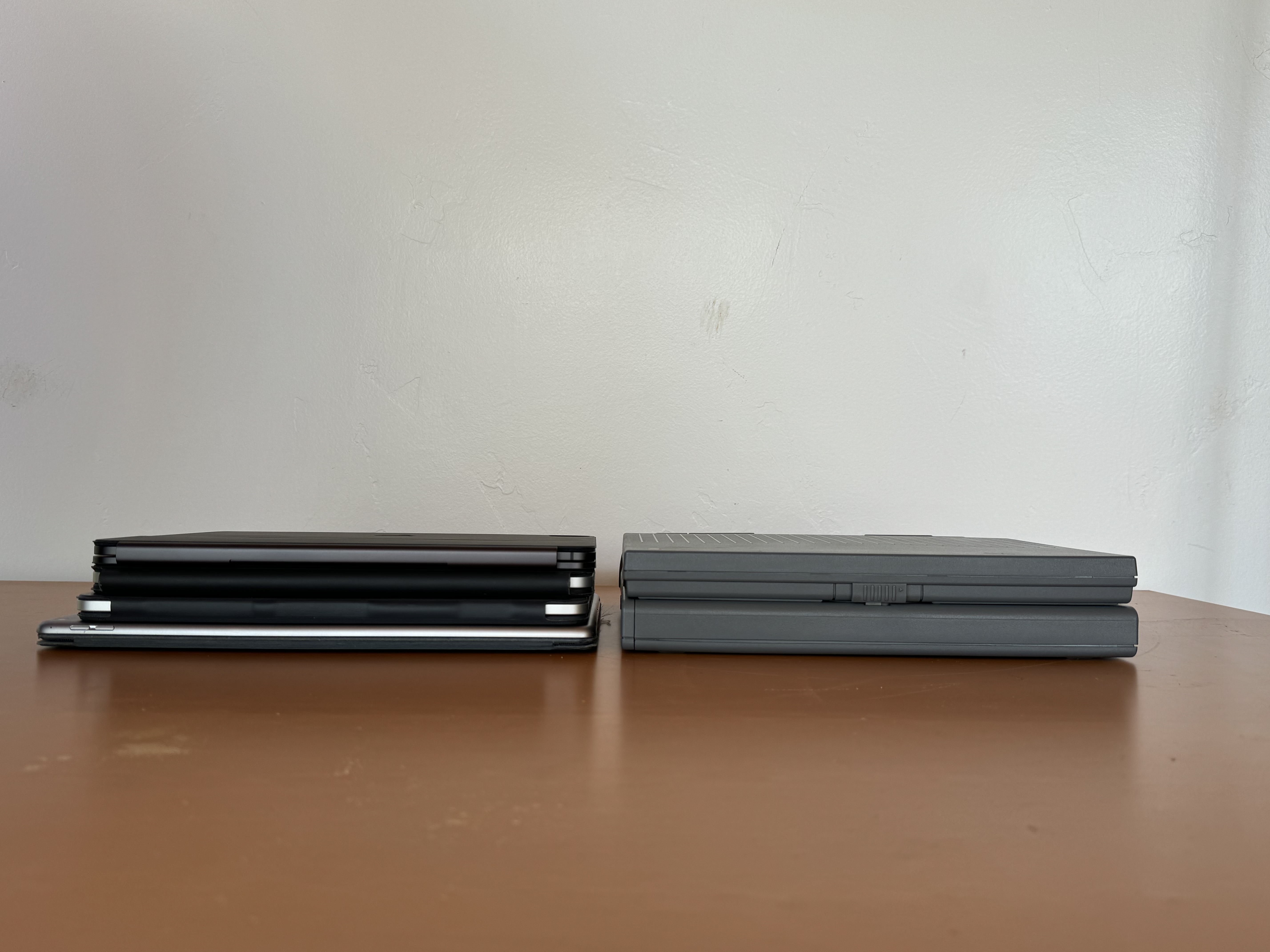
The weight of four iPad Pros with keyboard cases shoots past the 6.8 pounds of the PowerBook 180, but the overall size roughly equals the dimensions of the laptop.






 tow.com
Leave a reply to Felix Wong Cancel reply