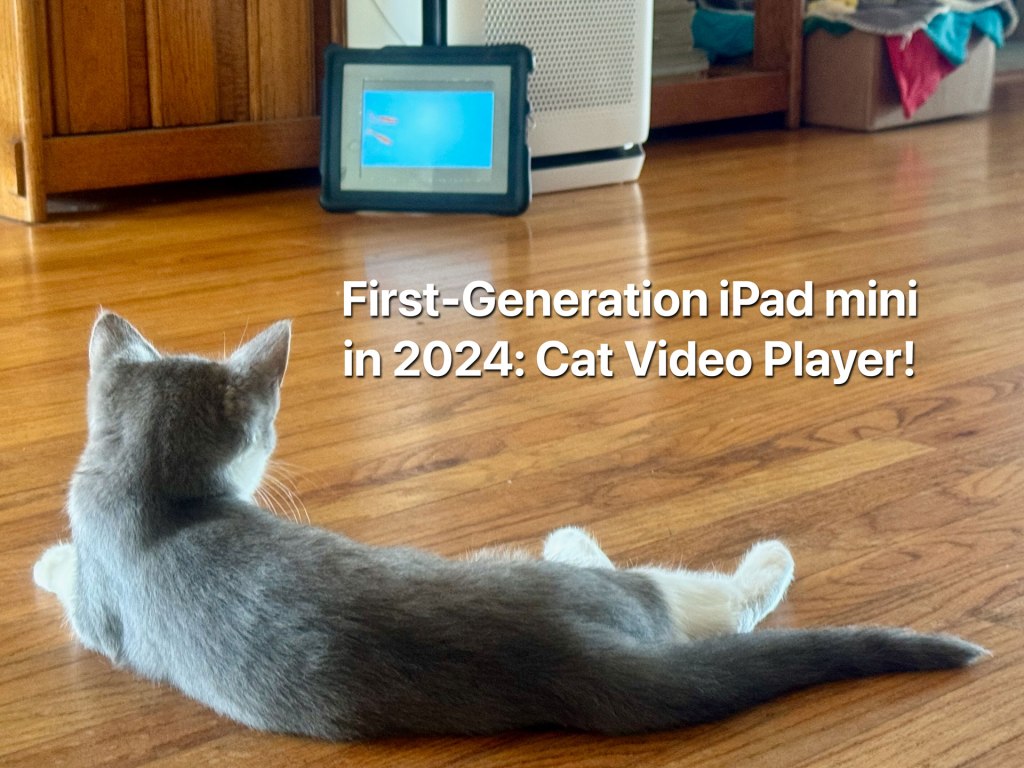
I still have a first-generation iPad mini, but it has been gathering dust for several years now. Initially released in 2012, it is really showing its age in 2024. For example, iPadOS 9 is positively archaic next to iPadOS 18. I miss affordances like a customizable Control Center, Shortcuts, keyboard and mouse support, and even Siri. It feels really slow—was it always this slow, or have I been spoiled by the speed of modern iPads? This iPad mini still holds a number of games that I like to play from time to time, such as the original Plants vs. Zombies and Angry Birds. It’s unable to run modern apps because they almost all require an updated version of iPadOS.
Download my app Wipe My Screen and clean virtual versions of every iPad, iPod touch, and iPhone. There are quick links to learn more about each device, such as the first-generation iPad mini. Plus, you can use Wipe My Screen to help you clean your physical screen and frame screenshots using device frames.
VLC is backward compatible with iPadOS 9
I could have recycled this years ago, but I held onto it for some reason. Nostalgia, perhaps? With the arrival of Newton 3.0, however, this iPad mini has found a new lease on life. Turns out VLC Media Player is compatible with iPadOS 9 and can still be downloaded from the App Store. I like VLC because you can load it up with videos and play them back in a loop. Here’s what I did to provide Newton with screen entertainment for hours on end.
First, I had to get some videos that from the web. There’s several long videos on YouTube — search for “videos for cats” — that you can download using a FireFox plugin.
- Download some lengthy videos of birds, mice, and fish to your computer.
- Connect the iPad mini to my MacBook Pro using a Lightning to USB cable.
- Click on the iPad mini in the sidebar of a Finder window.
- Click on the Files tab.
- Drag the video onto the VLC icon in the Files section.

After a few minutes (this is USB 2.0 speeds after all), the videos were copied to the iPad mini and available in VLC.
Repeat forever
The next step was to play the videos on repeat.
- Open VLC on the iPad mini.
- Tap Playlists.
- Select the playlist you want to play.
- Tap Play.
- Tap the More button (ellipsis).
- Tap the Repeat button to set the video to repeat.
Now, the iPad mini is looping through several hour-long videos of birds, mice, and fish.
DIY case creation
Next, I wanted to protect the iPad mini from Newton, who might want to swipe, scratch, and claw the screen when seeing an especially tasty bird, mouse, or fish on the screen.
There are still cases available on Amazon that fit the first-generation iPad mini, but I wanted to make my own. I’ve had this rubber case for the original iPad since 2010 that I never used. Since the iPad mini is much smaller, I needed a way to secure the tablet within the larger case.
I found a picture frame with an acrylic front and an old photography gray card. Both were larger than the case, so I first measured how much I needed to cut them to fit. I used my Rotatrim rotary cutter to trim the gray card, and with an X-Acto knife, I scored the acrylic before snapping off the extra pieces.
Next, I cut out an iPad mini screen-sized hole in the gray card using the X-Acto knife. I could have used my mat cutter, but I was lazy and didn’t want to grab it from the garage. I don’t think Newton will hold it against me that the mat cuts are all jagged!

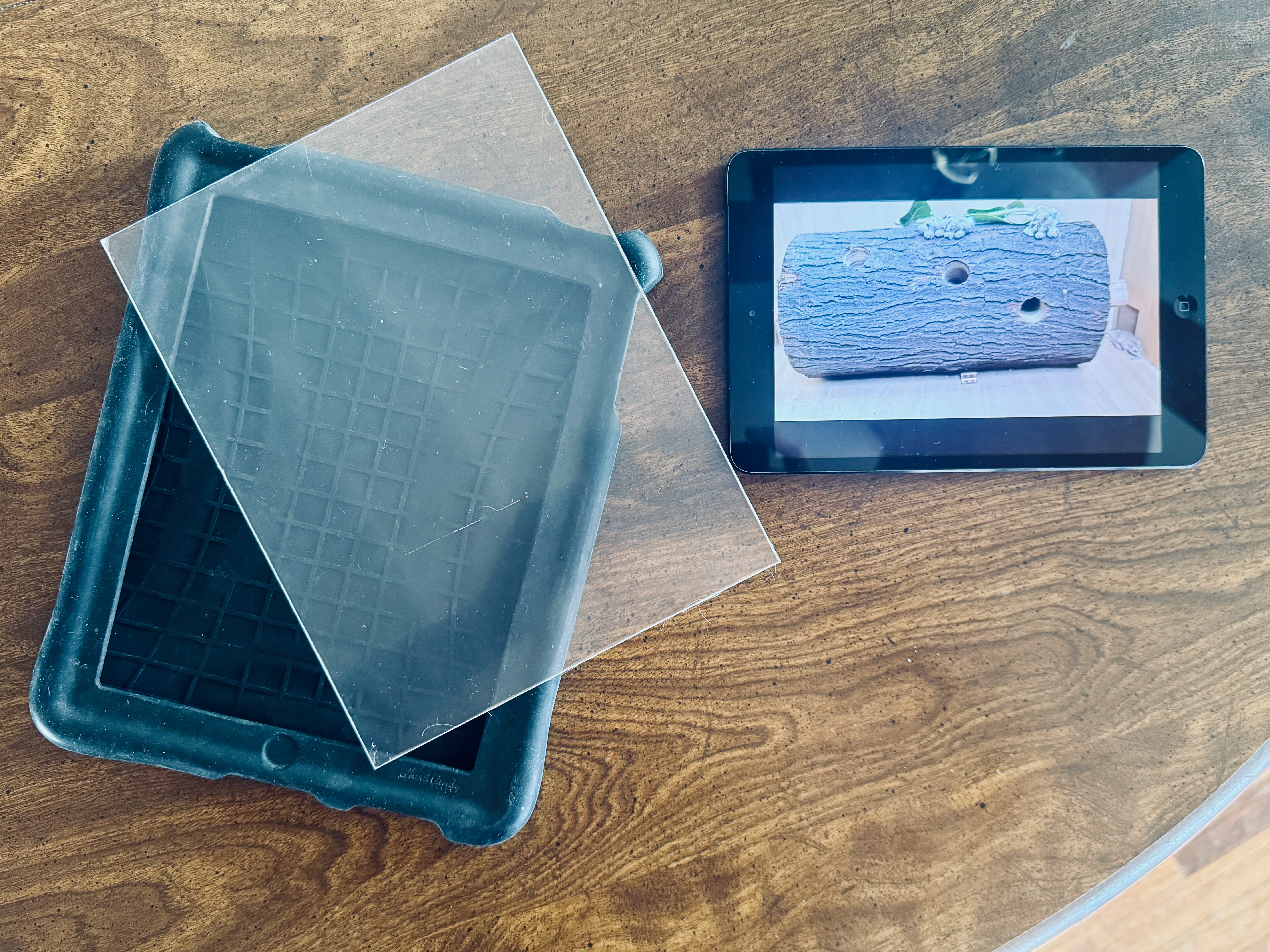


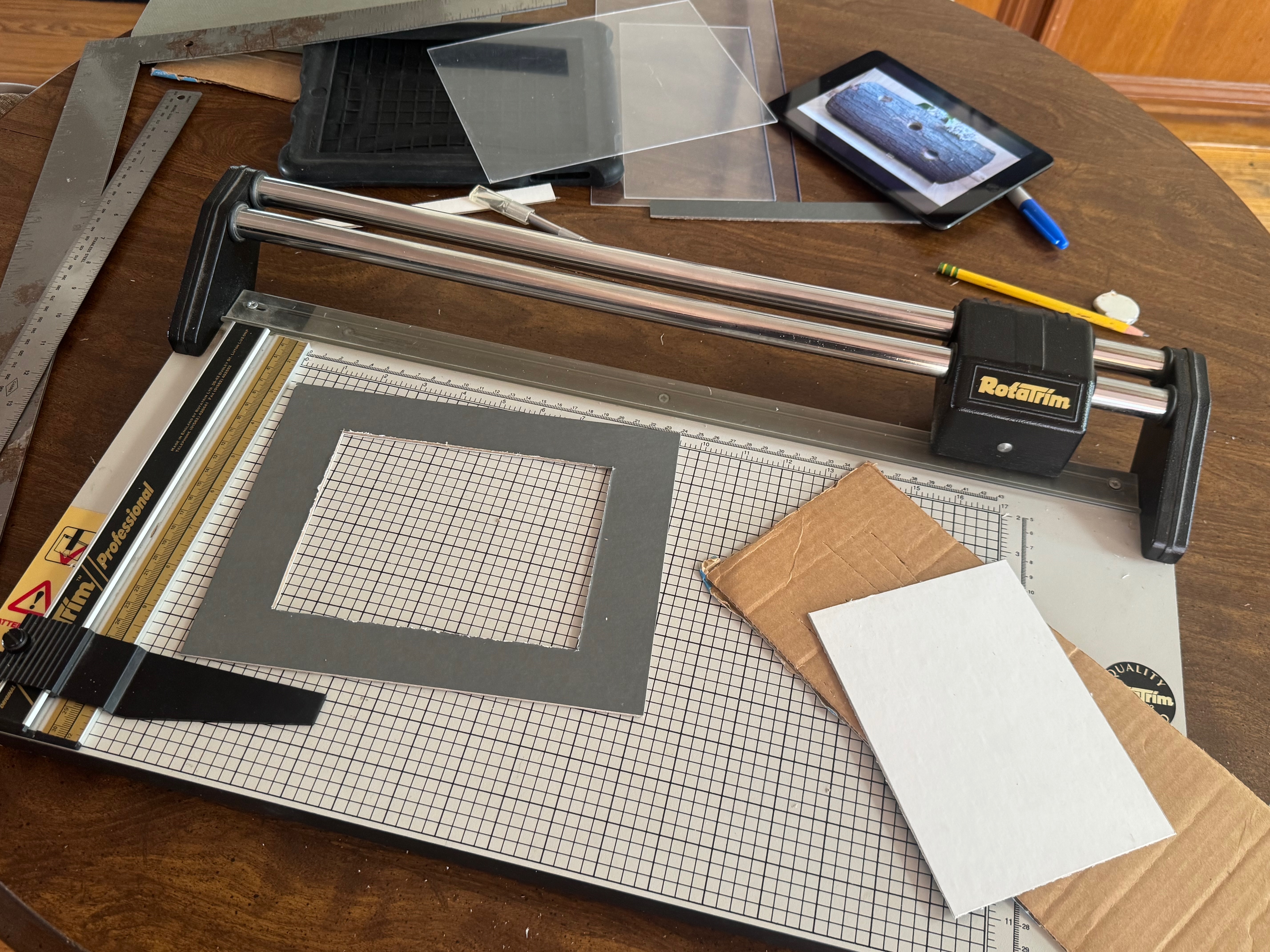
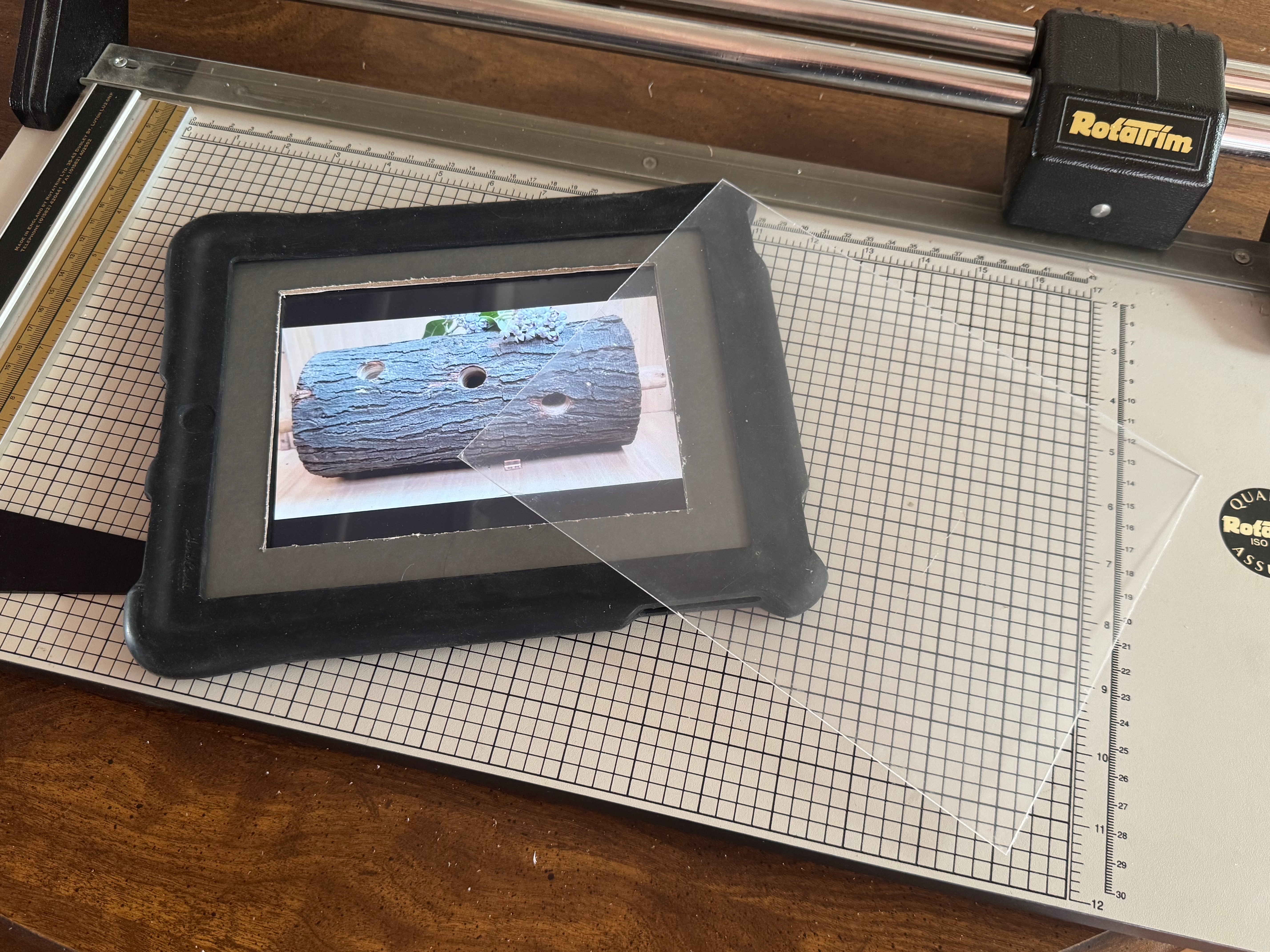

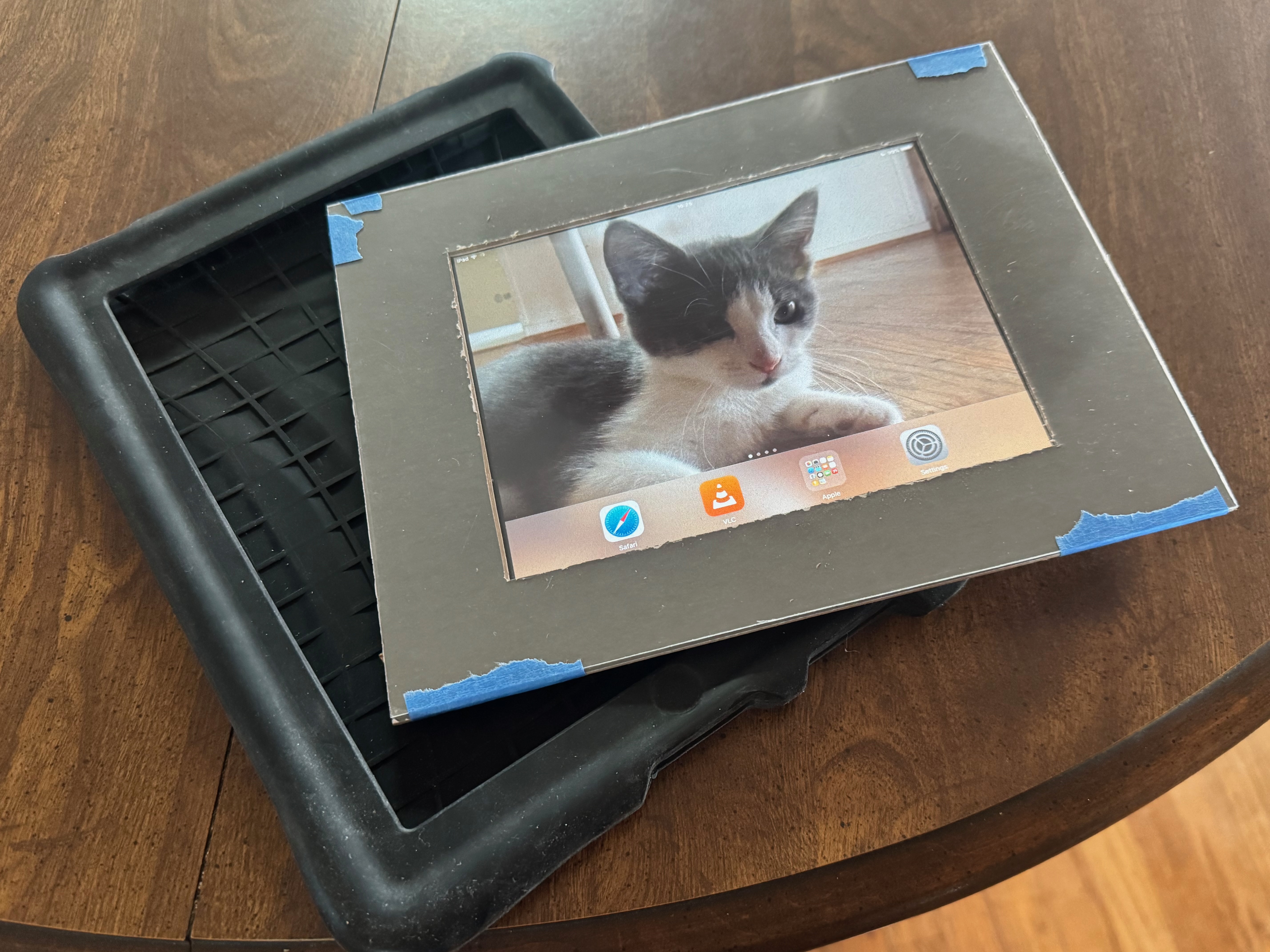
I glued strips of cardboard to the back of the mat using Elmer’s Glue. Once it hardened, that stuff became strong! Now, the iPad mini can be slid into the mat in the perfect position. I taped the acrylic to the mat using blue painter’s tape. The rubber bezels on the case cover the tape, so you never see it.
Now, I can launch VLC on the iPad mini, run a playlist, and turn on Guided Access mode. The acrylic plate prevents any accidental touches, so if I need to use the iPad, I have to remove everything from the case first. That’s probably the most annoying part of this DIY project, but that’s the price of doing it yourself!

Watching the hours away
Newton has plenty of things to play with in the house, but I’ve caught him watching the videos on the iPad mini at times during the day. I hope it continues to provide him with hours of enjoyment when we can’t play with him ourselves.

Disclaimer: This post may contain affiliate links. If you make a purchase through one of these links, I may earn a small commission at no additional cost to you. I only recommend products or services I personally use and believe will add value to my readers. Thank you for supporting my blog!




 tow.com
Leave a reply to A first look at the new iPad mini (A17 Pro) – tow.com Cancel reply