
Today, Apple announced a complete revamp of their versatile Mac mini computer. The most visible difference is the size. The dimensions on the new Mac mini is now a diminuitive 5.0 x 5.0 x 2.0 inches, compared with 7.7 x 7.7 x 1.4 inches for Mac mini computers sold over the past fourteen years (2010-2024). The new M4 and M4 Pro chips power this Mac mini lineup, and they finally get 16 GB of base starting RAM (dubbed Unified Memory in Apple parlance). No more 8 GB configurations anymore! There’s a lot more to like about this new Mac mini, and I encourage you to read all the gory details on specs, ports, connectivity, and more here:
- Apple’s all-new Mac mini is more mighty, more mini, and built for Apple Intelligence (Apple)
- Apple unveils redesigned Mac mini with M4 and M4 Pro, Thunderbolt 5, more (9to5Mac)
- M4 Mac mini vs M2 Mac mini compared: Leaner and meaner (AppleInsider)
- New Mac mini arrives with redesign, powerful M4 & M4 Pro processors, more USB-C (AppleInsider)
- M4 Mac mini: Everything you need to know (MacWorld)
- Apple unveils Mac minis with M4 and M4 Pro Chips (Daring Fireball)
- The M4 Mac mini: Tricks and treats (Six Colors)
In this article, I’m going to talk about my experience with Mac mini over the years, and how I see myself potentially using the new M4-powered Mac mini in the future.
I’ve always had a soft spot for the Mac mini since it was originally launched in 2005, but I never pulled the trigger on buying a brand new one until 2020 when the M1 Mac mini was released.
I did get used ones on eBay or from family members to act as servers, a dual-boot Windows PC, and a computer for my wife. In my house today, I have a total of four Mac minis:
What’s surprising about all these Mac mini computers is that they look almost identical from the front. It isn’t until you check out the rear where you can begin to tell what kind of Mac mini it is.

Mac mini (Late 2012)
The Quad-Core 2.3 GHz Intel Core i7 is in some ways more expandable that the Late 2014 model. Its single-core performance is slower than the later model, but due to its quad core architecture, its multi-core performance is better than the Mac mini from 2014. From a connectivity standpoint, it still had a FireWire 800 port and its Wi-Fi chipset only supported 802.11a/b/g/n. Finally, it could only be upgraded to MacOS X 10.15.

This computer is actually not used as a Mac, but as a Windows PC. I use Apple’s Boot Camp to run Windows 10 for a single game that I occasionally like to play. I dread powering it on, however, because I know that I’ll have to spend an hour (or more) updating it with all of the Microsoft security updates. I’ll have to do this until October 14, 2025, the date on which Windows 10 will stop getting updates.
I received this Mac mini from a family member who was upgrading to a newer model, so I didn’t pay anything for it. It has a 256 GB SSD, so disk performance is as fast as it’s going to get (over a spinning hard disk).
More information on this Mac mini (Late 2012) can be found here on EveryMac.
Mac mini (Late 2014)
The 2.6 GHz Dual-Core Intel Core i5 model functions as my VPN, Plex, and Homebridge servers. It used to run my FTPS server that I used with my wireless photography system. With my Canon 5D Mark IV now being used as my webcam and my primary camera being my iPhone these days, I haven’t had a need to restart the server. It’s disconcerting to note that even in 2024, photographers have to go through so many hoops to get images from their modern DSLR and high-end mirrorless cameras to third-party services. Frame.io’s Camera to Cloud is a promising possibility; it just needs to support more cameras!
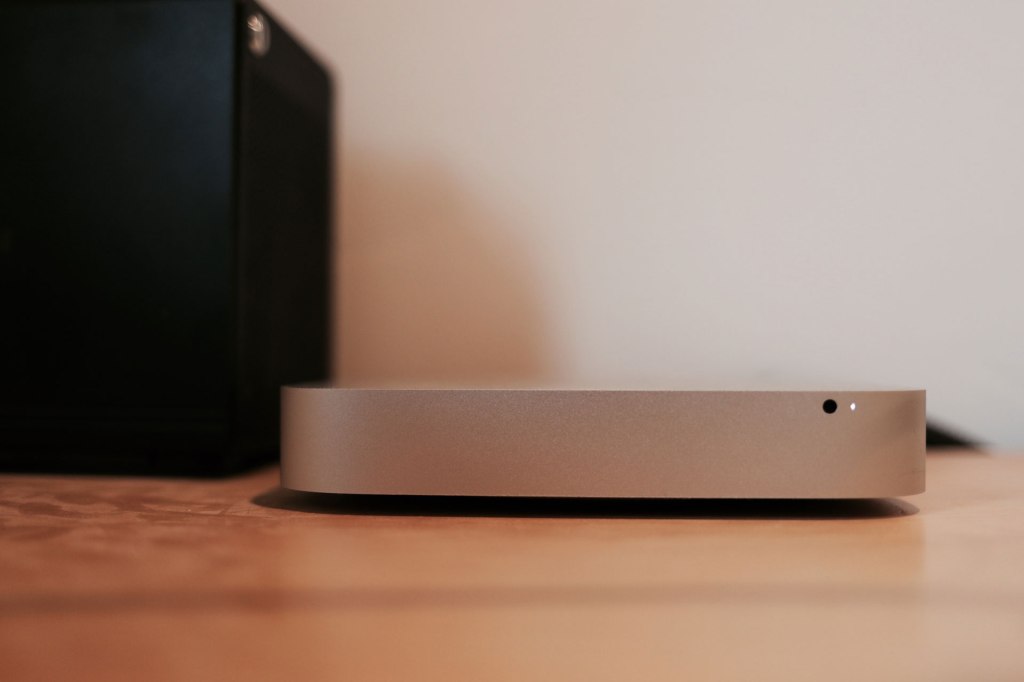
This Mac mini is running macOS Monterey (12.7.6). Perhaps one day I’ll use OpenCore Legacy Patcher so that I can upgrade this computer to run the latest version of macOS, like Sequoia.
I bought this computer on eBay in 2016 for about $734. I think the new price for it was around $1200 with all of the upgrades (extra RAM and the 256 GB SSD).
More information on this Mac mini (Late 2014) can be found here on EveryMac.
Mac mini (Late 2020)
I own two Mac mini computers with the M1 processor. The first one I bought as my primary machine and used it for many years until I upgraded to the M2 Max MacBook Pro (just months before the M3 MacBook Pros were announced).
I have owned a lot of Macs over the years, and I can honestly say that the M1 Mac mini is one of Apple’s best computers they’ve ever made. It had a good mix of modern and legacy ports (i.e. 2 x USB-A and and 2 x Thunderbolt 3) and ran nearly silently. It might have been strange pairing the Mac mini with the expensive Apple Pro Display XDR, but the combination worked. I developed my MixEffect application on this Mac mini when the pandemic was in full swing.
Today, that Mac mini sits in my NavePoint 9U rolling rack, alongside my Blackmagic Design ATEM 2 M/E Constellation HD, two HyperDecks, Web Presenter 4K, and an Ultimatte. It is still running macOS Ventura (for compatibility testing) and acts as a remote Mac and ZoomISO machine when I want to bring in multiple guests into my Constellation. I access it primarily using Apple Remote Desktop. This Mac mini is configured with 16 GB of Unified Memory and a 1 TB SSD.
The other M1-powered Mac mini is used by my wife. Like with the other Mac mini computers, I got it with 16 GB of Unified Memory, but I only configured it with a 512 GB SSD, since she doesn’t have the storage requirements that I have. Looking at her available disk space, however, I think I should have gotten her the 1 TB — there’s less than 20 GB free at the moment!
More information on this Mac mini (Late 2020) can be found here on EveryMac.
Is the new Mac mini with M4 in my future?
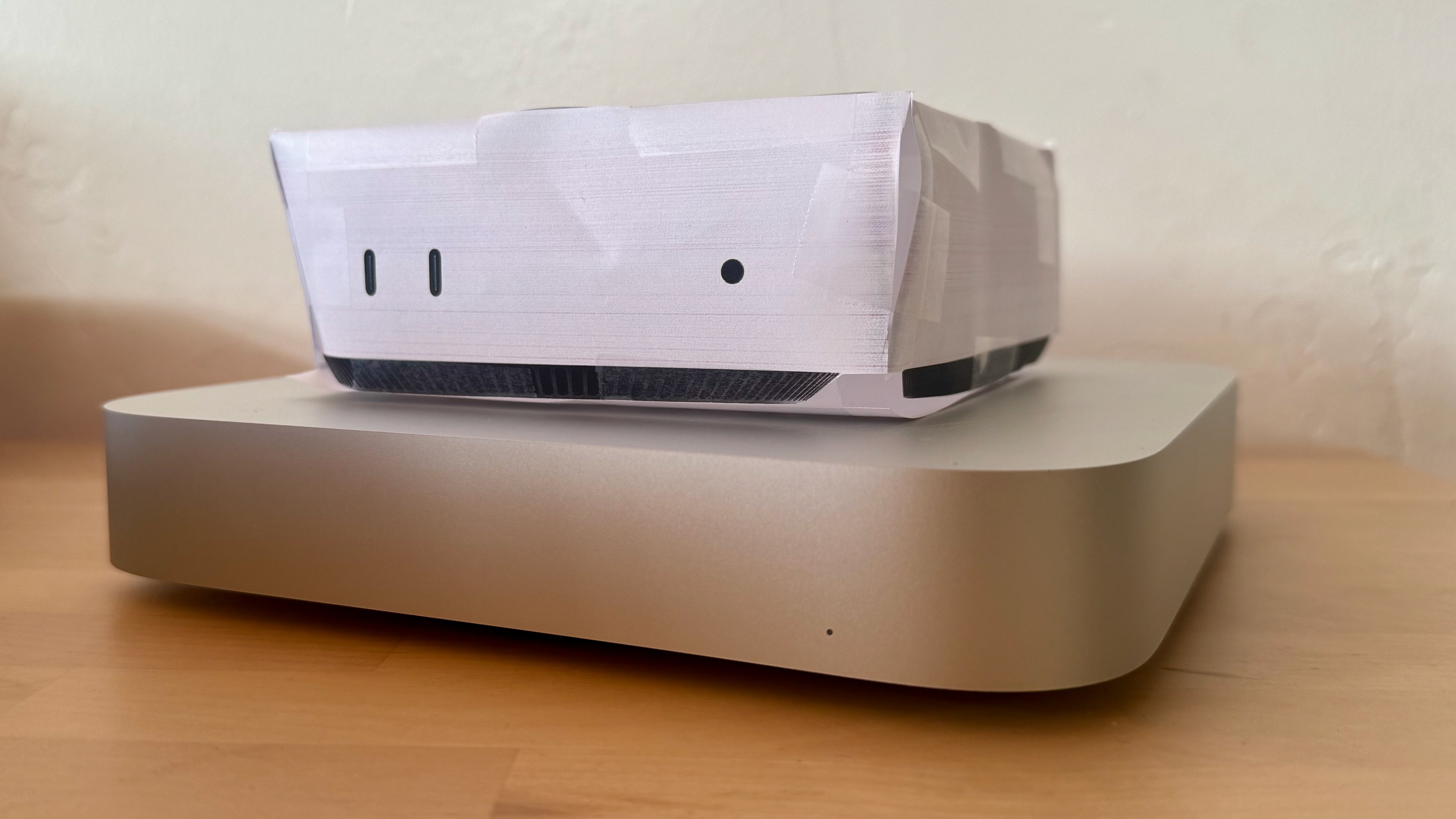
The new Mac mini looks fantastic. Visually, it’s a cross between the older and larger Mac mini and the smaller Apple TV 4K. I think the value provided by the base configuration is also a steal. Where in the past you had to pay extra $200 to get 16 GB of Unified Memory, it comes with that for free. And, I think 16 GB is plenty for most people. Users of the M1 Mac mini will appreciate the extra Thunderbolt port in the back. For owners of the M2 Pro Mac mini, you might miss the fourth Thunderbolt port, but it’s more than made up by the fact that the three ports are Thunderbolt 5 with up to 80-120 Gbps transfer rate (40 Gbps with Thunderbolt 4).
MacBook Pro
With my M2 Max MacBook Pro, I use a Sonnet Echo 20 Thunderbolt 4 SuperDock because I have too many accessories that I need to connect to:
- Ethernet
- Apple Pro Display XDR
- Elgato Stream Deck XL
- RODEcaster Duo
- ATEM 2 M/E Constellation HD
- ATEM Mini Pro
- Speakers
- iPad mini (6th generation) (my teleprompter)
- Mechanical Keyboard (for charging)
- Magic Trackpad (for charging)
I also have a stable of Uni USB-C 8-port hubs that I connect for additional ports like Ethernet, SD/MicroSD, USB-A, and HDMI.
My MacBook Pro is still a great machine, and I don’t feel I need to replace it at this time with a Mac mini or a new M4-powered MacBook Pro (that will be announced tomorrow). It’s fast, loaded with memory (64 GB) and storage (2 TB), and portable. To replace it with an M4 Pro Mac mini, I would be looking at spending $2,599.
Mac minis
As for the other Mac mini computers in my household, the only computer that I would think about replacing would be the Mac mini (Late 2014) acting as my server. The Late 2012 is just a Windows machine at this point; there’s no need to replace it since I won’t get native Intel performance from an Apple Silicon computer.
The two M1 minis are still being supported by Apple, and I’m really happy these four year old computers can run Apple Intelligence. I do wonder how much longer macOS will support the M1 processor. If it’s the typical 7-8 years, I have until macOS 18 or 19 before I might have to replace them.
Now, if I were to retire the Mac mini (Late 2014), I would configure its replacement as follows:
- M4 Processor
- 16 GB of Unified Memory
- 1 TB SSD
- $999
Since this is a server, however, I might be able to get away with just 256 GB of SSD storage and use external drives for my Plex media. In that case, I could load up on more memory:
- M4 Processor
- 24 GB of Unified Memory
- 256 GB SSD
- $799
Or
- M4 Processor
- 32 GB of Unified Memory
- 256 GB SSD
- $999
This is all theory-crafting of course, since I don’t plan to replace anything at the moment.
What about you? Are you excited about the new Mac mini? Or, are you more of an iMac or MacBook Pro user? If you have used Mac mini computers in the past, leave a comment down below with your experience and if you plan to upgrade to the new, smaller, and mighty Mac mini?
Product links
The links below are to Amazon for the standard Mac mini configurations with the M4 and M4 Pro chips respectively. Check out Apple to custom configure your own Mac mini.
- Mac mini with M4 chip, 16GB RAM, and 256GB SSD (Amazon)
- Mac mini with M4 Pro chip, 24GB RAM, and 512GB SSD (Amazon)
- NavePoint 9U Portable Server Rack with Casters (Amazon)
- Sonnet Echo 20 Thunderbolt 4 SuperDock (Amazon)
- Uni USB-C Multiport Adapter with Detachable Cable (Amazon)
Disclaimer: This post contain affiliate links. If you make a purchase through one of these links, I may earn a small commission at no additional cost to you.. Thank you for supporting my blog!







 tow.com
Leave a comment