
MsgFiler is back for macOS Sonoma, and this is the story behind its return.
When macOS Sonoma was previewed to developers at WWDC 2023, I thought that MsgFiler had met its end. Sonoma finally dropped support for Mail Plug-Ins, something Apple had said was going to happen a few years prior when they introduced the MailKit framework.

At the time in June, I was working full-time at Zoom, and honestly did not have the time nor bandwidth to investigate how I could make MsgFiler work on Sonoma. Another thing that scared me was that the MsgFiler 3 codebase was ancient. Most of the code was written fourteen years ago, when Objective-C, Cocoa, and Interface Builder reigned supreme (it still does in some development circles). Since then, Swift and SwiftUI arrived, and Apple has been strongly encouraging developers to adopt the new language and frameworks.
Since WWDC 2023, I was telling long-time MsgFiler customers that I would look into what I could do to support the product in this new era of Apple Mail sans plug-ins. Honestly, I was a bit bummed because I didn’t see a viable path for the app. In the meantime, I pointed them to several workarounds that I had found. When I finally upgraded to Sonoma, I tried using these methods, and while they mostly worked, they lacked the elegance of MsgFiler. Plus, I found my muscle memory fighting against these new routines.
The other thing holding me back was I was really busy with my job at Zoom. I simply did not have the time to work on my projects alongside work and family life. At the beginning of 2024, I made a critical decision to leave Zoom so I could devote 100% of my time to my indie app projects such as MixEffect. Tucked in the end of the announcement post was a mention of getting MsgFiler updated for macOS Sonoma. The pressure was now on!
I had heard reports that MsgFiler 3 continued to work for people who already upgraded to Sonoma, and I wondered why. Whenever I tried to file a message with MsgFiler 3, the message would remain in the inbox and be copied, not moved, to the destination mailbox. A deep dive into AppleScript support in Mail turned up the reason. If you were trying to file a Gmail message using AppleScript, the Inbox label was not being removed from the message prior to assigning the new mailbox label.
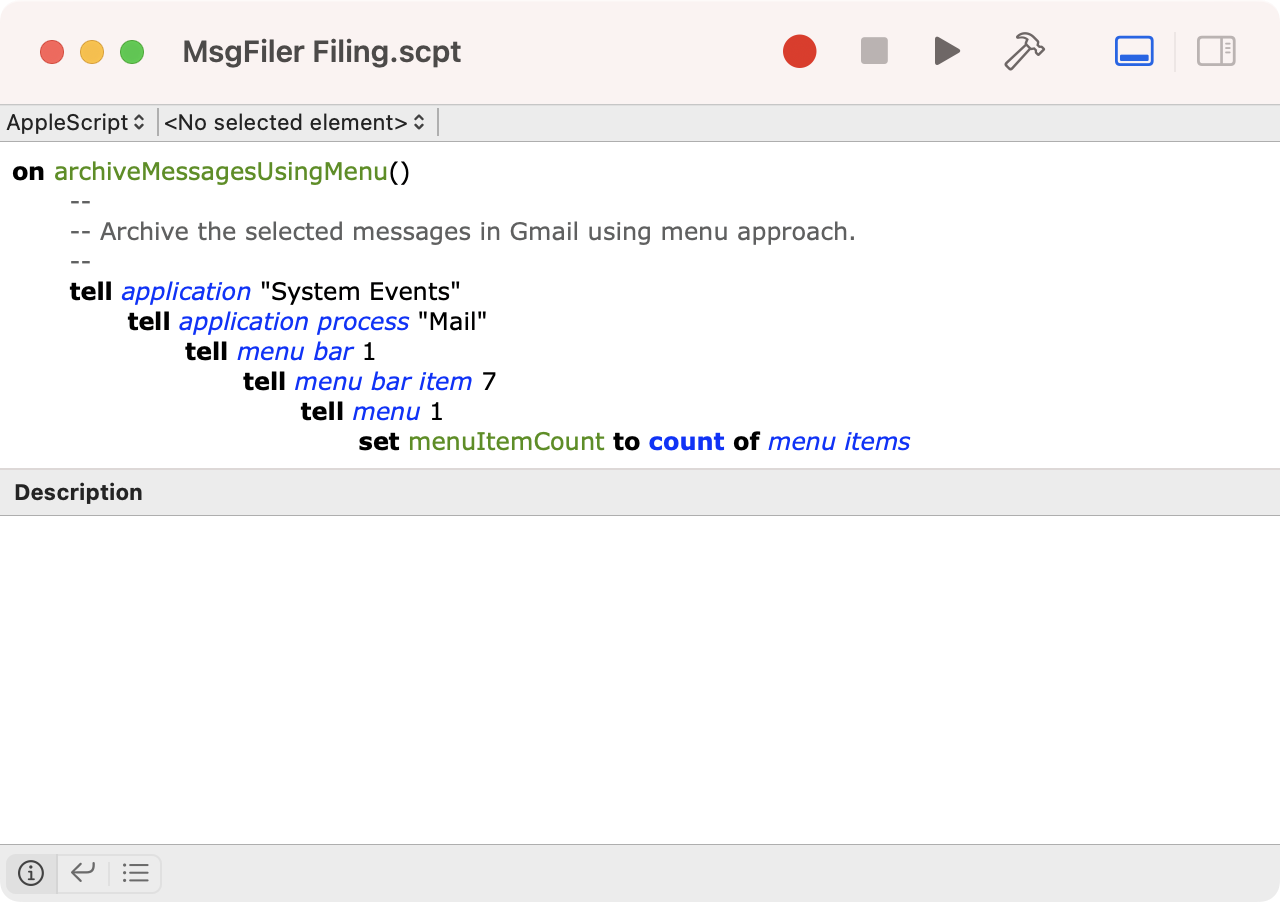
My investigations led me to several possible paths. One, I could programmatically invoke the Archive command in Mail prior to filing. Two, I could use the Move to command under the Message menu to file messages. The first relied heavily on AppleScript, some of which I had written (and rewritten) many times over the course of MsgFiler’s existence. The second approach was brand-new and very promising… when it worked. Targeting the right mailbox using the Accessibility APIs turned out to be nearly impossible if any mailboxes were expanded in the sidebar, so I ultimately nixed this approach.
The work begins
All of these investigations and detours took me to a solution that gave me a glimmer of hope that MsgFiler could work. And, that was just the handhold I needed, now that I had time on my side and an empty calendar in front of me.
Some months prior in 2023, I started the work of porting MsgFiler’s interface from its Objective-C and Interface Builder roots over to Swift and SwiftUI. I will say that I never grokked how Mac apps were built in the past, but I certainly loved the new way of developing apps. For me, building apps using Swift and SwiftUI reminded me of the days when I was writing apps for the Apple Newton. What my mind could envision, my fingers would (generally) know how to type. When I returned to the Xcode project in 2024, the scaffolding was ready for me to start filling in the rest.

We’ve been watching the live-action remake of “Avatar: The Last Airbender” on Netflix. The protagonist, Aang, has to master the four elements: Air, Water, Earth, and Fire, in order to bring balance to the world. As an indie developer, you’re similarly responsible for many things, from coding to graphic design, marketing, dev ops, business, sales, product marketing, qa, and finance. Did I leave anything out?
When I get into my flow state, all of these roles merge into one, and I feel like I become a single entity that’s living, breathing creation. My eyes don’t get all glowy like Aang, and I don’t have any arrows tattooed on my forehead and hands, but the end result is similar.
Introducing MsgFiler 4
With all that said, I am overjoyed to announce that MsgFiler has been successfully rewritten from the ground up with support for macOS Ventura (13) and Sonoma (14). It sports a familiar interface with a lot of nice improvements under the hood.
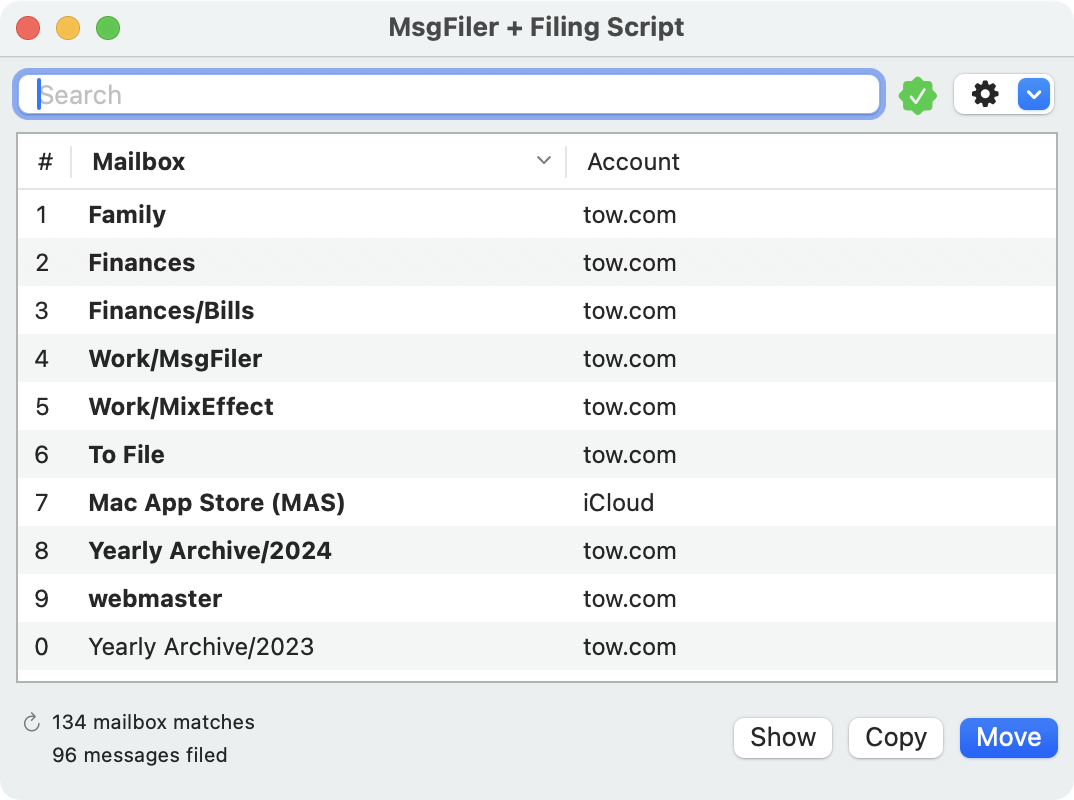
Here’s a quick run-down of the new and improved features. Read the announcement post for more details or visit the fully-decked out documentation site.
- Moving messages (1) (2)
- Copying messages (1) (2)
- Showing mailboxes
- Mail keyboard navigation (1) (2)
- Archiving messages (1)
- Flagging messages
- Labeling messages
- Creating new mailboxes (2)
- Shortcuts support
- Dark mode
- Focused Filing mode (1) (2)
- Automatic mailbox reloading
- Launch at login
- Hiding the Dock icon
(1) Requires the installation and activation of the MsgFiler Filing Script, the spiritual successor to the MsgFiler Engine Mail Plug-In for MsgFiler 3.
(2) Premium feature.
Let’s talk about pricing
I’d like to speak now to the part of the app that’s likely to spark the most controversy. The pricing model for MsgFiler 4 has expanded to included monthly and annual subscriptions in addition to a more expensive one-time payment option.
I first created MsgFiler back in 2006, and I have been selling some version of it as long ago as 2008. That’s sixteen years and counting. MsgFiler 3 has been out on the Mac App Store since 2010, nearly fourteen years. In all that time, MsgFiler has had two prices. $6 for the Original MsgFiler Mail Plug-In (a.k.a MsgFiler Classic) and $9.99 for MsgFiler 3.

I have customers who used and are still using MsgFiler from the very beginning. This means they’ve paid me twice, once in 2008 and again in 2010. Spread out over sixteen years, the benefit to me comes out to one dollar a year. The benefit to them is tens of thousands of emails filed and minutes, hours, or even days saved from manual dragging and dropping of emails into mailboxes in Apple Mail. In talking to these customers, they want to pay me more for the work that I’ve done because they know first-hand the value and efficiency that MsgFiler has brought to them.
But what about the potential customer that doesn’t know a thing about MsgFiler? They see subscription or a high Lifetime Unlock price and they might be like, “Nope, not going to do that,” or “Subscriptions? Hard pass.”
In the old days of software distribution, shareware stood alongside boxed software as two of the primary forms of distribution. Software sold as shareware typically had some type of limit imposed on the software unless the customer send payment to the developer. When I was selling my Newton apps as a student at Stanford, people would write me physical checks and send them to me. Some would even write a short note saying how much they appreciated my apps.
A variant of shareware that reminded users to purchase a license was pejoratively called nagware. The software would periodically remind the user that they have to purchase the app in order to use the feature without limits. Today, nagware is more closely aligned with adware, where the user has to watch a video for 30-60 seconds before they can continue to play the game or use the product.
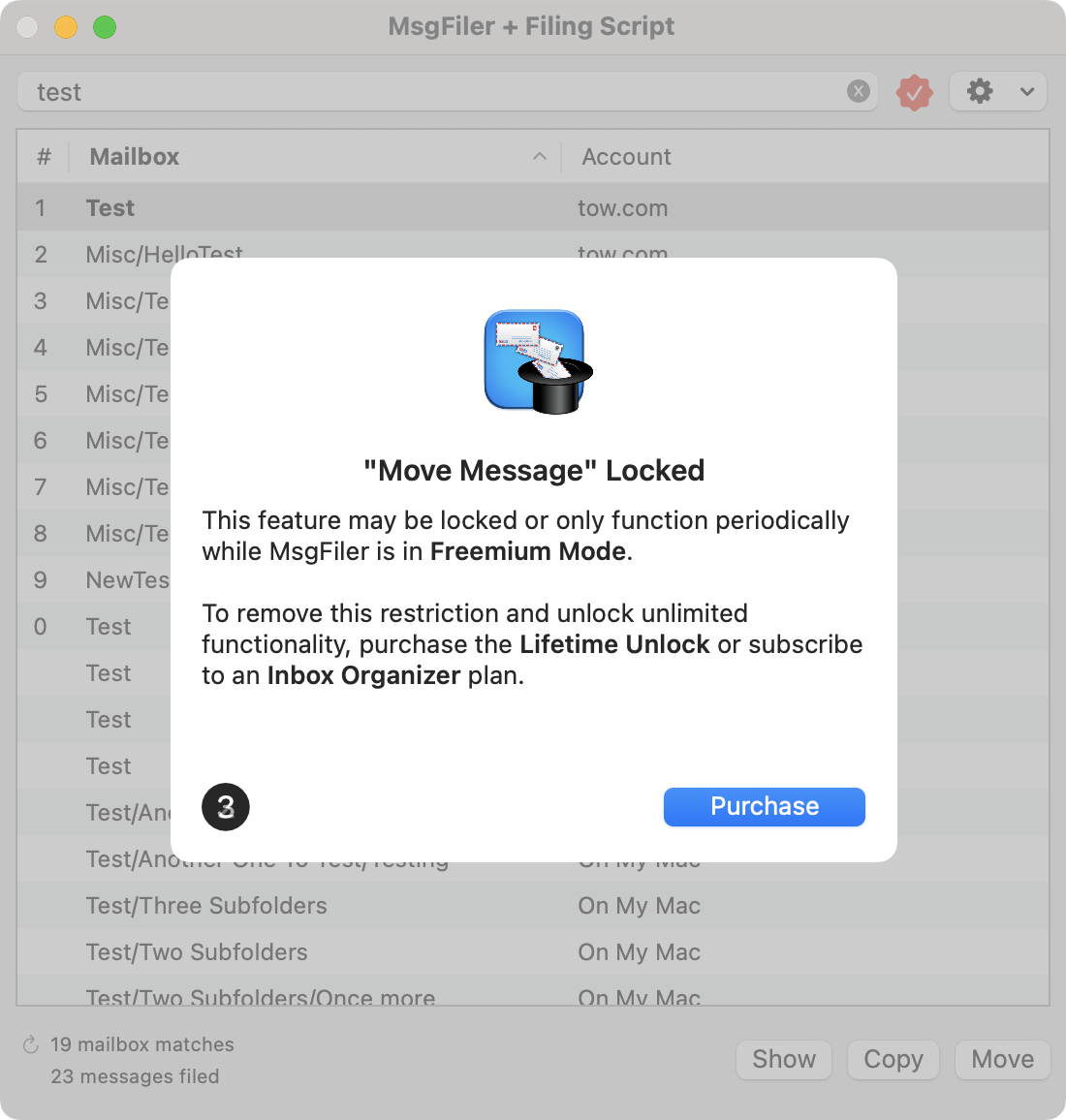
Here’s my take with MsgFiler 4. I’ve created a product that I think does a fantastic job of filing messages and performing other Apple Mail organizational tasks. Over the course of nearly two decades, I know that if you are the type of Apple Mail user who has more than 10 mailboxes and likes to keep their inboxes organized, you are going to love MsgFiler 4. So here’s the deal.
The app is free to download from the Mac App Store or from msgfiler.com. There’s no trial period. Aside from the Focused Filing feature, you are able to use all features of MsgFiler 4, the free ones and the premium ones. Periodically, the app will display an alert that will remind you to purchase a license in order to use the premium features without limitation.
If you download MsgFiler from the Mac App Store, you’ll have the following purchase options:
- Lifetime Unlock: $49.99
- Annual Membership: $9.99
- Monthly Subscription: $0.99
If you want, there’s also a direct download version of MsgFiler that I’m selling through Gumroad for the same price as the Lifetime Unlock. You can learn about the differences between the two versions in this support document.


In my earlier post about the premature demise of MsgFiler, I asked Apple to Sherlock MsgFiler and build the functionality of my app into the Mail application. I take that all back! Now that I’ve found a way for MsgFiler to co-exist nicely with macOS and Apple Mail, I have my second wind and want to see MsgFiler succeed. I plan to support MsgFiler for the long-run, and the Lifetime Unlock is priced to balance cost to the user and expected value over the lifetime of the product.
If MsgFiler were to see the next 15 years of macOS — can you imagine macOS 29? — like it has seen the past 18 years, the cost comes out to $3.33/year. I think that’s a fair price to pay for a tool that saves you time.
Now, say you aren’t sure if MsgFiler will fit your life, get a subscription for a month and see how it works. It’s just 99 cents. I’m sure anyone who uses Apple Mail on macOS can find that in their home. Then, if you like it, subscribe for a year for $9.99, which comes out to $0.83/month. If you are a power Apple Mail user, you’ll quickly see how valuable the app is.
Finally, for those people who hate subscriptions or balk at the high price of the Lifetime Unlock, there’s the Freemium Mode for you. But be prepared to be reminded periodically that software isn’t free. And ask yourself the existential question of MsgFiler: If the app is designed to save you time, why are you spending your time waiting for the purchase prompt to disappear? Just pay or subscribe, and you’ll be done with it.
Concluding thoughts
Coming into 2024, I wasn’t quite sure if I would be able to pull it off. Resurrecting MsgFiler is something that I’m quite proud of, and I am looking forward to seeing long-time customers start using a familiar friend again in macOS Sonoma. I am also very excited to welcome new customers who had never heard about my app and to teach them the ways of efficient mail organization and inbox zero techniques using MsgFiler 4.






 tow.com
Leave a reply to Tommmr Cancel reply