
I was in the audience at the Yerba Buena Center for the Arts in San Francisco when the iPad was announced on January 27, 2010. Nearly twelve years after the Newton was discontinued, Steve Jobs brought back its spiritual successor to an enraptured crowd, myself included! Here we are fourteen years later, on the eve of the latest M2-powered iPad Airs and M4-powered iPad Pros reaching customers’ hands. I have some thoughts on the history and progress of the iPad to-date.
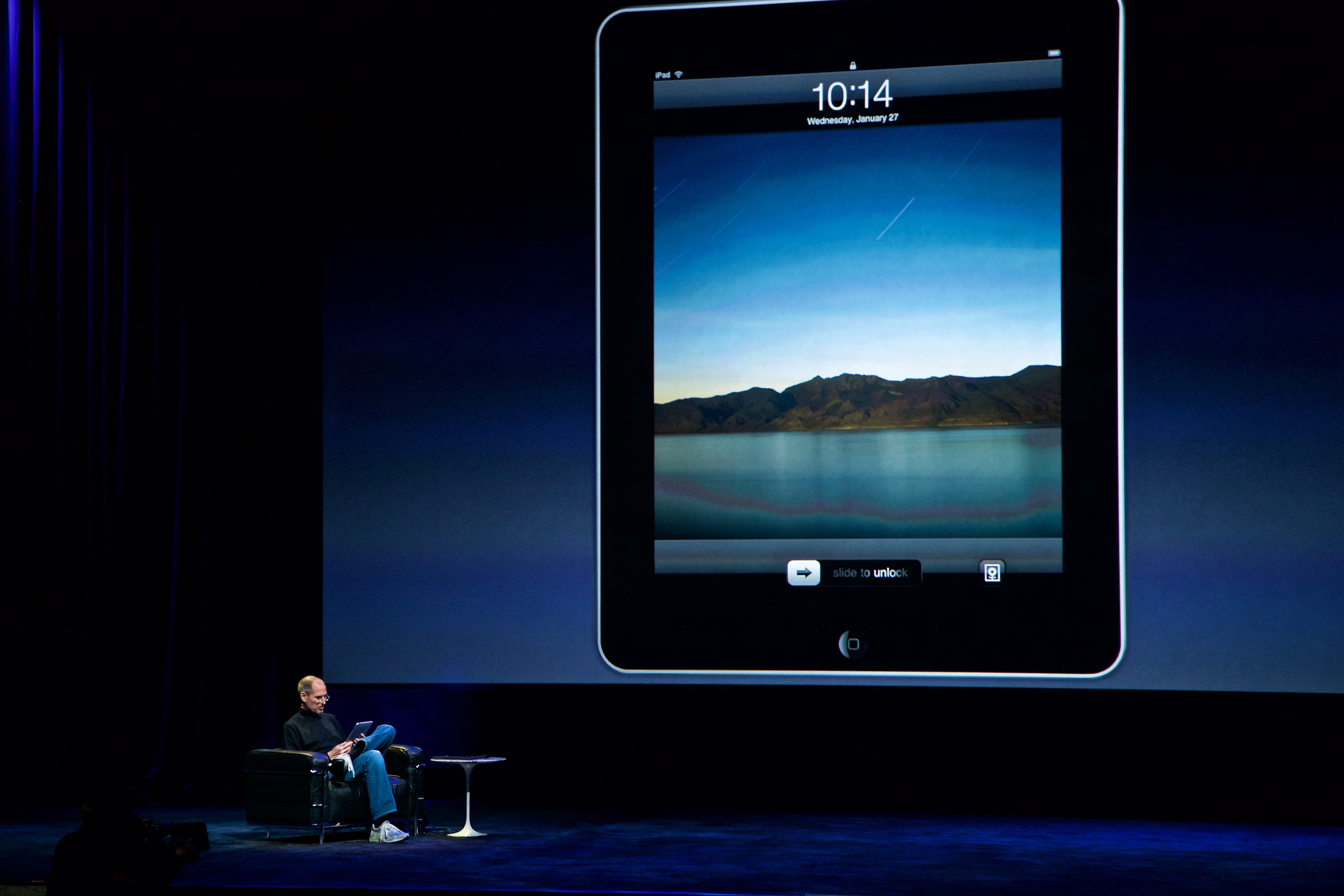
The original iPad
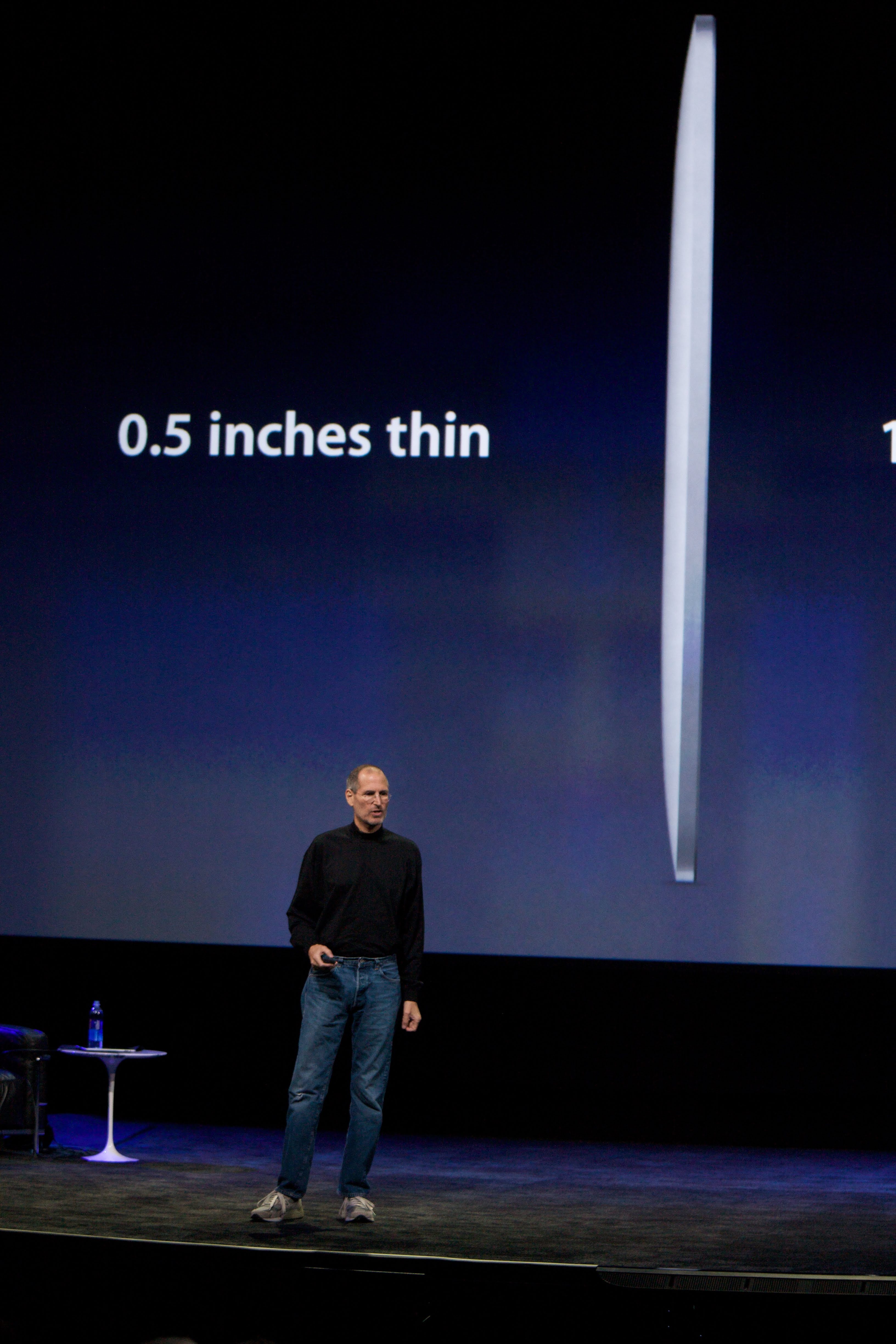
The original iPad’s thinness was touted from the very beginning. Just half an inch thin and only 1.5 pounds! To contrast, the 13-inch MacBook Pro was 4.5 pounds and 0.95 inches thick. The iPad featured a 1 GHz Apple A4 chip, a 1024×768 LCD screen, and storage ranging from 16 GB to 64 GB of flash storage. What shocked me (and the crowd) the most was the starting price: $499 for the 16 GB, Wi-Fi iPad. Everyone was anticipating a much higher price. Of course, this was a pleasant kind of shock, unlike the Apple Vision Pro’s starting price of $3499 announced at WWDC 23 last year.
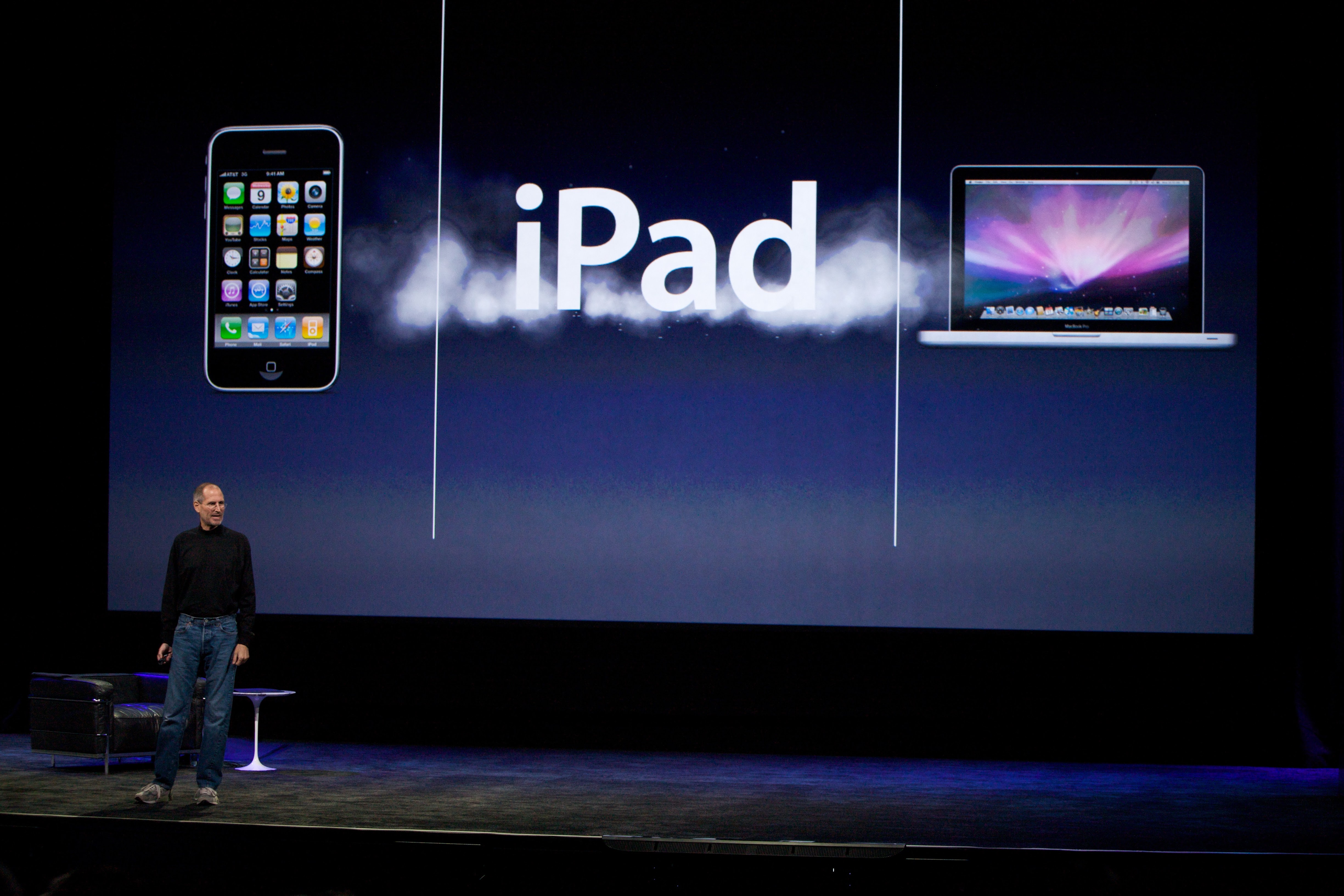
Apple described the iPad at the time as “Our most advanced technology in a magical and revolutionary device at an unbelievable price.” Compare that with how the company positions the iPad today: “Touch, draw and type on one magical device.” It’s still magical, but the use cases for the iPad are more clearly defined today than when the product was brand-new.
Jobs compared PCs to trucks and tablets like the iPad to cars. He argued that the iPad could fill a gap between smartphones and computers, doing some tasks better than either of those two, such as reading, browsing the web, going through photos, and watching videos. This framing may have been detrimental to the iPad over time, as the idea that “Anything you can do on a smartphone or computer, the iPad can do better” became eroded as phone screens exploded in size and computers gained touch screens (not Macs), increased battery life, and instant-on capabilities.
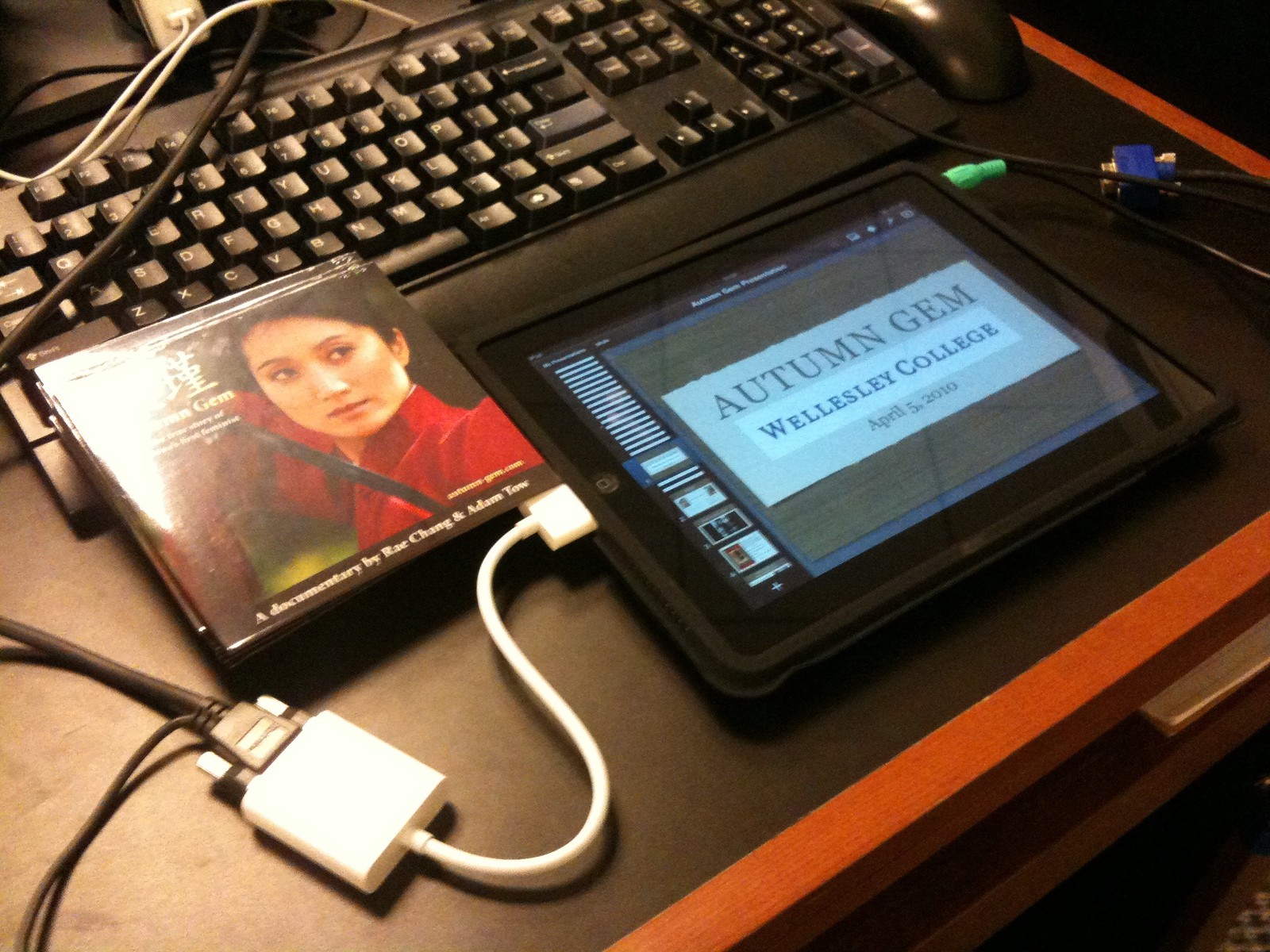
From the get-go, there were iPad detractors who objected to the name, the lack of multitasking, built-in camera, hardware keyboard, I/O options, and even that it couldn’t run Adobe Flash. Given my long history with mobile computing up to that point, I looked at the iPad and considered instead what it could enable me to do that I couldn’t do — or do well — on the iPhone or Mac.
For instance, with the 30-pin to VGA adapter, we used the iPad to project our Keynote presentation and film during screenings of our documentary film, Autumn Gem. This allowed us to reduce the amount of gear we had to take on our future screenings (two 15″ MacBook Pro laptops with adapters and accessories were heavy).
You can read more about my initial thoughts on the iPad here. I think they hold up pretty well today.
The many iPads I have owned
As the years ticked on by, Apple released even more iPads, and I happily purchased many of them, including:
- iPad (1st generation)
- iPad (3rd generation) – Retina display
- iPad mini (1st generation)
- iPad mini 4
- iPad mini (5th generation) – Apple Pencil support
- iPad mini (6th generation) – USB-C
- iPad Pro (1st generation)
- iPad Pro (3rd generation) – 2018
- iPad Pro (5th generation) – M1
- iPad Pro (7th generation) – M4
iPads quickly became the third pillar in my computing life, nestled between my iPhone and my Mac. It wasn’t just a bigger iPhone (though many people have argued and continue to argue this point to this day), and it certainly wasn’t a Mac.
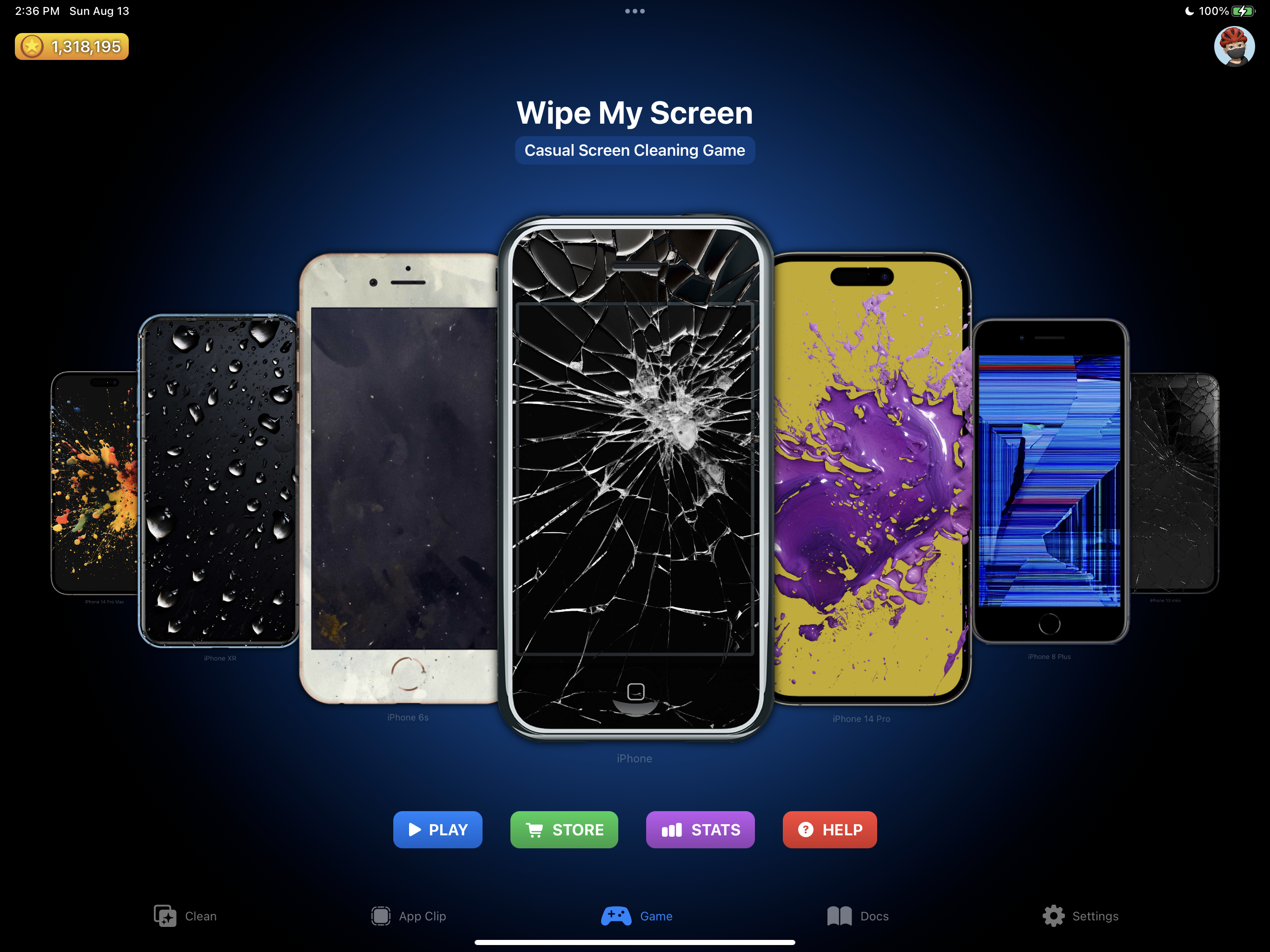
I’ll be remiss in plugging my app Wipe My Screen, a game and utility that has digital representations of every iPod touch, iPhone, and iPad ever released. You can play a game where you restore dirtied up versions of these devices back to their pristine state. Check it out!
How I use the iPad today, or fighting back against planned obsolescence
Today, the iPad serves many functions for me and my family. Here’s a quick sampling:
- M1 iPad Pro: My primary iPad. Used in the morning to catch up on news and email and in the evenings to watch Netflix, Disney+, YouTube, Apple TV, etc. During the day, it sits off to the right or left of my keyboard running various second screen apps while I work on my Mac. It’s also my primary device for MixEffect when recording videos or doing live streams.
- Original iPad: Functions as a background prop for my many YouTube channel videos. If I want a distraction free writing experience, I can use it with the iPad Keyboard Dock to type (in portrait mode, no less!).
- iPad mini (6th generation): Acts as a secondary screen for my Mac using BetterDisplay and Sidecar. It’s what I took with me to Deep Dish Swift to take notes on with the Apple Pencil (2nd generation). Since I also brought my laptop with me, I didn’t want to weigh myself down with a larger iPad.
- iPad mini (5th generation): My wife’s primary computing device.
- iPad mini 4: Runs MixEffect and is used to control my ATEM 2 M/E Constellation HD video switching via Companion and an Elgato Stream Deck. This iPad is stuck on iPadOS 15, so I’ll be keeping it for testing purposes.
- Original iPad Pro: This is my kid’s primary gaming device, though he’s going to be upgrading to my 2018 iPad Pro. I’ll then convert the Pro into a testing device, seeing that it cannot be upgraded past iPadOS 16.
I sold the iPad (3rd generation) when it had some resale value left, but the original iPad mini sits unused; it’s turned on whenever I want to play some old game like Plants vs. Zombies.
As you can see, I’m still getting good use out of nearly all the iPads in the house, despite being reminded that buying tech is participating in planned obsolescence.

Enter the M4 iPad Pro
The specs on the M4 iPad Pro show how much progress has been made in the fourteen years since the original iPad. I’ll highlight a few noteworthy ones to me, and you can read about all the differences in this AppleInsider article.
I have always gravitated to the larger iPad Pro models because of the screen size. Yet, the weight of the 12.9″ models has always hovered around the 1.5 pound mark of the original iPad. The devices have gotten thinner, but holding these devices for long periods of time can be challenging. At 1.28 pounds, the 13″ iPad Pro is nearly a quarter pound lighter, and I’m looking forward to seeing if that leads to improvements in day-to-day comfort using it handheld.
I felt like the jump to the Mini-LED screen on the M1 iPad Pro would have been a significant upgrade over the previous screen on the 2018 iPad Pro. I expect the Tandem-OLED screen on the M4 iPad Pro to be just as big. I’m looking forward to the deep blacks and lack of blooming. I opted for the glossy screen, as I felt in some early reviews, the nano-texture screen made the blacks look dark gray rather than black.
As a developer, I will explore how I can use the Apple Pencil Pro to enhance my applications. I may be dabbling in AI/ML, so having a device that purportedly is optimized and tuned for such applications is key, especially since Apple has a tendency to make certain features available for their latest hardware.
Accessories to re-purchase
I’m not so jazzed about having to buy another Magic Keyboard and Apple Pencil Pro to use with the M4 iPad Pro. I am a fan of mechanical keyboards, and what’s great about them is that they can be used with any computer, phone, or tablet; just connect them via Bluetooth or connect a USB cable. The Magic Keyboard, and previously the Smart Keyboard Folio, are uni-keyboards — keyboards that only work with one device.
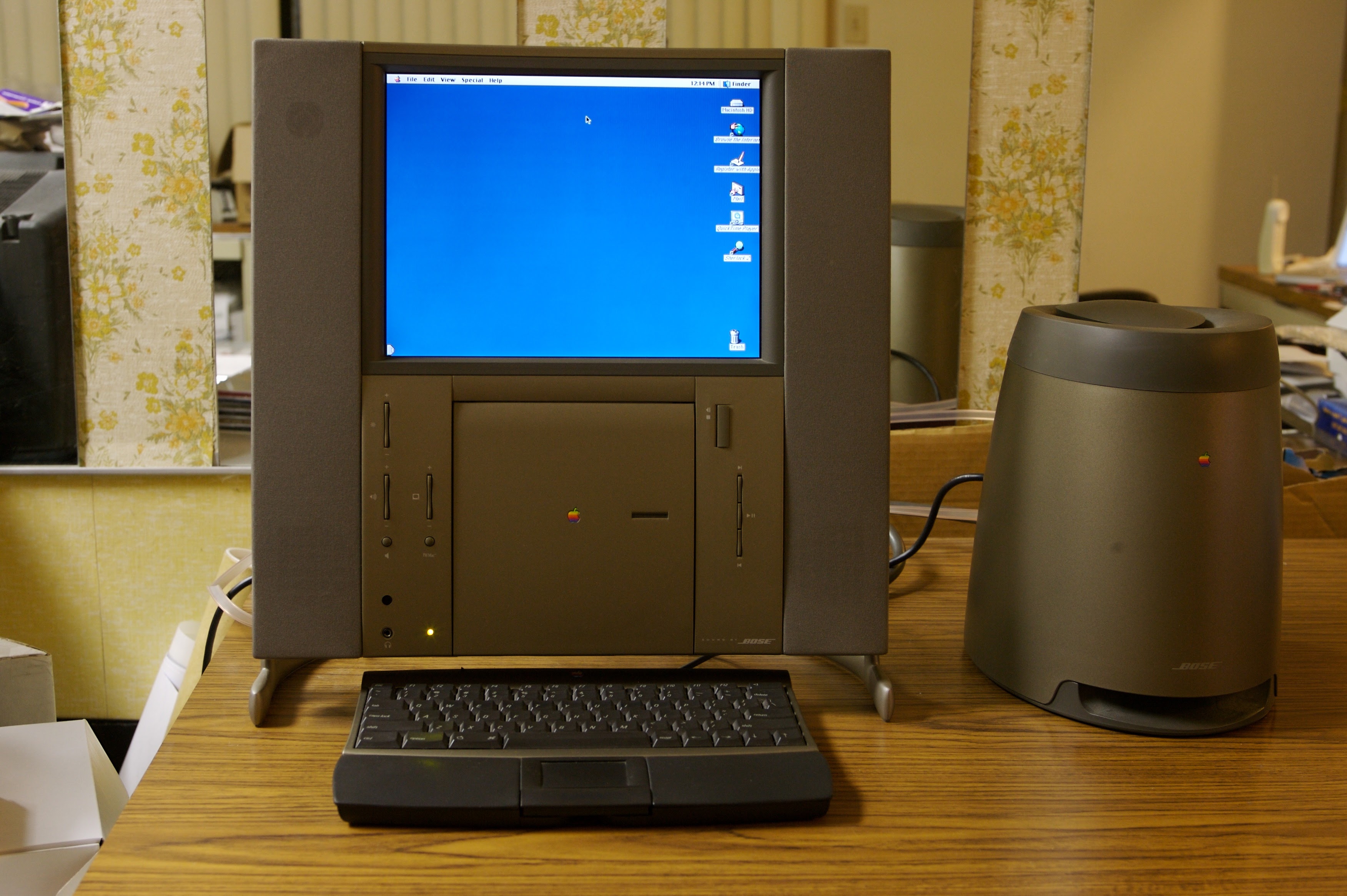
This is not new to Apple. The Newton MessagePad 2000 series could be purchased with an external keyboard that only worked with Newtons, despite having a standard (at the time) serial cable. Unlike the Newton, I’ve yet to see anybody being able to repurpose the Magic Keyboard to work with other computers. I think it would be awesome, and it would remind me of the keyboard/trackpad that came with the Twentieth Anniversary Mac I once owned.
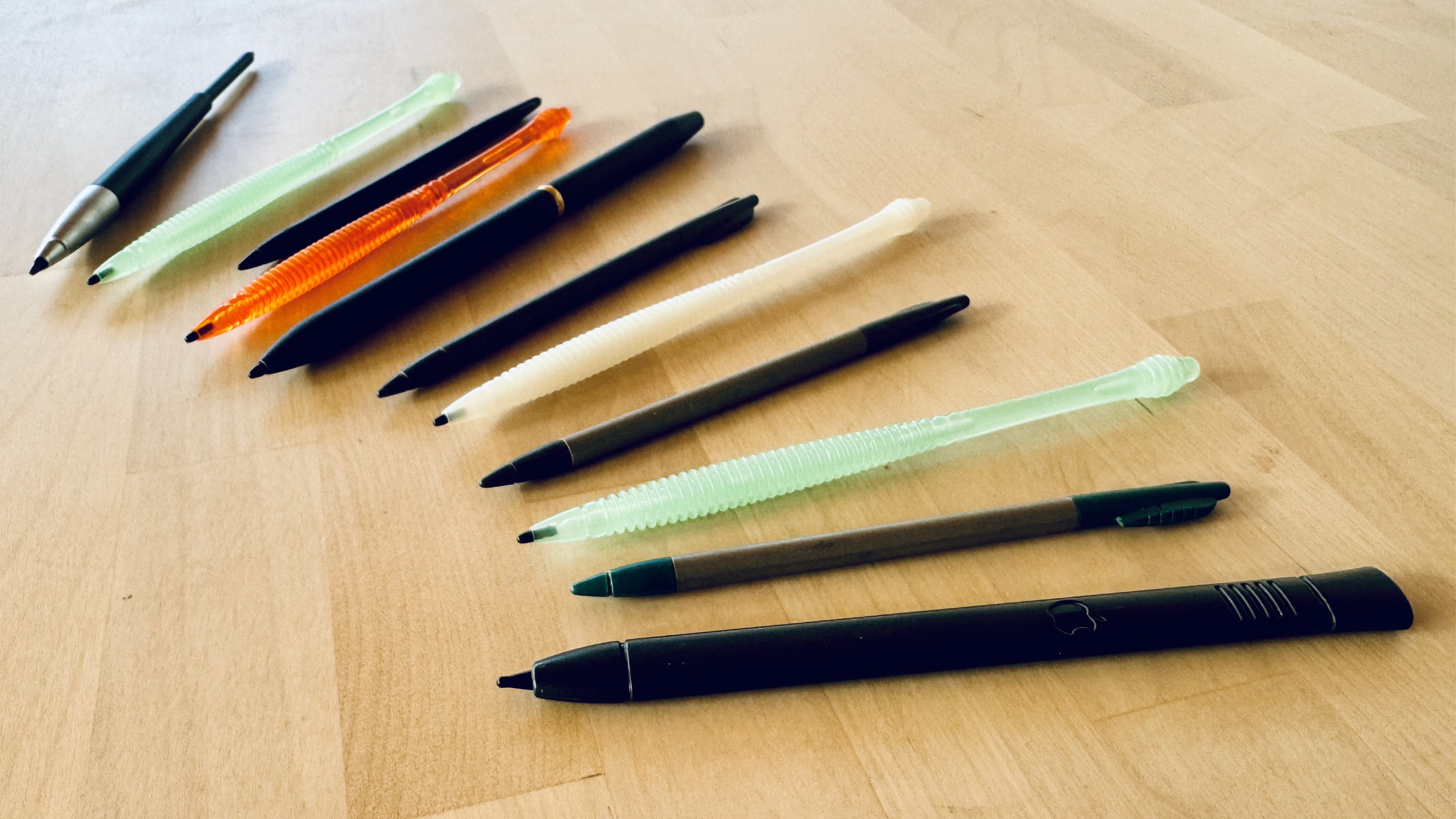
Same with the Apple Pencil Pro. I have several Apple Pencils, and I liked how with the Apple Pencil (2nd-generation), it could work with my iPad mini (6th generation), my 2018 iPad Pro, and my M1 iPad Pro. I can’t use any of them now with the M4 iPad Pro, nor can I use the new Apple Pencil Pro with the older iPads.
Yes, I understand the reasons why Apple couldn’t make them compatible — landscape camera means the magnets had to be placed differently, and the new hardware features of the Apple Pencil Pro required changes only the M4 and M2 Air models could accommodate — but I don’t have to like it.
I long for the day when I had dozens of styluses that I could use with my Apple Newton!
Who is the iPad for today?
Apple originally positioned the iPad as a device that sat between the iPhone and the Mac, and it’s a distinction Apple continues to make today. In an interview with The Wall Street Journal, Apple VP of Mac and iPad product marketing Tom Boger says the company sees the devices as complimentary rather than as competitors. To wit, Apple doesn’t want you to think about purchasing an iPhone OR a Mac OR an iPad OR an Apple Vision Pro. Apple wants you to buy an iPhone AND a Mac AND an iPad AND an Apple Vision Pro.
You want a phone, there’s an iPhone for you. You want a Mac, we’ve got you covered. You want a versatile device on which you can touch, draw, and type? We have six iPads for you! And, if you happen to have all of our devices, including an Apple Vision Pro, we’re going to make it easy for you to share data between devices and to interoperate between them seamlessly.
Much digital ink has been written and shared about how iPadOS is holding back the hardware, especially on the models featuring an M-level Apple Silicon processor. As a working professional and developer, I agree with nearly all the points put forth by Federico Viticci and Steven Troughton-Smith in their latest missives and manifestos on the state of iPad hardware and software. I’d love to be able to run MixEffect in the background without resorting to the Picture-in-Picture workaround to keep it from being suspended. I would welcome the ability to have a windowing system that works with me rather than against me, along with system-level and app-level plug-ins to increase my productivity.
Apple wants you to buy an iPhone AND a Mac AND an iPad AND an Apple Vision Pro.
At the same time, I think of family members for whom a more complicated operating system on the iPad would leave them bewildered and confused. Multiple windows, background tasks, and file management are things they don’t want or at least want abstracted away from them. I’ve seen first-hand how they are tripped up by features like Split View, Slide Over, Stage Manager, Control Center, Home Screen widgets, Safari tabs, and various swiping gestures. For them, iPadOS needs to be even simpler and easier to use.
In order to be the most versatile device Apple has ever made, iPads need to cater to a broader category of people. It’s clear over the years that toeing this line between simplicity and power has been challenging for Apple. The company has to focus on multiple operating systems every year, and it can’t give its best to all of them. iPadOS has gotten the short end of the stick far more often than not.
WWDC 24 and iPadOS 18
We’re less than a month away from Apple’s Worldwide Developer Conference. Will any of this change when iPadOS 18 is announced?
I’ve read a number of articles how Apple should just let macOS run on iPadOS. I wouldn’t mind this, but I don’t think it’s going to come to pass for several reasons:
- Apple reiterated its desire to keep the product lines separate (for now).
- iPadOS is very tuned to the hardware. Apple touts 10-hour battery life running iPadOS. How many hours will the 13″ iPad Pro’s 38.99-watt-hour battery last running macOS? Knowing the way that I work on my Mac, I don’t think it would last even 4 hours. Okay, you say, screw the 5.1mm thickness of the iPad Pro, and put in a bigger battery! Now, you’re back to a 1.5 pound slab that when attached to the Magic Keyboard, is now larger and heavier than a 13″ MacBook Air. They just got the M4 iPad Pro to be roughly equivalent to the Air and now it has to be larger to support macOS?
- Is an iPad that can turn into a Mac the same as a Mac that can turn into an iPad? I’d argue right now the answer is no because of (1). If Apple were to do this, it would announce both product lines at the same time. Seeing that the Let Loose event focused solely on iPad, it makes no sense to suddenly announce that they can run macOS software natively without modification the next month at WWDC.
- Lastly, look at the pricing matrix table below and think how confusing it will be for users if iPads could not function as Macs. What’s the user supposed to choose now?
| Product | Specs | Price |
| Mac mini | M2 8-Core CPU and 10-Core GPU 8 GB RAM 256 GB SSD BYOKDM | $599 |
| M2 iPad Air 11-inch | M2 8-Core CPU and 10-Core GPU 8 GB RAM 128 GB SSD 11-inch display | $599 |
| M2 iPad Air 13-inch | M2 8-Core CPU and 10-Core GPU 8 GB RAM 128 GB SSD 13-inch display | $799 |
| iPad Air 11-inch with Magic Keyboard | M2 8-Core CPU and 10-Core GPU 8 GB RAM 128 GB SSD 11-inch display Magic Keyboard | $898 |
| M2 MacBook Air | M2 8-Core CPU and 8-Core GPU 8 GB RAM 256 GB SSD 13-inch display Built-in keyboard and trackpad | $999 |
| M2 iPad Air 13-inch with Magic Keyboard | M2 8-Core CPU and 10-Core GPU 8 GB RAM 128 GB SSD 13-inch display Magic Keyboard | $1097 |
Maybe in five years, Apple will release AppleOS, which combines all the operating systems for all of its products into one unifying system. A laptop, not unlike Viticci’s MacPad, with a detachable screen; remove it and the Mac becomes an iPad. AppleOS handles all the switching between the two computing modes.
What I think iPadOS needs is a continued evolution on having two sets of interfaces, one for novices and another for more advanced users. The simple interface keeps iPadOS more or less the way it was working before they introduced multitasking in iOS 9.
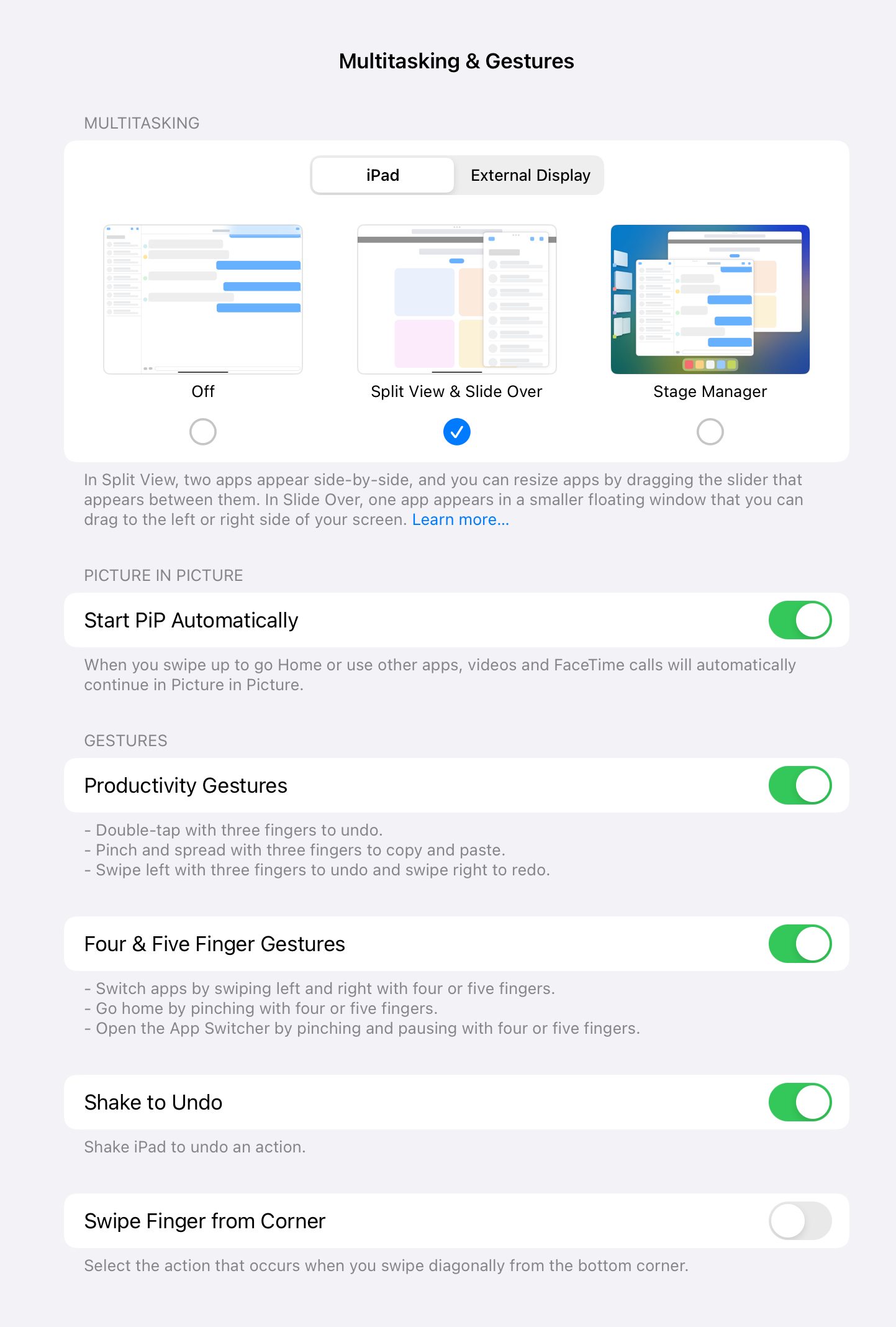
For power users, iPadOS can feature an interface that unlocks more of the underlying power in iPadOS that Apple reserves for itself. Give us a better windowing system, multitasking, and background processing. Let Rogue Amoeba make Audio Hijack for the iPad so podcasters around the world can rejoice with the ability to handle multiple audio streams at the same time.
Place all this functionality behind a Pro mode so that users such as my family members can continue to use the iPad the way they are used to, but people like myself can truly unlock all the power behind the iPad’s terrific hardware.
Is Apple going to do this? Probably not. Will WWDC 24 and iPadOS 18 fix all shortcomings developers have been harping about for years? Some, but mostly not all. Fourteen years into the iPad’s existence, should more have been implemented in the OS? All of the original complaints about the iPad have been resolved to some degree or another today.
- Name: I don’t hear many jokes about the iPad name today.
- Multitasking: It might not be the multitasking that people want, but Stage Manager, Slide Over, and Split View is what we have today.
- Camera: All iPads have front and back-facing cameras now. Whether people use them is another thing (save for video conferencing).
- Hardware keyboard: Magic Keyboard and USB/Bluetooth support for external keyboards.
- I/O options: Thunderbolt 4 and USB-C across the iPad lineup.
- Adobe Flash: The one complaint that everyone is happy they didn’t implement.
Has as much progress been made in iPadOS in fourteen years than was made with the Macintosh, going from System 1 to Mac OS 8.5? No, but Apple as a company was much smaller and didn’t have the same number of product lines it has today. Could it do better? Surely. Will it? We’ll see.
Too many iPads, but that’s okay!
I have way too many iPads, but I’ve come to the conclusion that it’s okay. I’ve enjoyed using all of my iPads that I’ve owned over the past fourteen years. I’m glad that most of them are still in operation, some years after they gone vintage or obsolete.

With the M4 iPad Pro, I should be good for many years of service and iPadOS updates. At some point, Apple will release an even more powerful iPad that will catch my interest, and we’ll revisit this topic again.
And, as a developer, I’ll do my best to make sure I deliver a great experience in my apps with the latest devices, while maintaining some measure of backward compatibility for those users who cannot upgrade to the latest devices.







 tow.com
Leave a reply to Adam Tow Cancel reply