I created a Family Group in Google and a new Gmail account for my child, who is currently under 13 years old. Unfortunately, I learned that this has unanticipated consequences with macOS Mail.
When I added the Google account to the new Mac, Mail showed this triangle icon next to the account in the sidebar.
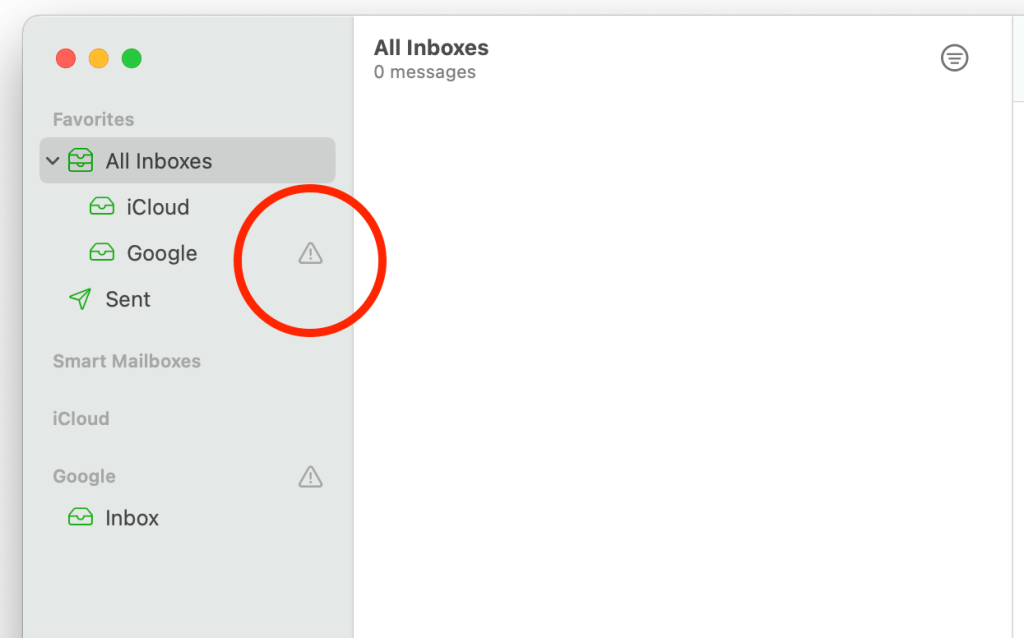
Clicking on the triangle would display the error, “Online Status” with two buttons, “Cancel” and “Try Again.” Clicking the latter button did nothing. Deleting and re-adding the Google account resulted in the same warning icon and error.

IMAP Restricted
It turns out that child accounts under the age of 13 in a Google Family Group restricts the ability to access email via the IMAP protocol. I verified this by going to Gmail settings for the account. There’s no Forwarding and POP/IMAP tab like there is in a regular Gmail account.

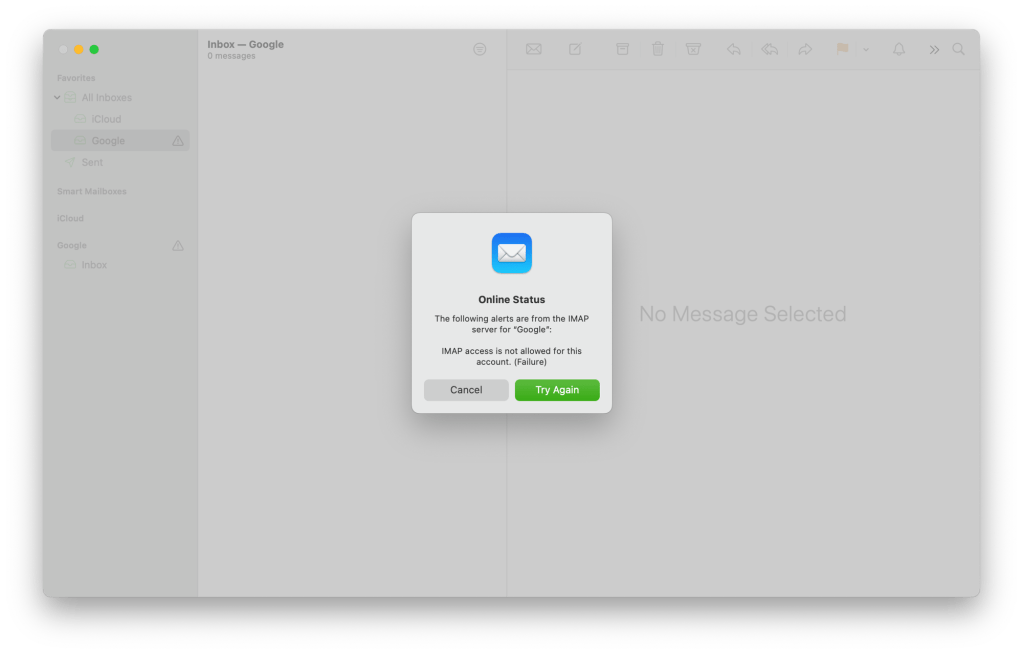
Occasionally, Mail would provide a more descriptive error message than simply saying, “Online Status” when clicking on the triangle icon. I only saw this message once, which I was fortunate to capture in the screenshot below. This should be the default prompt, because it explains the problem precisely. It would have saved me time looking through various Google support, Apple discussion, and Reddit threads.
Workarounds
If you want to be able to access this account in macOS Mail, you’ll have to change the child’s age in Google to be 13 or over. If you don’t want to do that, you’ll have to either:
- Use Gmail in a web browser.
- Create an app based on a website using Safari.
- Find an alternative macOS client for Gmail that can access email for children under 13 in a Family Group.
For now, I’ll choose between option 1 or 2. As for macOS Mail, my kid will still be able to use it for checking iCloud email. When my child turns 13, I’ll reconfigure macOS Mail so the account can finally be accessed.
I hope this article helps parents who are wondering why they cannot set up Gmail for their under-13 children’s accounts within a Family Group.




 tow.com
Leave a reply to Vern Cancel reply