Sometimes you want to type, and sometimes you want to write.
Today, I’m bringing back WriteHere, an app I first made for Apple’s Newton about 30 years ago. This time, it’s for iPhone, iPad, and the new iPhone Duo.
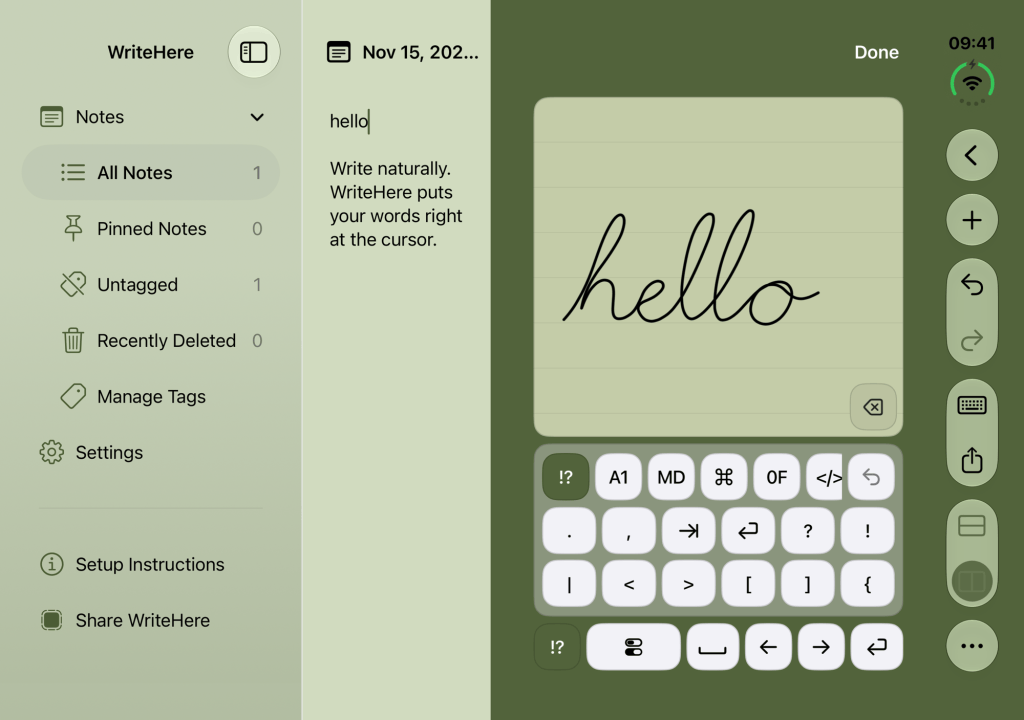
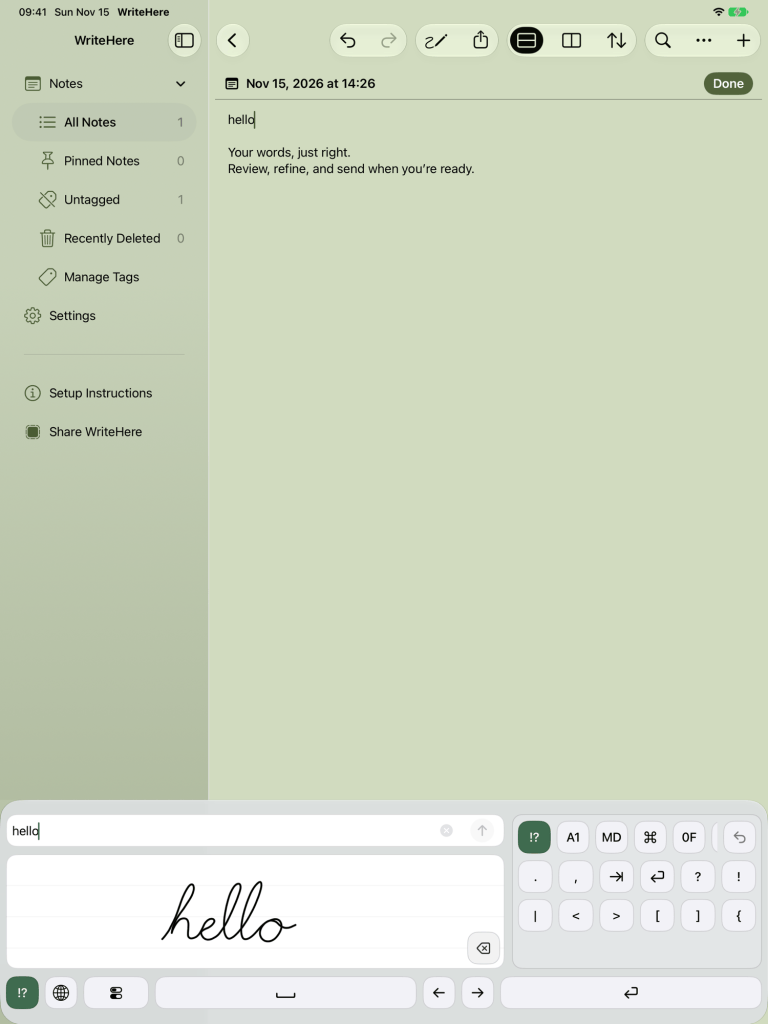
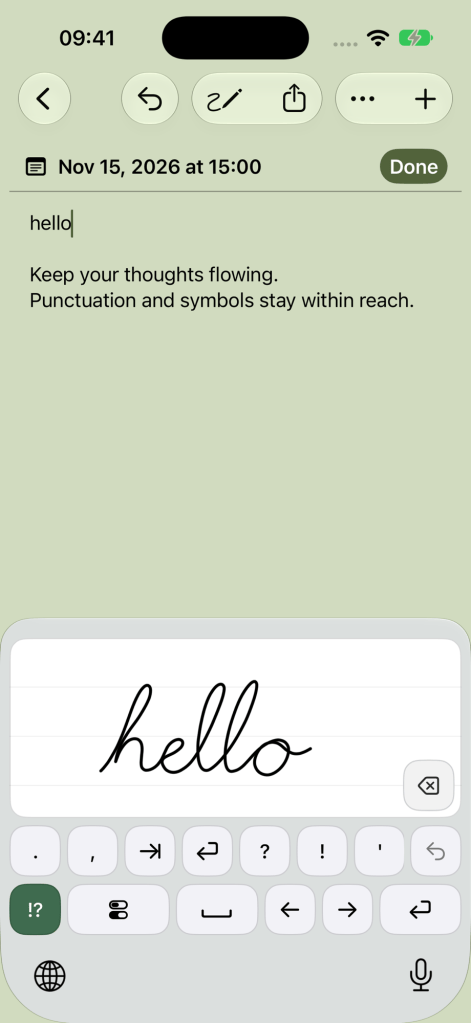
WriteHere turns your handwriting into text using a dedicated writing area. Write with your finger, a capacitive stylus, or a compatible Apple Pencil, and your words appear at the cursor. You can do it in WriteHere’s own Notepad or in other apps with its keyboard extension.
Yes, you can now hand write with your finger or stylus on your iPhone. No Apple Pencil required.
You can try it free with the WriteHere App Clip. But first, a little history.
My reference point for handwriting on a computer has always been the Newton. With Newton OS 2.0, I could write notes, make outlines and checklists, and edit text with gestures.
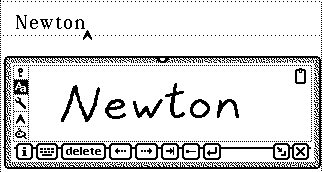
The original WriteHere built on that experience. It provided a dedicated writing palette that used the Newton’s handwriting recognition and sent recognized text to the cursor. You had a consistent place to write, along with tools for punctuation, navigation, and editing.
I thought WriteHere’s dedicated writing area was an idea worth carrying forward. But the iPhone and iPad favored software keyboards as their primary way to enter text.
When Apple introduced the first iPad Pro and Apple Pencil in 2015, I was ready from day one. As a former illustrator, I loved the prospect of a precise, responsive drawing tool. But I also wanted to write, and I was bummed that Apple hadn’t included built-in English handwriting-to-text input.
In 2020, Apple introduced Scribble with iPadOS 14, letting you handwrite in text fields and have your words converted into typed text. It brought back some of what I’d enjoyed on the Newton.
But when I tried taking longer notes, I got frustrated. It still didn’t give me the writing experience I remembered from the Newton. Writing directly in the document could move the insertion point somewhere I hadn’t intended. I’d stop to select and relocate text. Adding a new line could mean switching back to the software keyboard.
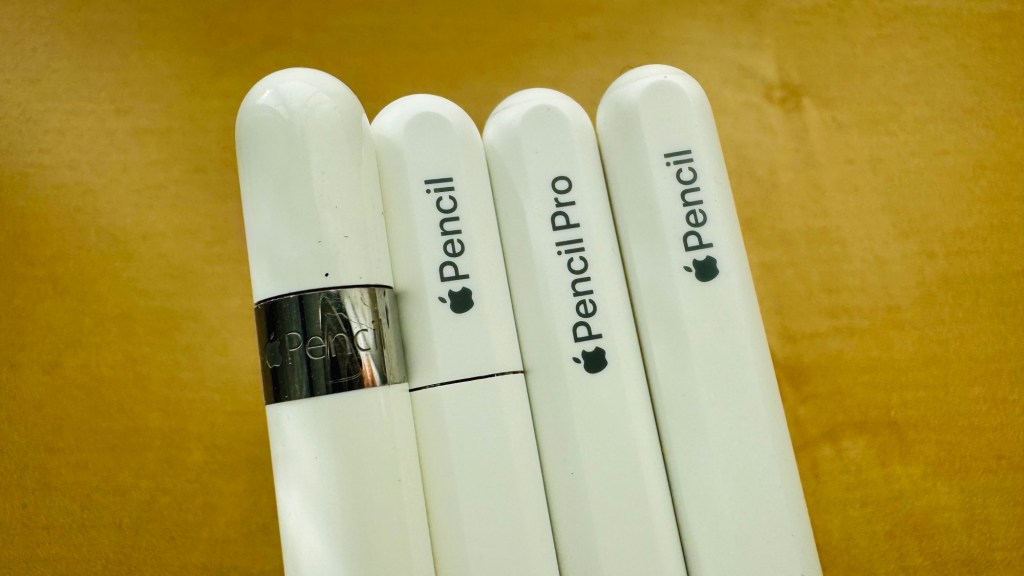
Despite these frustrations, I also wanted that experience on my iPhone. But Apple Pencil and Scribble support was never added, so I couldn’t get that reporter’s notepad in my pocket experience. The iPhone Duo finally brought Apple Pencil support to the iPhone, using the USB-C model. That was welcome, but Pencil support alone didn’t solve the writing workflow I wanted.
With iOS 27, I finally saw a way to bring the writing experience I’d wanted for years to iPhone and iPad. So I returned to WriteHere.
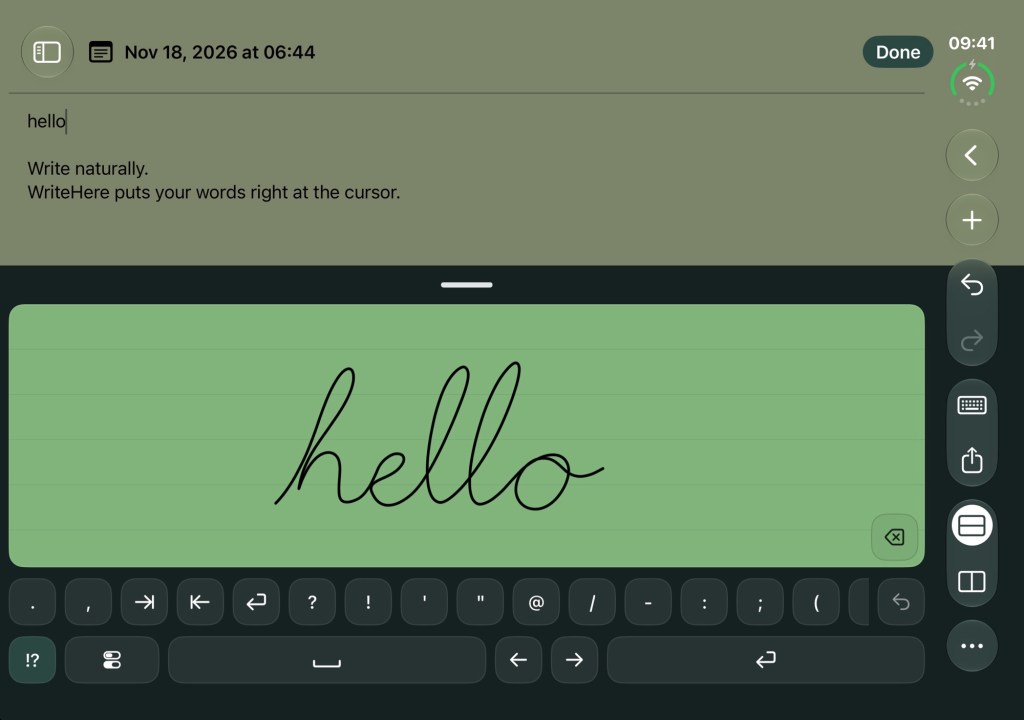
With WriteHere 3.0, you write in a dedicated writing palette while your text goes where the cursor is. You don’t have to squeeze your handwriting into a small text field or keep repositioning the insertion point as your note grows.
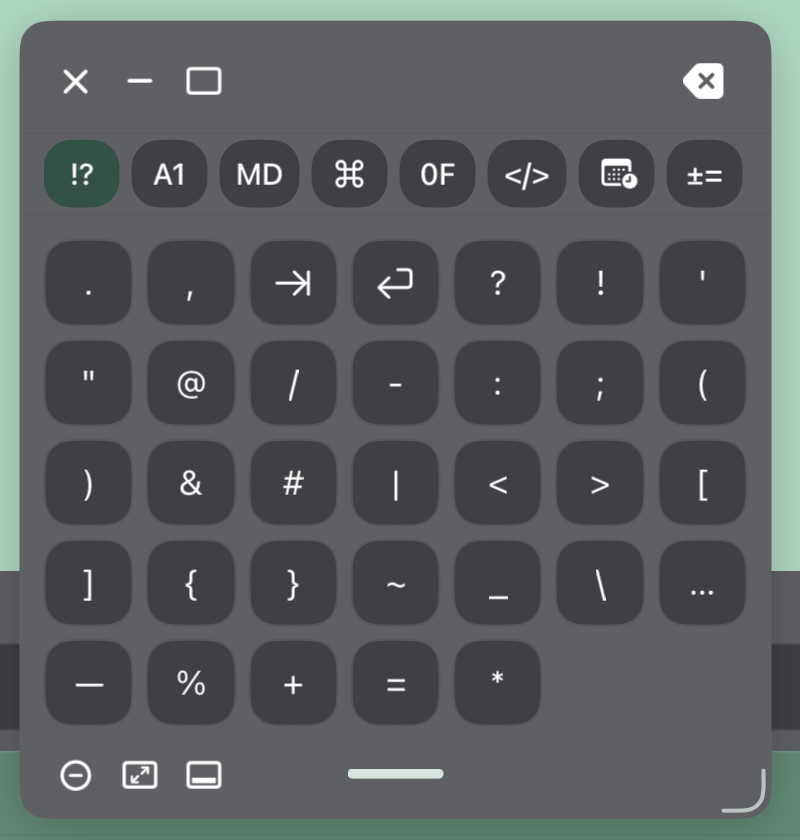
Quick Keys put punctuation and Return within reach. You can insert recognized text directly at the cursor or use the Register to review and correct it before sending.
WriteHere uses Apple’s on-device handwriting recognition. Your handwriting is processed on your device, without being uploaded to a cloud recognition service.
The full app includes two ways to work. The keyboard extension brings handwriting input to supported apps you already use. Notepad gives you a writing space of its own, with tags to organize your notes, Markdown preview, and private iCloud sync.
WriteHere feels right at home on iPhone Duo. Open it like a book and keep your note on one side of the fold while you write on the other. Set it in a laptop position and your text sits above the writing area, with punctuation and editing tools within reach. WriteHere’s Hinge Layout adapts around the fold, and you can swap sides to put your writing area where it’s most comfortable. Close Duo and WriteHere returns to a compact layout for quick notes on the go. Use your finger, a capacitive stylus, or Apple Pencil—it’s the pocketable reporter’s notepad I’ve wanted for years.
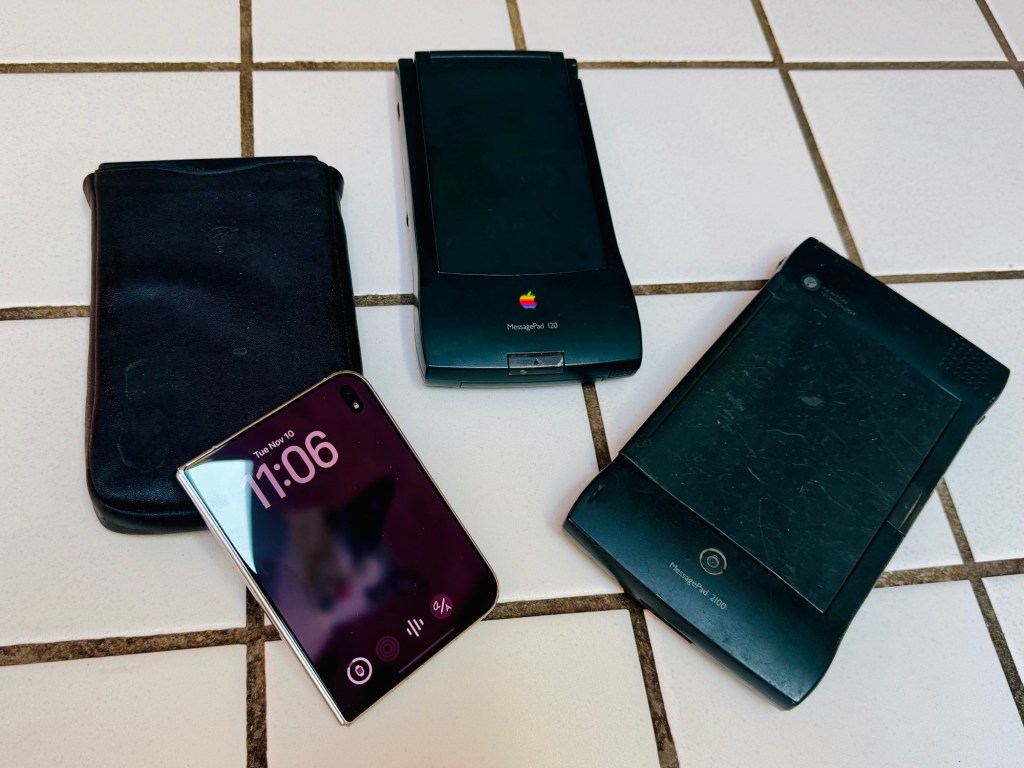
Thirty years later, WriteHere gives that original idea for the Newton a new home on iPhone and iPad. Sometimes you want to type, and sometimes you want to write. WriteHere gives you another way to get your words onto the screen.
Try WriteHere free with the App Clip. Write a few sentences, add a new line, and see how it feels with your own handwriting. You can also scan the App Clip Code below using your iPhone or iPad camera.
The App Clip lets you try the Notepad writing experience. The full version of WriteHere includes the keyboard extension and the complete Notepad experience for a one-time purchase, with no subscription or in-app purchases.




Leave a Reply