It took me nearly two weeks after the Duo’s initial release to get my hands on one. Despite waking up at 5:00 am on October 16, 2026, to submit my pre-order, the Apple Store app wouldn’t let me in for almost two minutes. And by the time I finished checking out, my shipping estimate had slipped to November 2–9.
My iPhone Duo finally arrived on November 5 and I’ve been using it for the past two and a half weeks as my primary phone, replacing my iPhone 15 Pro Max. So, while other people have been busily unboxing, testing, living with, and — for some — returning their iPhone Duo devices, I’m just getting started!
One thing I do have is 33 years of experience using handheld computers, going all the way back to Apple’s original Newton MessagePad in 1993. So this article will be partially a trip down memory lane and partially a first impressions post on the new phone.
Not interested in a history lesson? Jump to my thoughts on the iPhone Duo here.
When I folded my new iPhone Duo for the first time, I felt déjà vu. I had regularly used a device of this size before, nearly three decades ago.
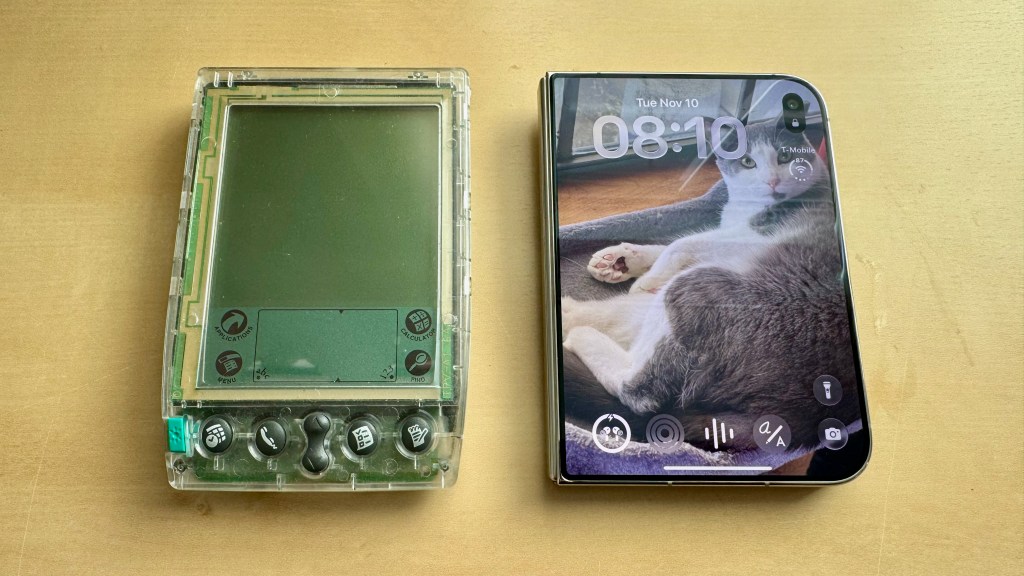
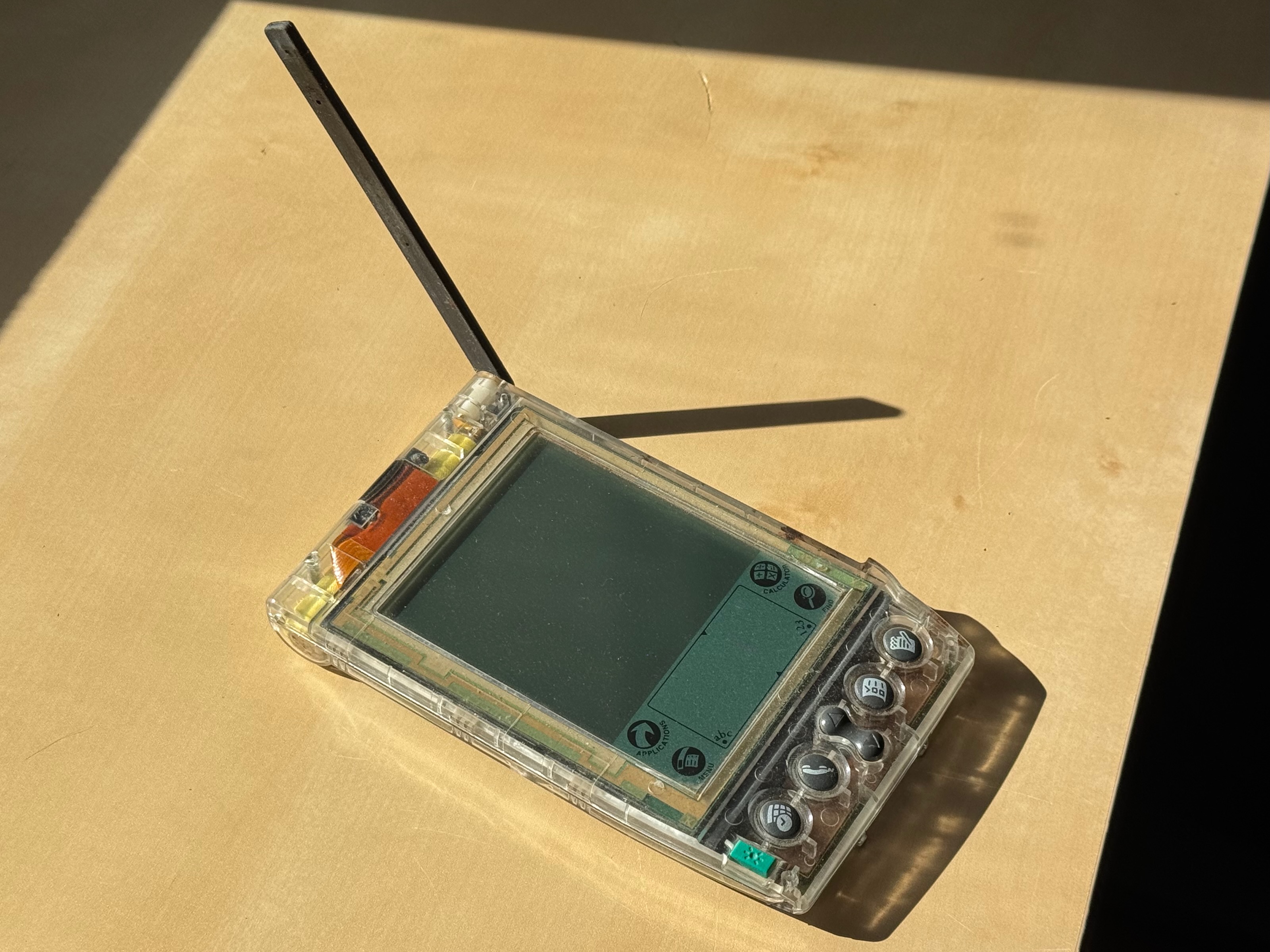
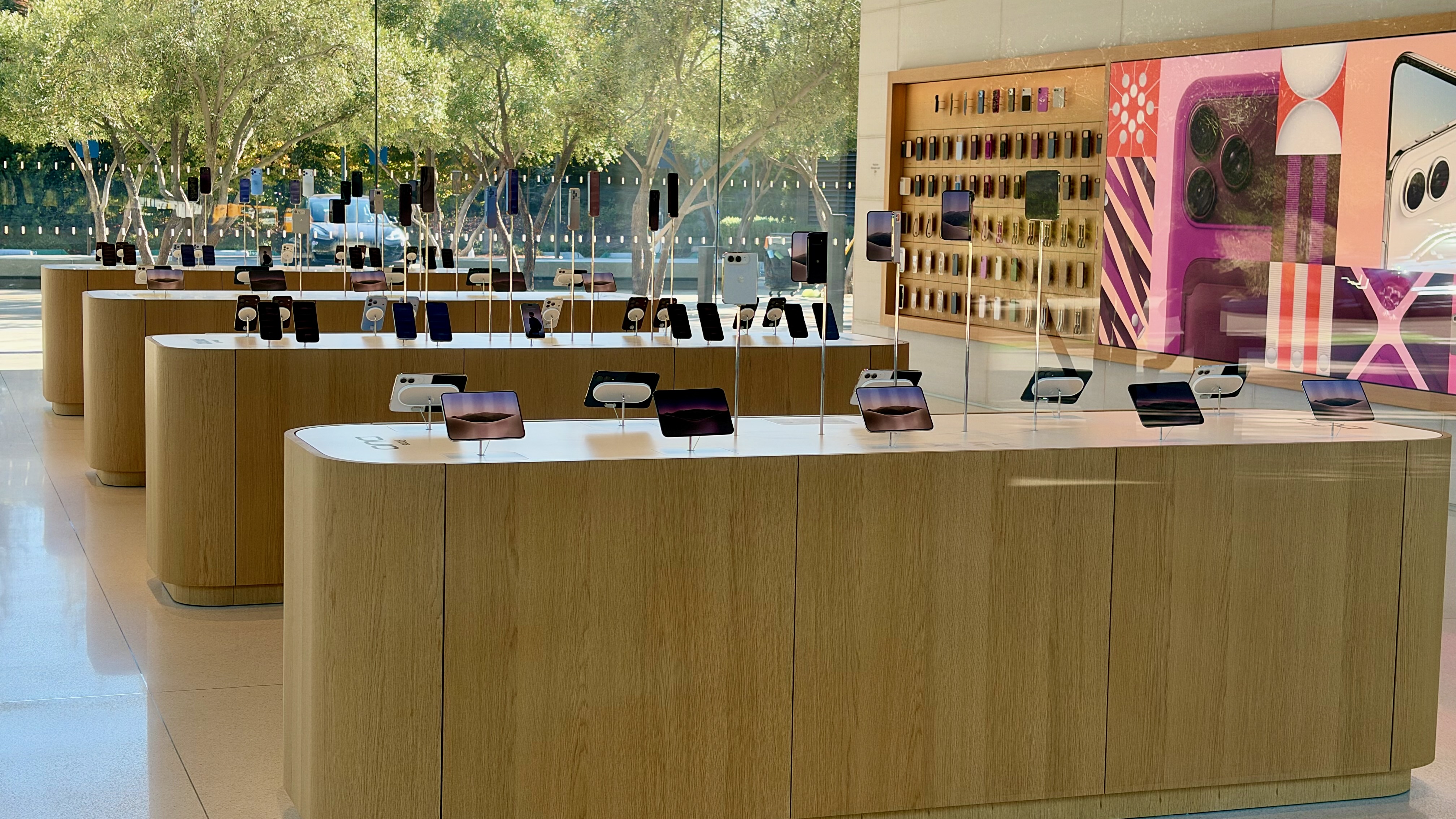
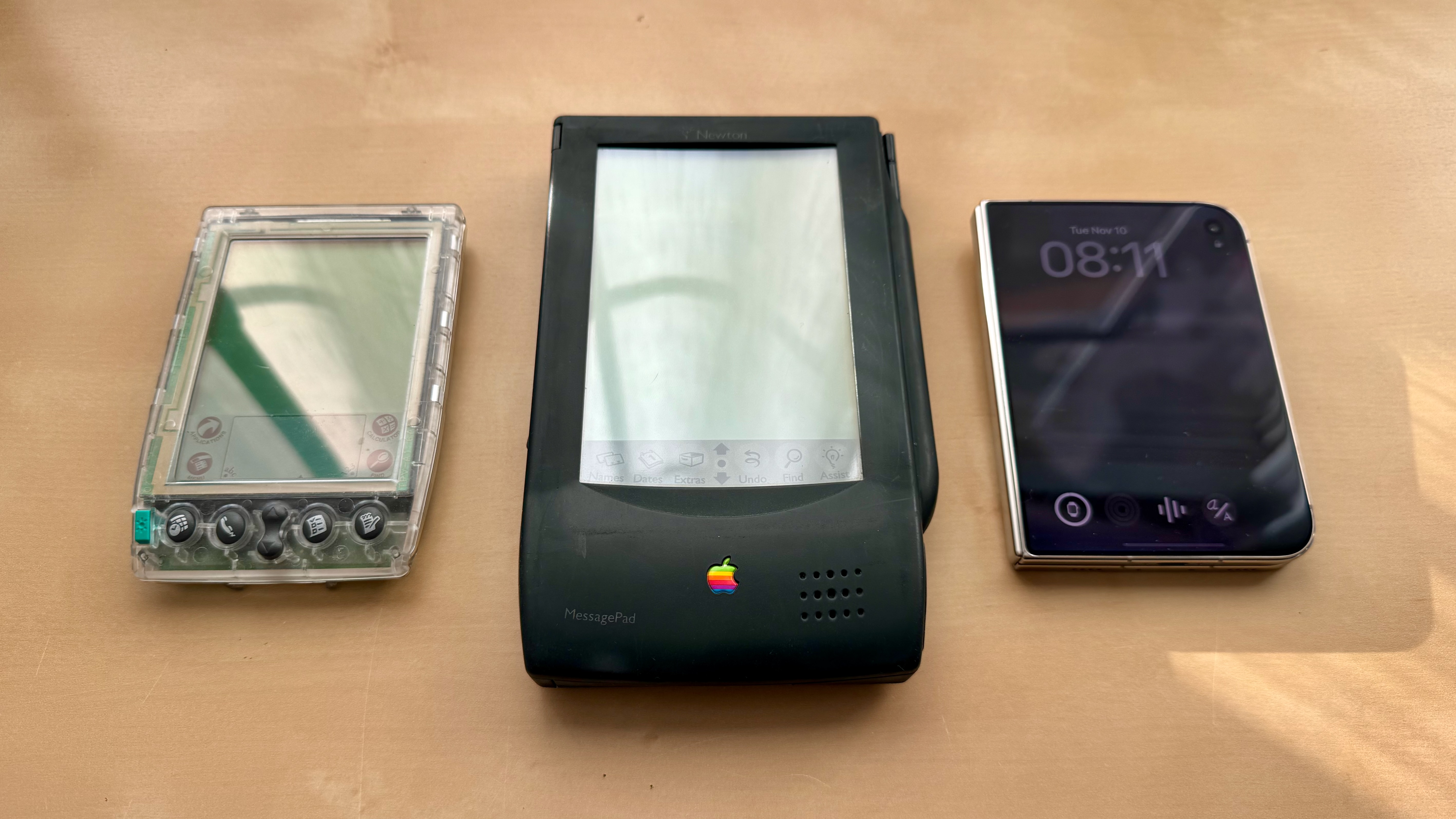
I went into my cold storage facility — a shoebox — containing a collection of vintage handheld computers and pulled out a Palm III, one with a clear case that shows off its internals. Placing it next to the folded Duo, I was struck by how similar the two devices were in size.
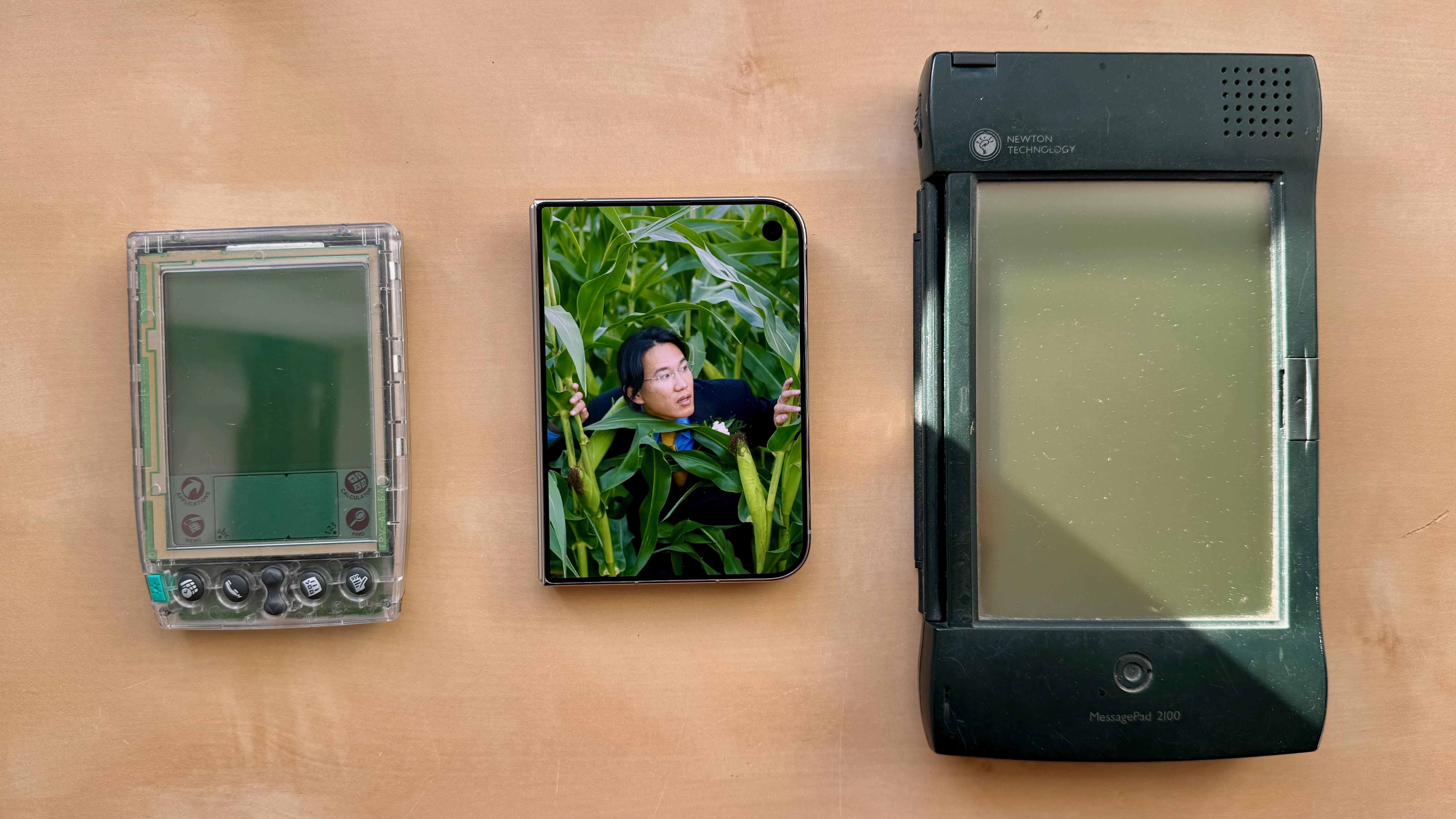
In 1997, I wanted Apple to make a Newton that could fit in my pocket like a Palm Pilot. Now, I was holding something remarkably close to what I’d imagined and wished for back then.
The Newton Years
When I got my first Newton MessagePad in 1993, it was a revelation. Here was a computer I could take everywhere to organize my thoughts, calendar, and tasks. A year later, I started developing apps for the Newton, setting me off on the indie developer journey that I continue today.
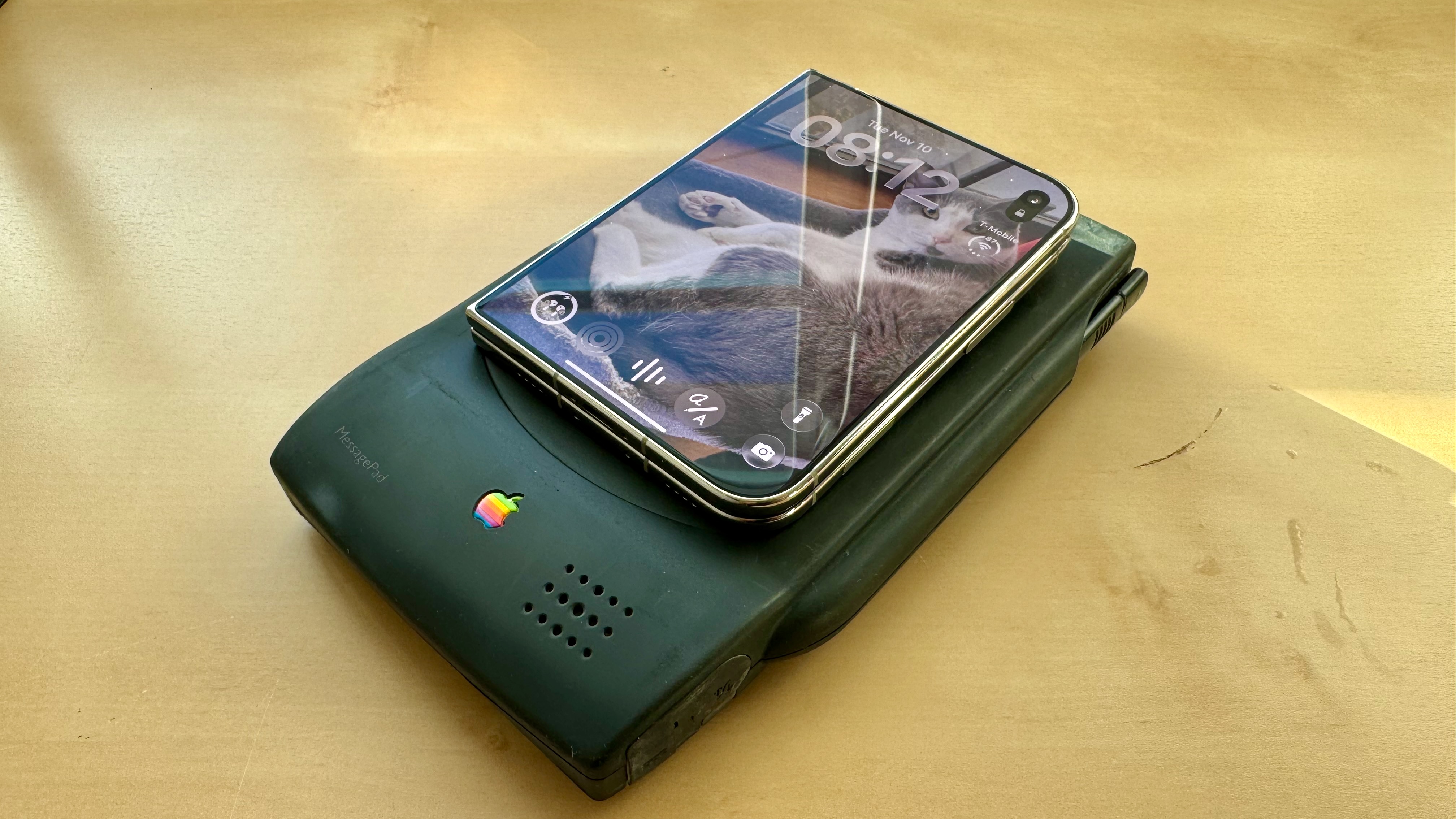
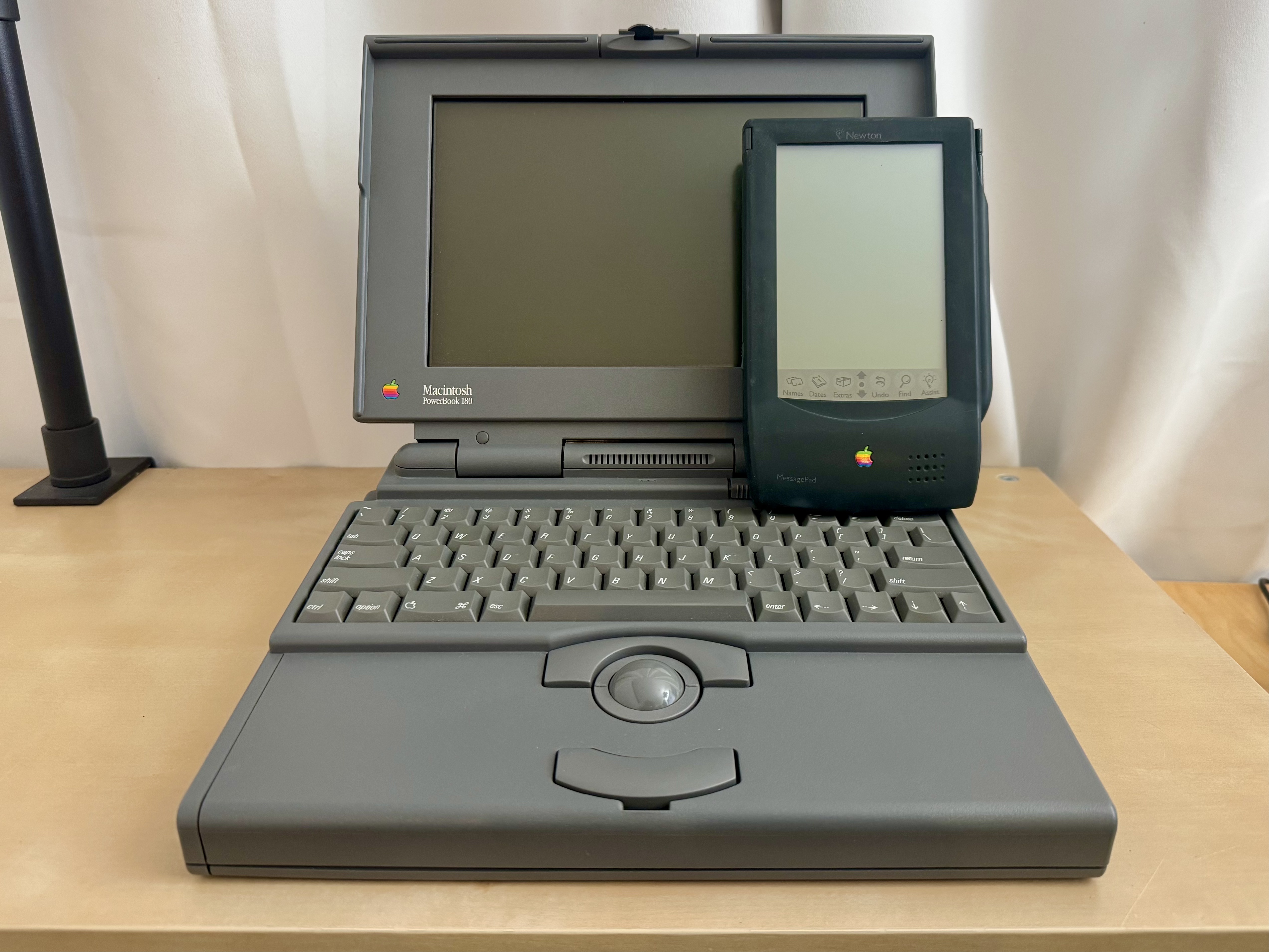
The original Newton wasn’t something I could slip into my pocket, but back then, I wasn’t traveling like Jack Reacher. I had a PowerBook 180, and I carried both devices in a blue messenger bag as I biked from class to class at Stanford.
People carried far more stuff with them in those days. Sony Walkmans, portable CD players, paper organizers, and books, books, and more books! My PowerBook alone weighed 6.8 pounds, and I thought it was light compared to the competition at the time!
The Newton was portable, but it never became pocketable. As Apple continued to develop the platform, the devices grew more powerful, but they also became larger and heavier. By the time the MessagePad 2000 arrived in 1997, it weighed nearly a pound and a half.
Meanwhile, there was that little thing competing with the Newton: the Palm Pilot.
I Didn’t Want a Better Palm Pilot
It’s 1997, and I’m regularly attending Stanford Newton User Group (SNUG) meetings at Printer’s Inc. Cafe on California Avenue in Palo Alto.

By the end of the year, the Newton lineup included the MessagePad 130, MessagePad 2000 and 2100, and the eMate 300. While Apple itself was having problems, it felt like the Newton’s better days were ahead. The Newton, Inc. subsidiary spin-off was proceeding as planned, and the products had become powerful and capable.
Meanwhile, Palm’s line of personal digital assistants (PDA) had taken the market — relatively speaking by today’s standards — by storm.
Compared to the Newton, the Palm was underpowered. It lacked Newton OS 2.0’s better handwriting recognition, expansion capabilities, and more sophisticated operating system. Its screen was a tiny 160 × 160 black-and-white display, and entering text required learning Graffiti, a simplified handwriting alphabet.
But Palm had one enormous advantage over the Newton: it fit in your pocket!
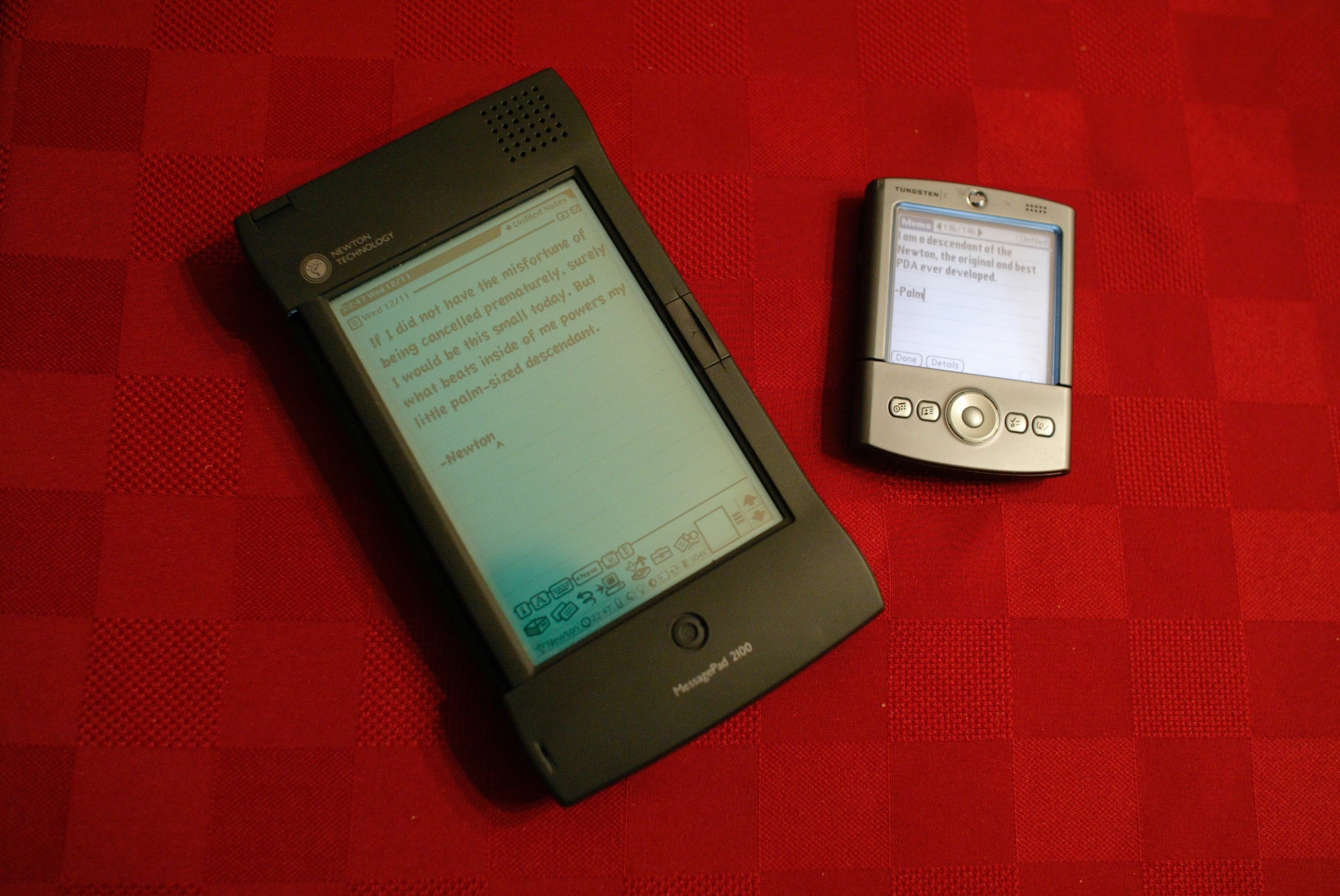
At our SNUG meetings, members openly wished that Apple would release a Palm-sized Newton instead of larger and larger devices.
Make it all-screen! Make it half the size, and we’ll kill Palm!
That’s what I wanted. I didn’t want a better Palm Pilot. I wanted a Newton that was the size of a Palm handheld.
Who knows what Apple and Newton, Inc. had planned for 1998 and beyond? It’s all immaterial now. Shortly after Steve Jobs returned to Apple, he reversed the Newton, Inc. spin-off and discontinued the Newton platform in early 1998.
I’ve made peace with his decision in the years since. For Apple to survive, Newton had to die.
That didn’t make it any easier to accept at the time. My heart still bled six colors, even after I went to work at Palm, where I helped shepherd the wireless Palm VII and i705. As much as I appreciated what Palm had accomplished, my first love remained the Newton.
Apple Returns to Handheld Computing
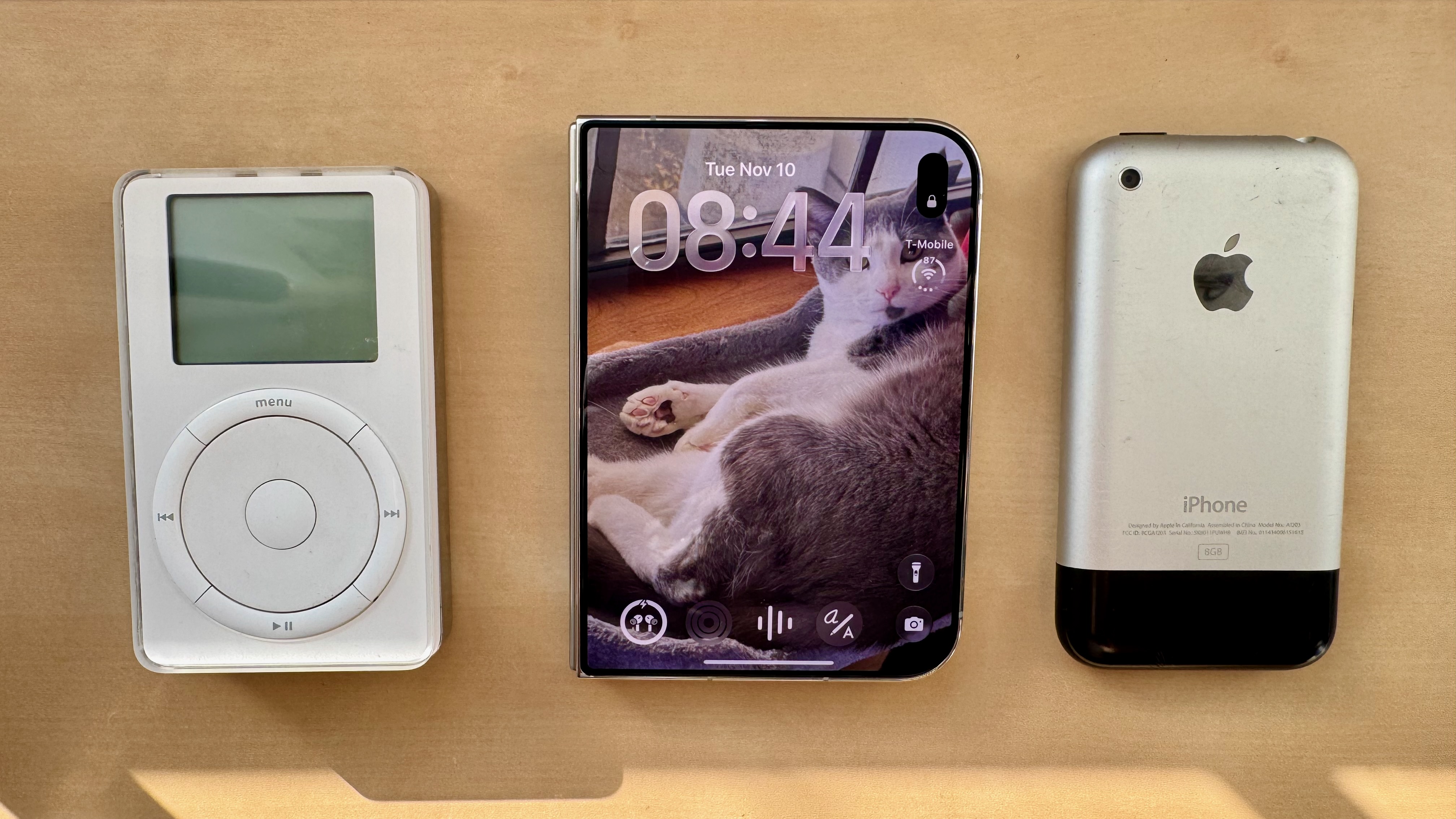
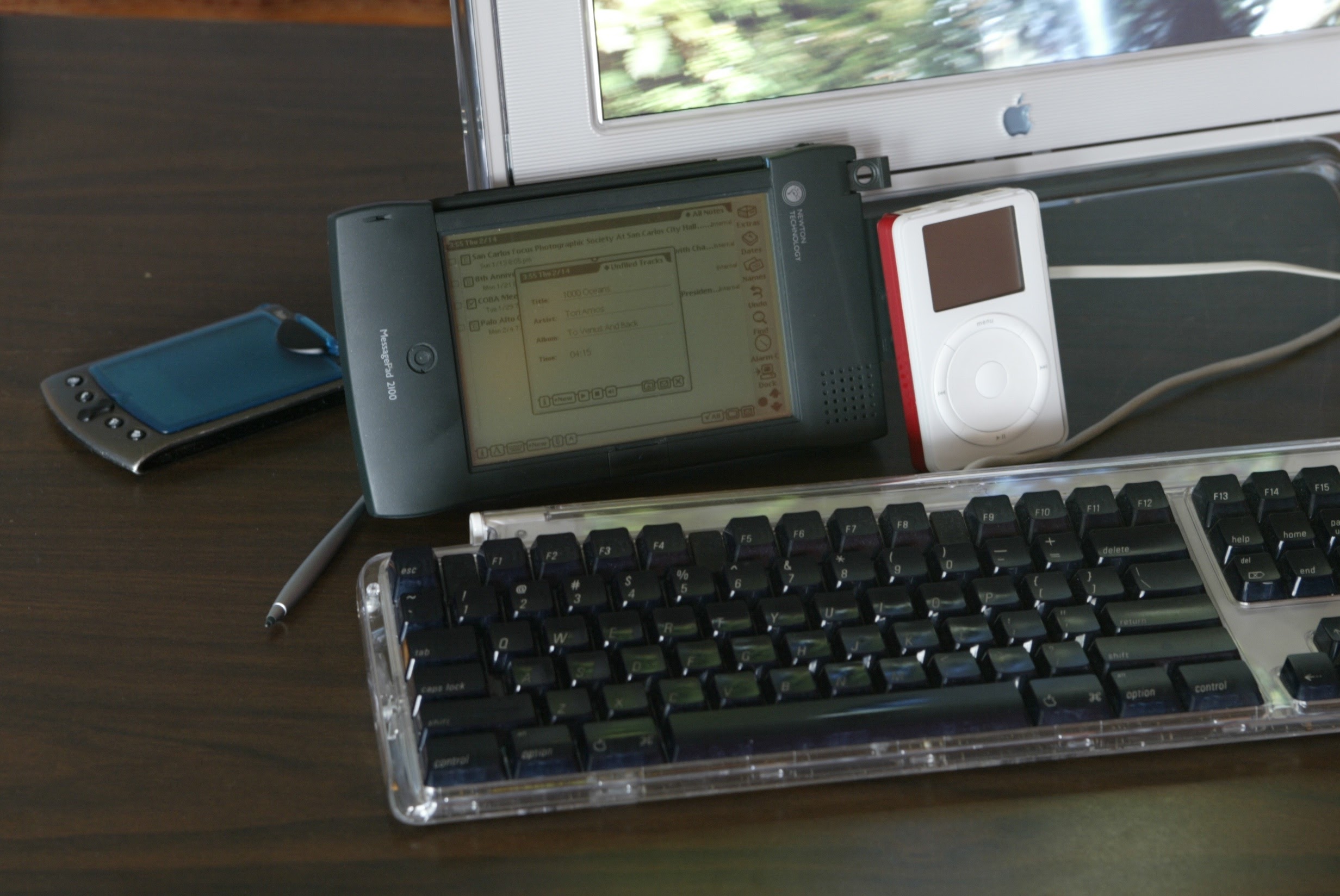
In October 2001, Apple introduced the original iPod. A thousand songs in your pocket!
The iPod wasn’t a personal digital assistant, but it demonstrated Apple’s renewed interest in making devices that people could carry everywhere.
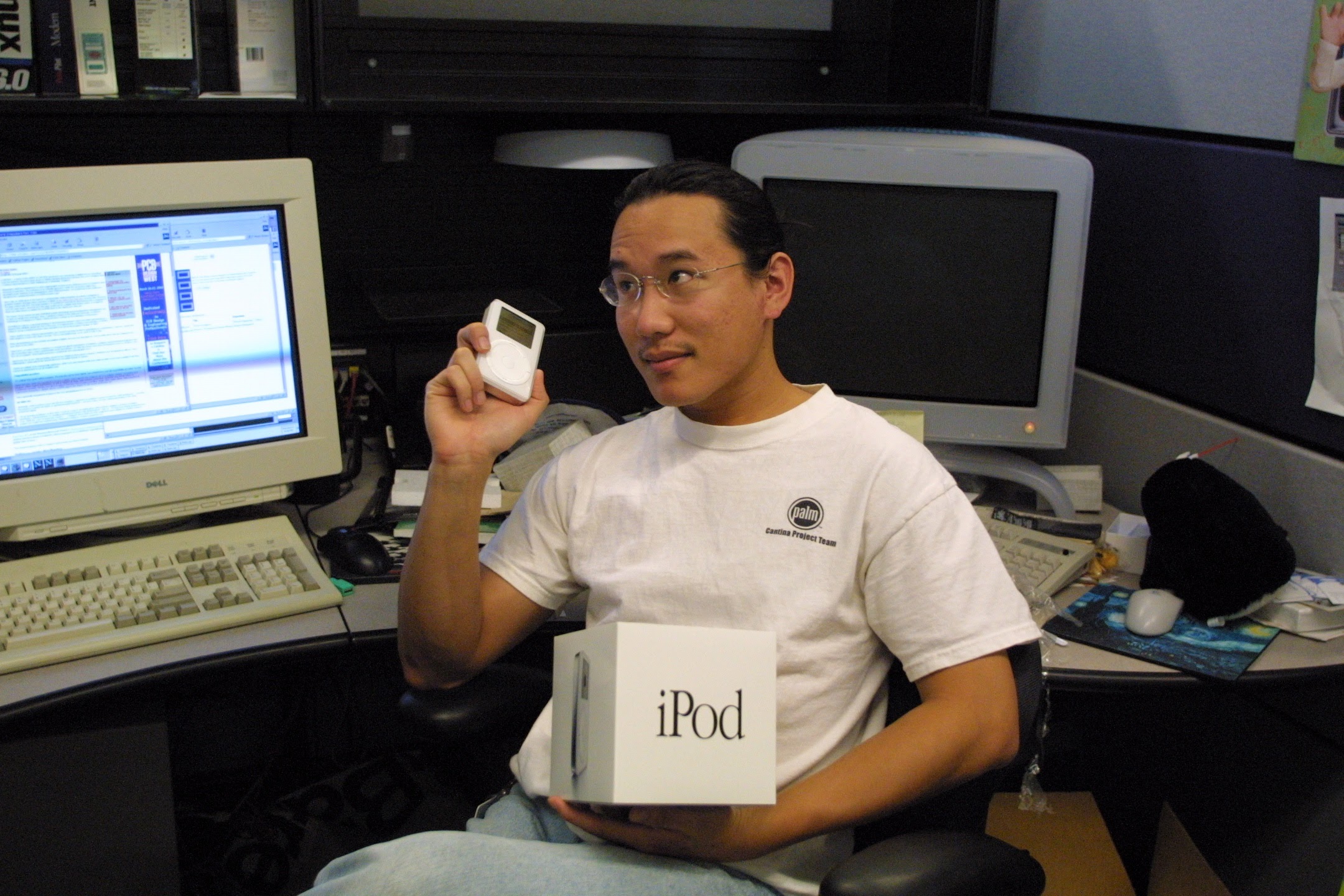
At the time, I was still working at Palm, and I remember getting my hands on one of the first iPods shortly after its release.
The original iPod weighed 6.5 ounces, considerably less than even the original Newton MessagePad. It wasn’t trying to do everything. It did one thing particularly well which was to play music. And it looked striking with its white and metal case, white headphone cords and earbuds.
Then came the iPhone in 2007. “An iPod, a phone, an internet mobile communicator!” Jobs repeated on stage when introducing the iPhone.
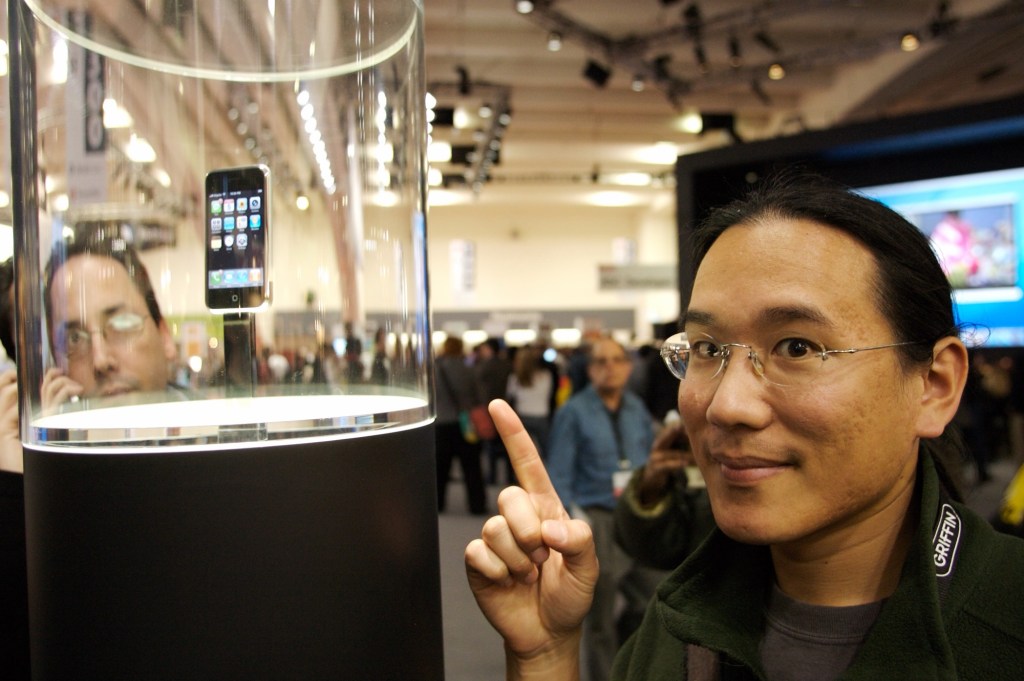
Here was the pocket-sized device that I’d been waiting for. The Newton’s development had ended nearly a decade earlier, but the iPhone carried forward much of its original promise in an entirely new form. And here we are nearly 20 years from the launch of the original iPhone!
The iPhone didn’t have a stylus, handwriting recognition, or the Newton’s particular approach to organizing information. Instead, it offered a new way of interacting with a handheld computer through a multi-touch display and a software keyboard that billions of people take for granted today.
The iPad and the Moving Goalposts
On January 27, 2010, I was in San Francisco for Apple’s introduction of the iPad with my co-workers from AllThingsD, Kara Swisher and John Paczkowski.

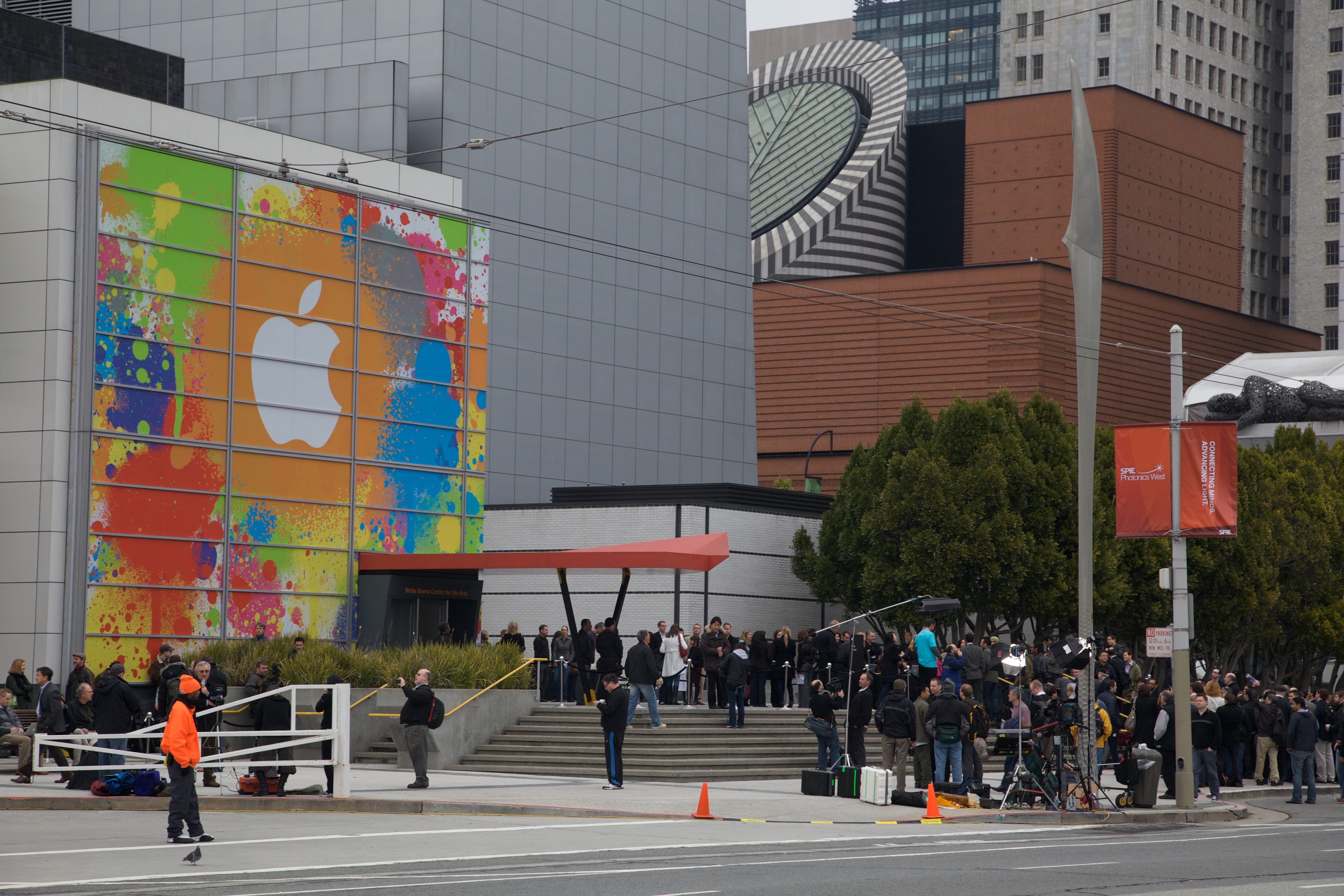
Steve Jobs positioned the iPad as a new category of device between the iPhone and the laptop.
I remember watching Jobs demonstrate the iPad while sitting in a chair onstage. It was a very different way of presenting a computer. Instead of sitting at a desk, he was holding it casually, browsing the web, reading, and interacting directly with the screen.

The original iPad was still a relatively large device. People complained that the Newton was too big, yet here was an even bigger handheld computer, and people bought it in droves. I guess size doesn’t matter after all!
When Apple introduced the iPad mini in 2012, I was like, yes! Here’s something about the size of a big Newton, but so thin!
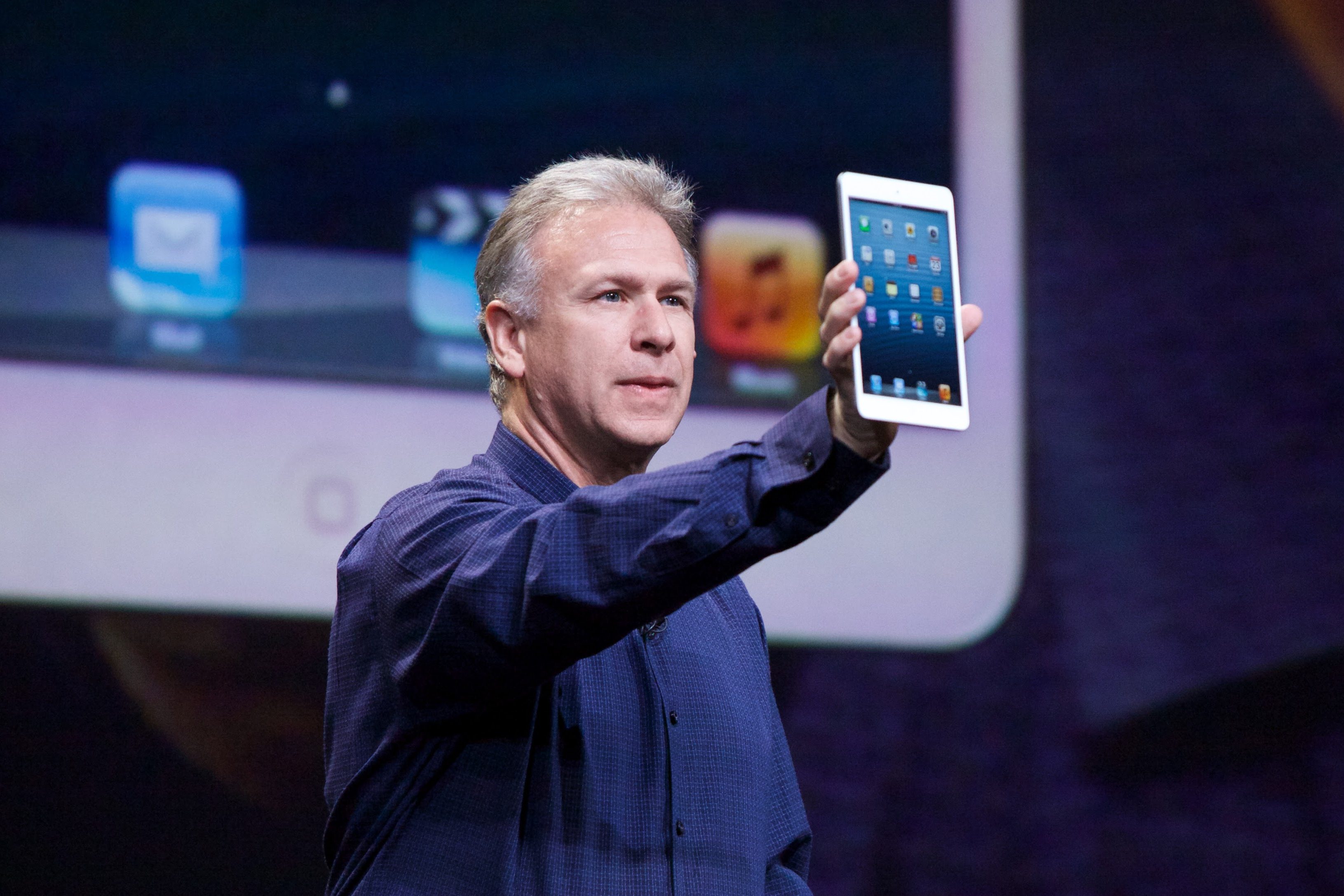
iPhones were much smaller back then, so the mini’s larger screen was a real advantage. Over time, phones got bigger, and I started questioning whether I really needed both a Pro Max and a mini. But iPadOS still offered things the iPhone didn’t, including Apple Pencil support and more capable multitasking.
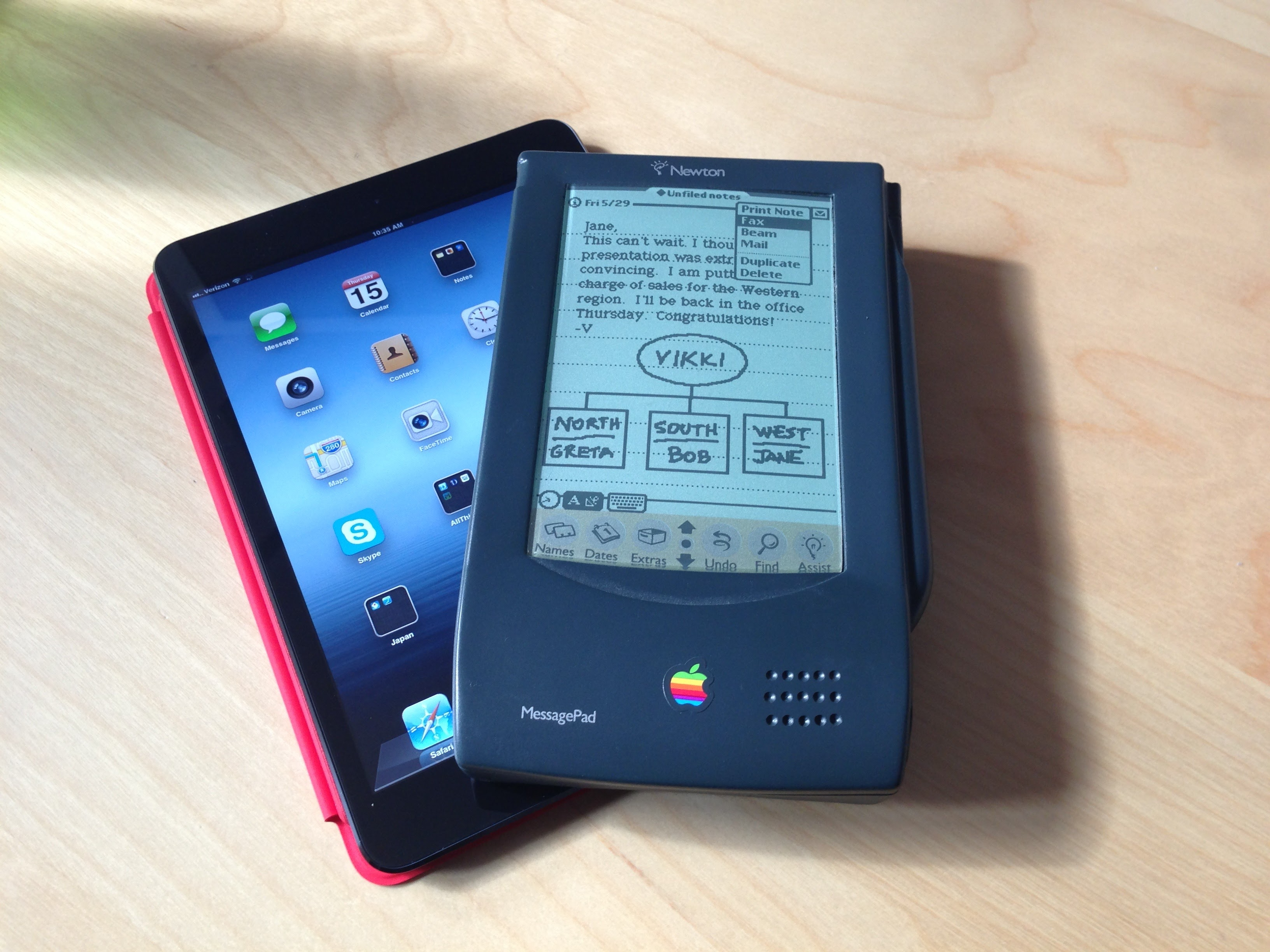
The iPad mini never really changed that much in size. Thin, yes, but still bulky in two dimensions when trying to fit it into a pants pocket.
For me, however, the goalposts had moved.
In 1997, I wanted a Newton that was the size of a Palm Pilot. By 2026, I wanted an iPhone that could unfold into an iPad, or an iPad mini that could fold in half.
Of course, Android manufacturers had been making foldable phones for years. I could have bought one from Samsung, Google, or another manufacturer.
But I didn’t want an Android foldable. I wanted a folding iPhone.
It was the same situation I’d faced nearly thirty years earlier. I didn’t want to switch platforms to get the form factor I wanted. I wanted the platform I was already using to evolve.
Finally, at the end of 2026, the iPhone Duo arrived. It seemed like the best of both worlds: an iPhone that could turn into an iPad mini.
It only took 29 years!
The Funnest iPhone Ever
In 2008, Apple called the second-generation iPod touch the funnest iPod ever. Four years later, the company doubled down, describing the fifth-generation iPod touch as engineered for maximum funness.
I’d submit that the iPhone Duo is the funnest iPhone ever.
There’s something inherently delightful about folding and unfolding the device. It’s almost as satisfying as opening and closing an AirPods case, except each time I’m afraid it might snap and I’d break the screen!
The hinge and dual screens open up possibilities for applications that simply don’t exist on a conventional slab-shaped smartphone.
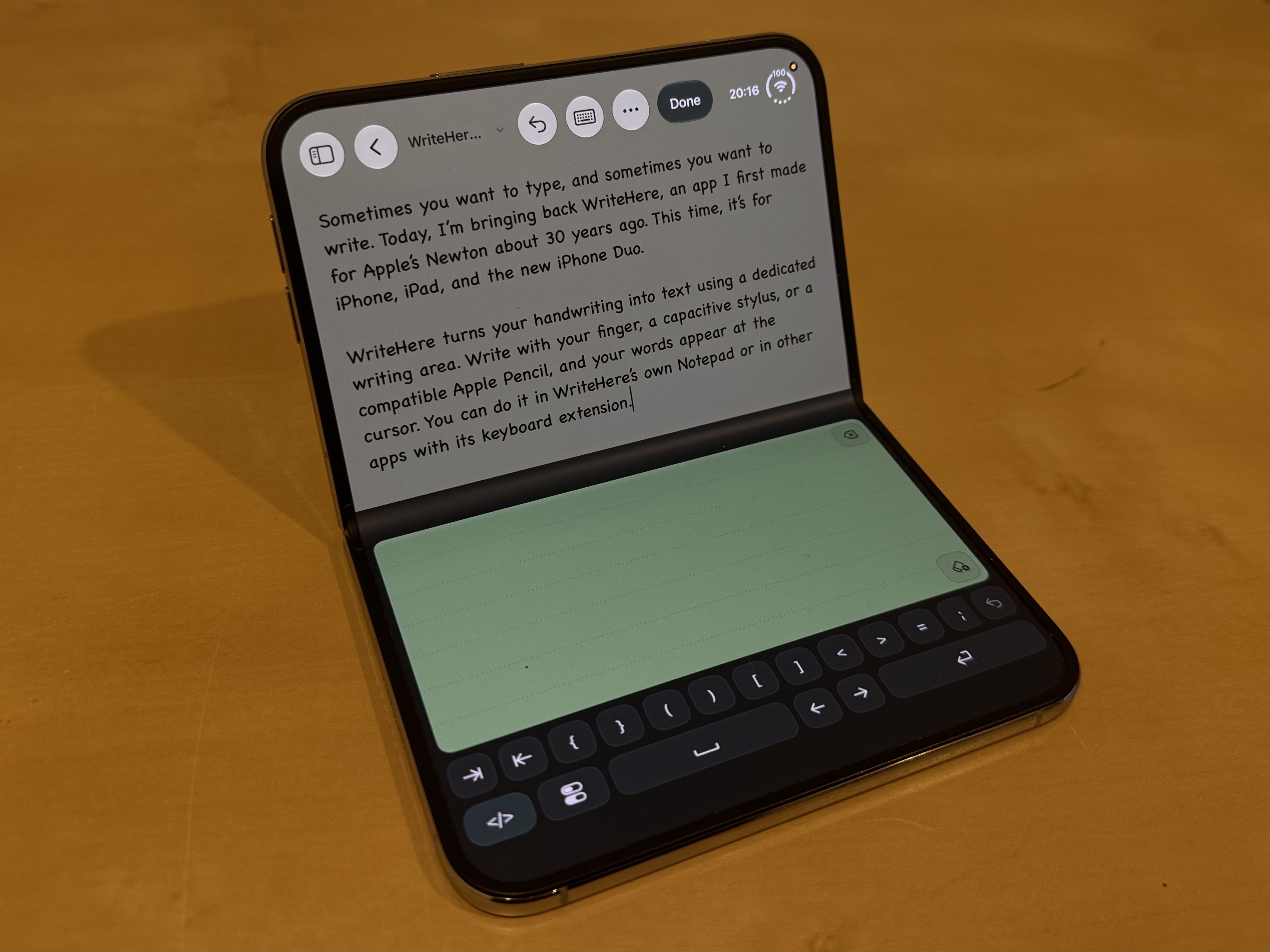
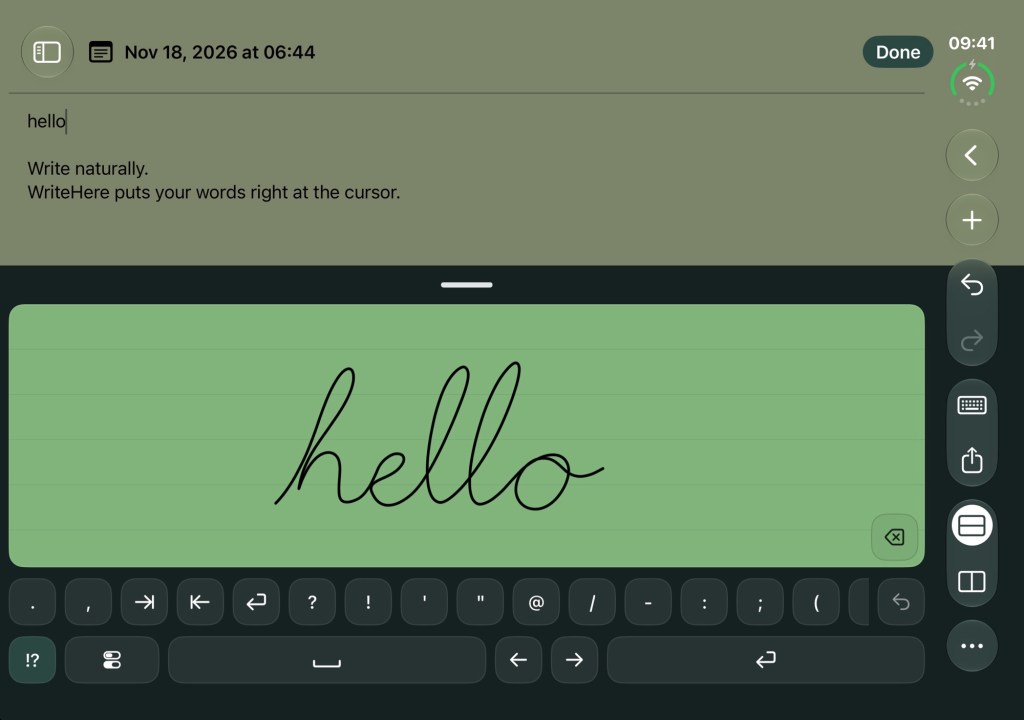
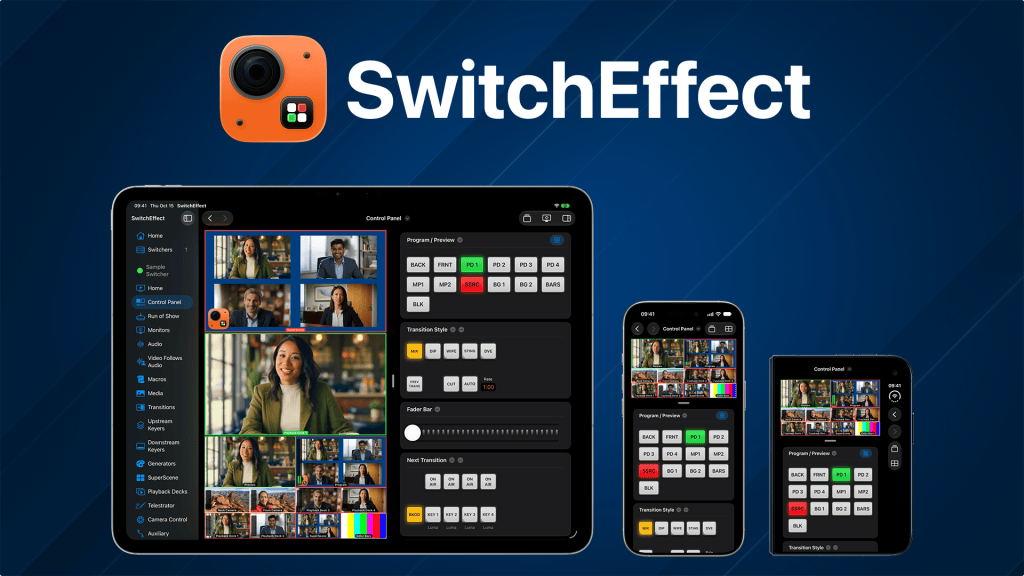
Developers are already taking advantage of the Duo’s form factor to create experiences that are whimsical, useful, or just plain fun. I’ve updated most of my apps to support the Duo, including SwitchEffect and WriteHere, which have interfaces optimized for the different ways you can hold and position the device.
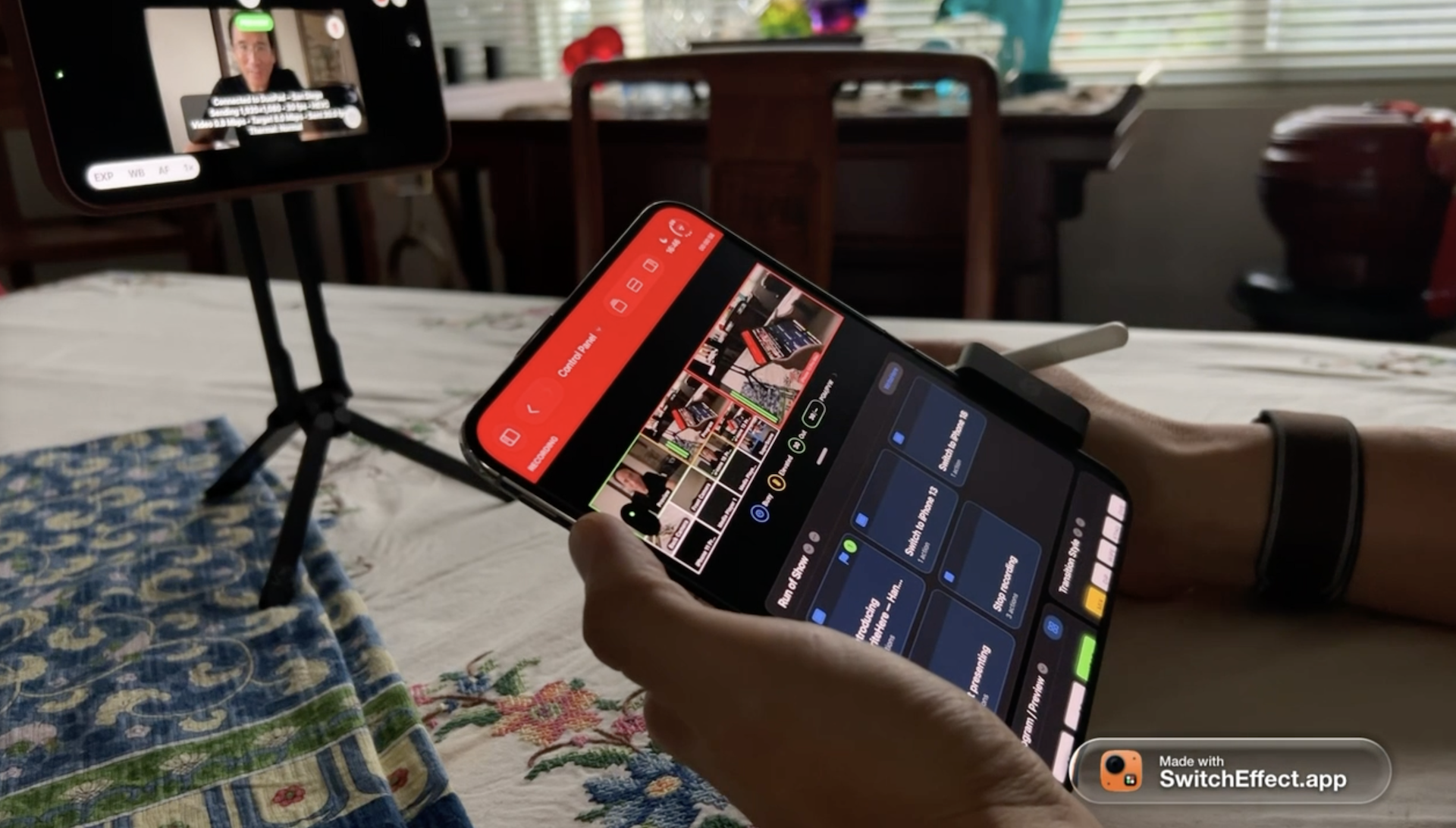
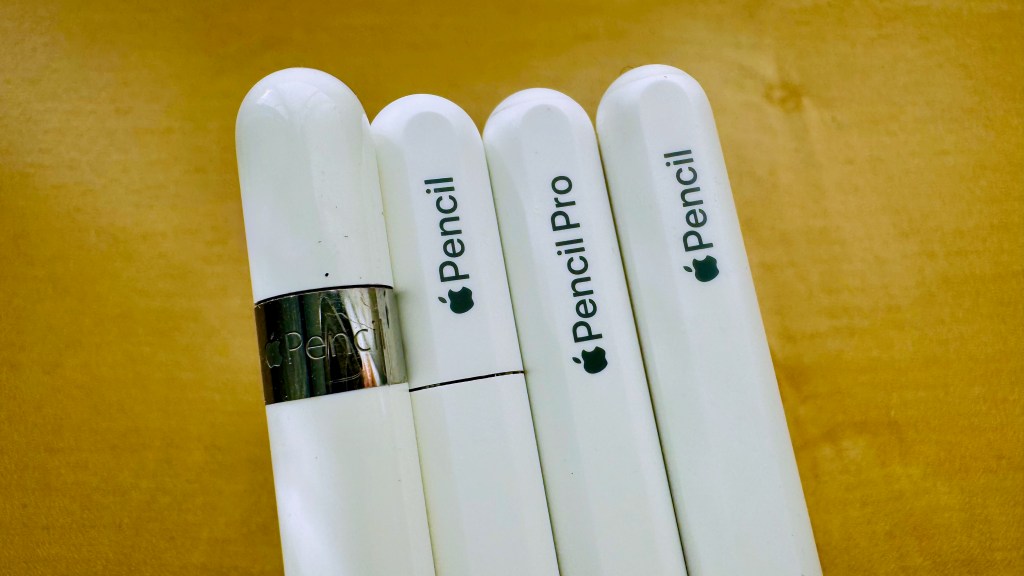
I like having the larger screen when the Duo is unfolded and the discreetness of the smaller screen when it’s folded up. The nanotexture inner display looks and feels fantastic when writing with the Apple Pencil USB-C.
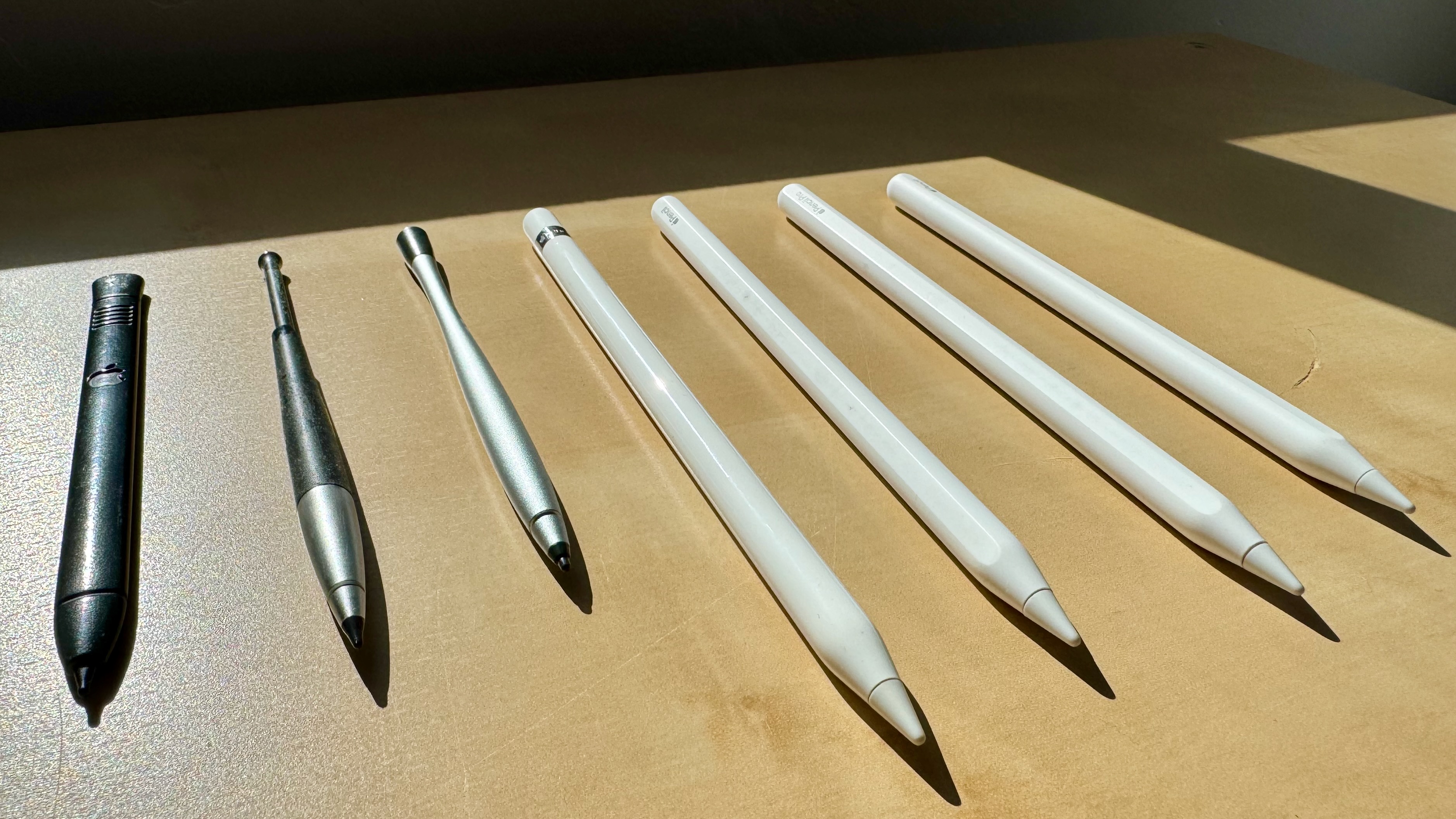
My hinge, knock on wood, has been solid and smooth. And I don’t mind the crease. Look at it this way: I would have killed for a device like this 30 years ago. I’m not going to complain about seeing or feeling a little crease every now and then!
Side-by-side multitasking works well, too. Full window support like on iPadOS would be interesting, but I wonder how well that would translate between the folded and unfolded displays. What Apple has now feels like a reasonable compromise.
This is certainly Apple’s weirdest and most ambitious iPhone in years.
Sure, Apple is late to the foldable market. But I’m not particularly interested in who got there first. I’m interested in what Apple has done with the form factor and where it might go from here.
The Duo feels like the beginning of something new at Apple rather than another incremental refinement of the iPhone. And as a developer, I’m very interested in seeing what I can make for it.
As much as I’m enjoying it, however, there are plenty of things Apple needs to improve.
Living with the Duo’s Idiosyncrasies
I’ve been using the Duo as my primary phone for over two weeks now, and a few things have become apparent.
First, this thing is slippery with a capital S. I’m extremely careful whenever I take it out of my pocket or pick it up.
I’m right-handed, but I typically hold my phone in my left hand. I’ve heard complaints about the sharp edge digging into the palm, but that hasn’t bothered me nearly as much as how slippery the device feels.
I’ve been reading and watching reviews of cases and eventually preordered the MOFT Dynamic Folio for iPhone Duo, which should arrive in a few weeks. It looks similar to Apple’s much more expensive iPhone Duo Folio with Kickstand, but appears easier to put on and take off.
The problem with adding a case, of course, is that it makes the Duo bigger, bulkier, and heavier. That’s the opposite direction I want to go in!
The Duo is also surprisingly dense, especially compared to the Palm III sitting next to it on my desk.
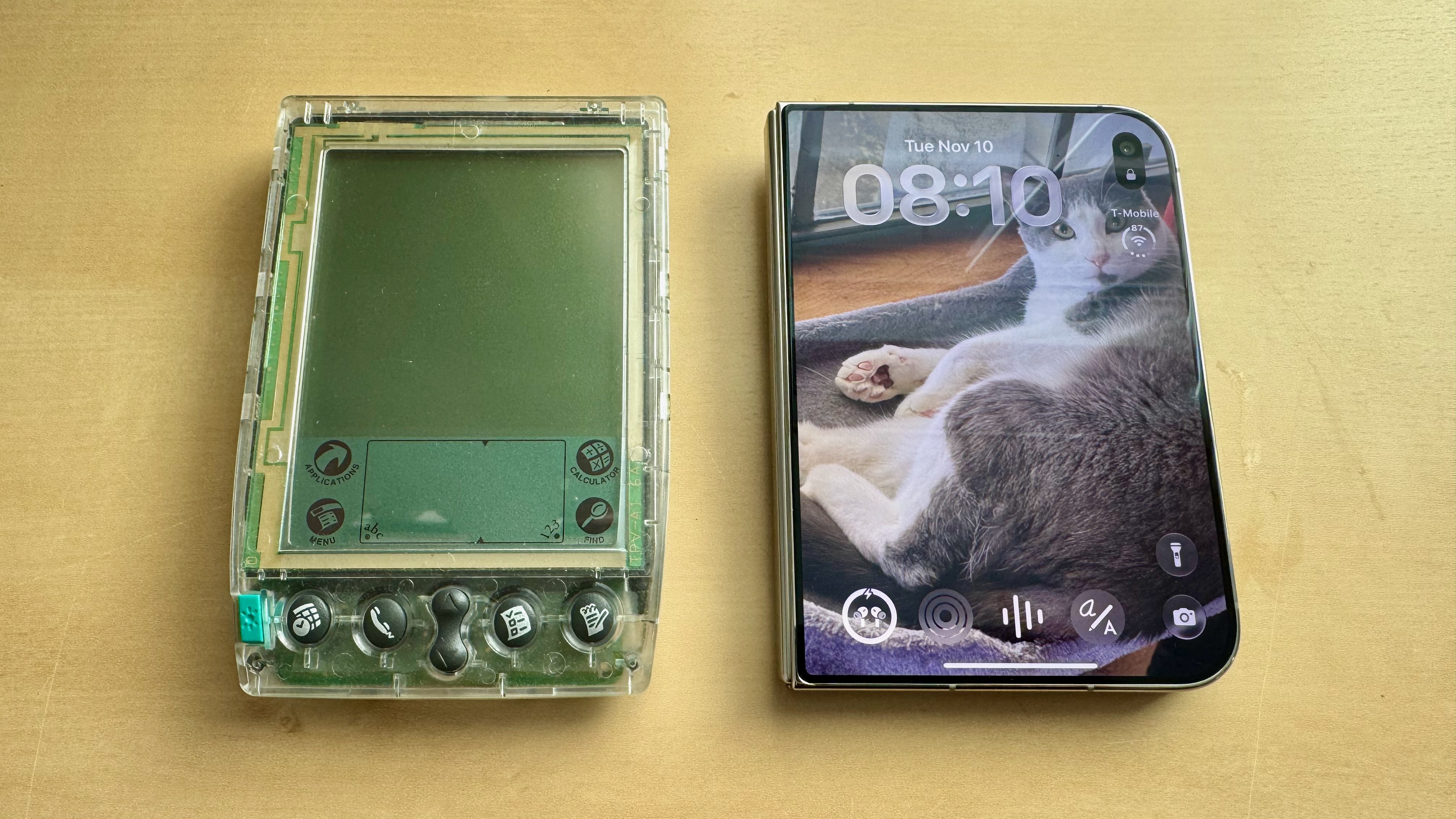
The Duo is a few millimeters wider than the Palm III, which I can definitely feel in my hand. With the size of my hands, I’d prefer Apple to shave a few millimeters off the width in a future version.
The Palm III feels light in my hand. The Duo feels like a small, solid block of metal and glass. In fact, it reminds me of the Rhinoskin Titanium Palm V Slider case I used to carry. Both the case and the Duo are fashioned out of titanium, although the Rhinoskin certainly didn’t have Apple’s manufacturing prowess nearly thirty years ago!
I even tried putting the Duo inside an old Handspring Palm slip case. It fit perfectly, but having to remove it every time I wanted to check something quickly became annoying.
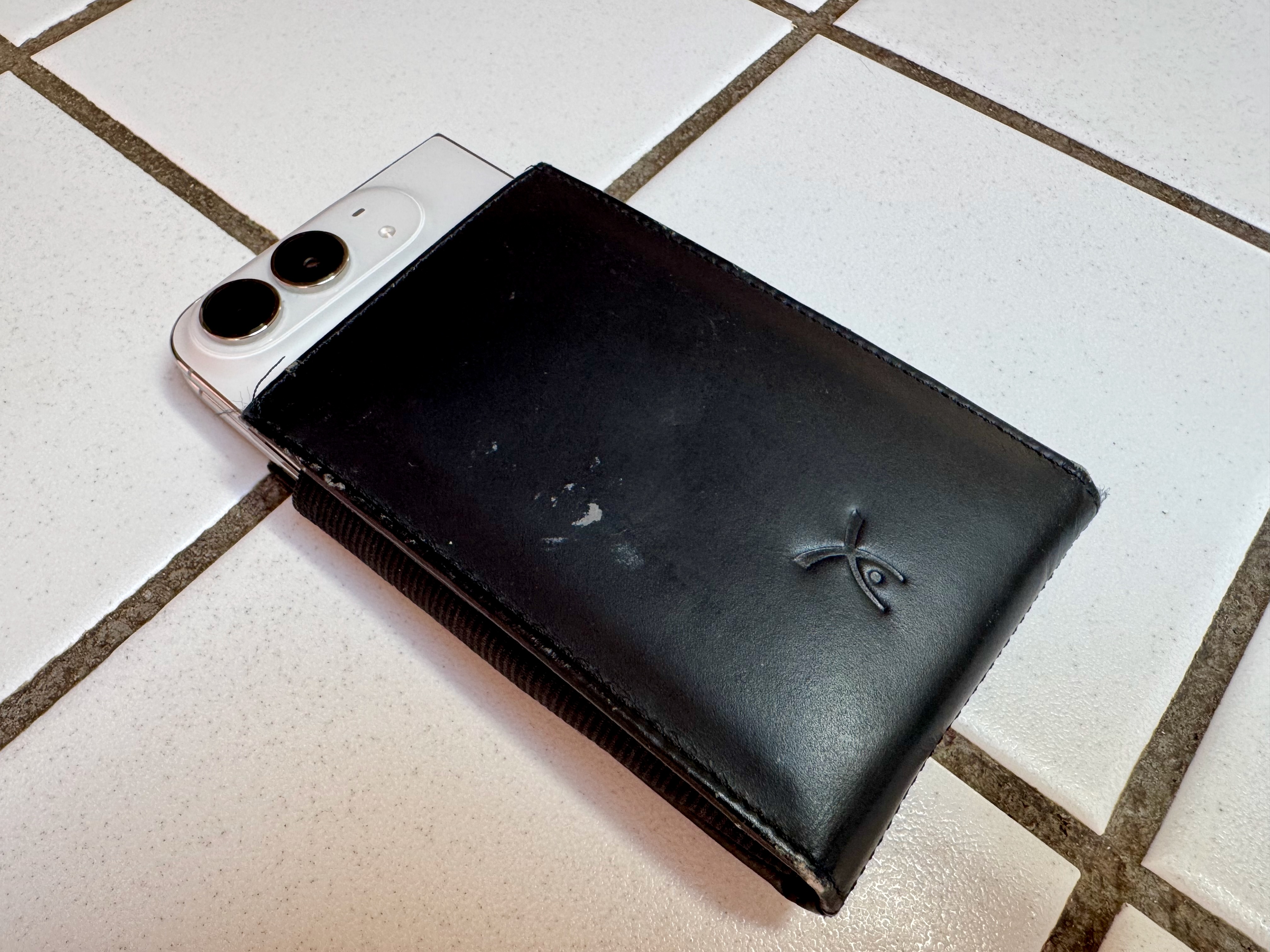
So, until the MOFT arrives, I’m going caseless. Cue up James Dempsey and the Breakpoints’ song, Almost Dropped My iPhone!
Which Way Is Up?
Apple keeps changing where it places the volume and sleep/wake buttons on its devices.
The original iPhone had its sleep/wake button on top and volume buttons on the left side. That arrangement lasted until the iPhone 6 in 2014, when Apple moved the sleep/wake button to the right side, opposite the volume buttons.
The iPad’s button layout, on the other hand, has remained relatively consistent since its introduction in 2010, with the sleep/wake button on top and the volume buttons on the adjacent edge. That changed with the sixth-generation iPad mini in 2021, when Apple moved the volume buttons to the top edge to make room for the Apple Pencil’s magnetic attachment and charging area along the side.
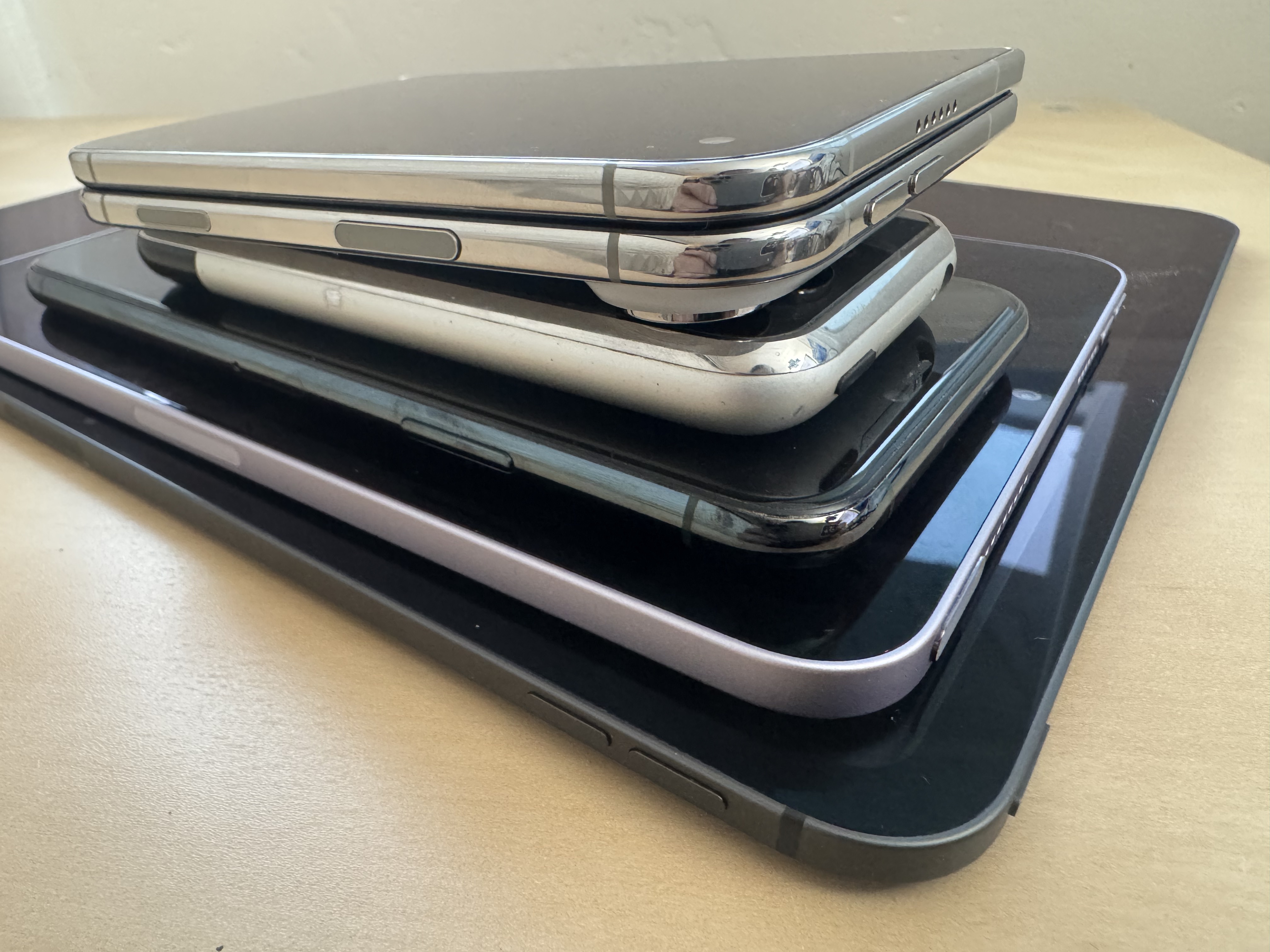
And now we have the iPhone Duo, which places the volume buttons on top and the Touch ID sleep/wake button on the side. My muscle memory is getting quite a workout switching among all these different devices!
The different ways you can hold the Duo only make matters worse. Once it’s unfolded, I find myself rotating it every which way, sometimes having to stop and figure out where the buttons are before I can do something as simple as take a screenshot.
I’ve enabled Triple Back Tap to take screenshots, but now I have to train myself to remember to use it. I’m also still figuring out exactly where to tap to get the gesture to register reliably.
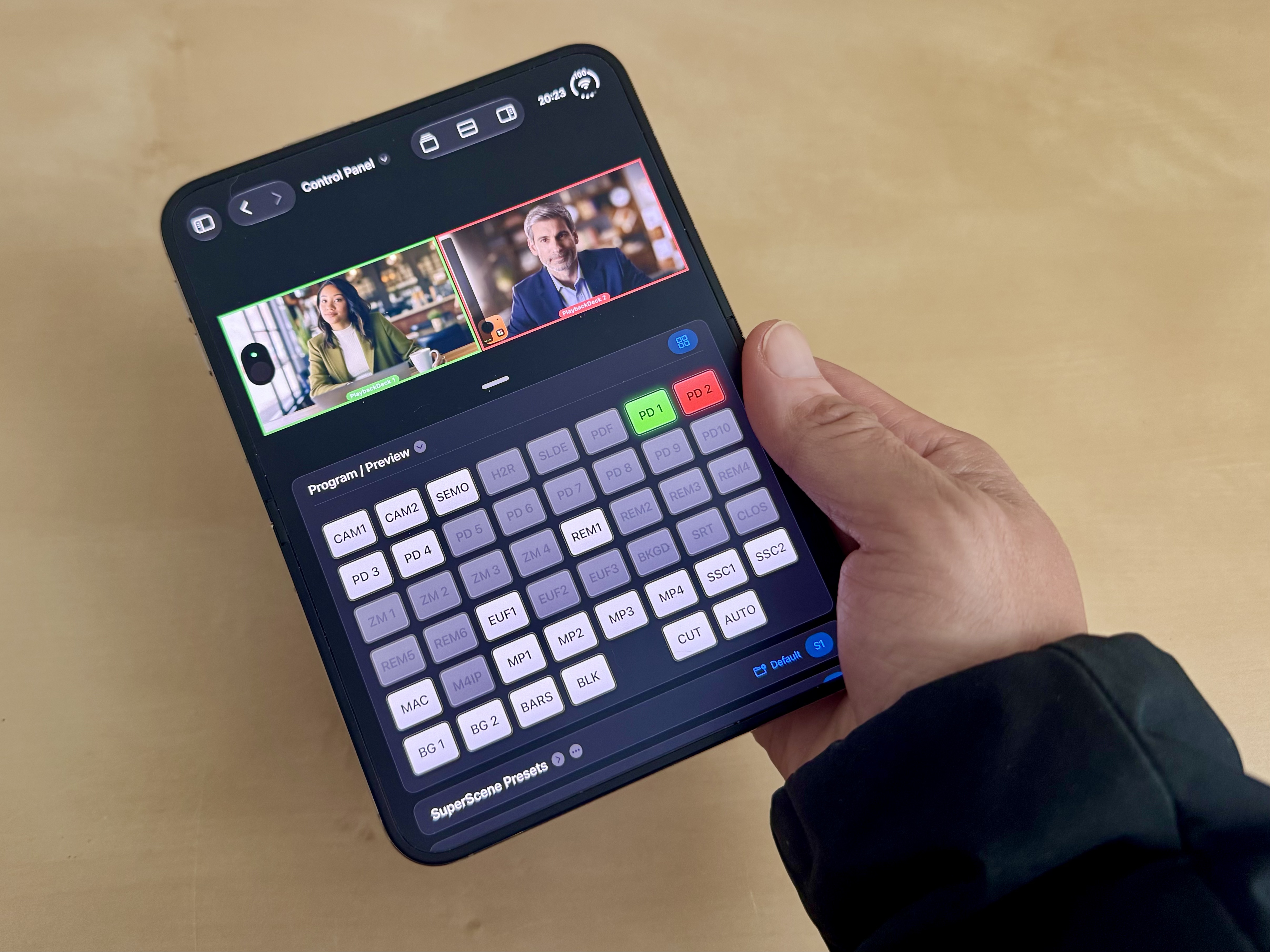
I’d prefer the Duo to have its Touch ID button on the top edge near the corner, with the volume buttons either alongside it or on the adjacent edge. After years of using an iPad mini and iPad Pro, that arrangement would feel much more natural to me.
I also find the placement of the USB-C port odd. When I’m charging the Duo with a cable and unfold it, the cable moves around more than I’d like. I’d rather have the port on the same side as the MagSafe charger.
Unlocking the Duo
I’ve registered four fingerprints with Touch ID so I can unlock the Duo regardless of how I’m holding it. That works well, but I discovered a problem with the Rest Finger to Open setting. After locking the Duo and slipping it into my pocket, I would sometimes accidentally touch the Touch ID button with a registered finger, unlocking the device without realizing it.
I’ve temporarily disabled Rest Finger to Open to prevent this from happening.
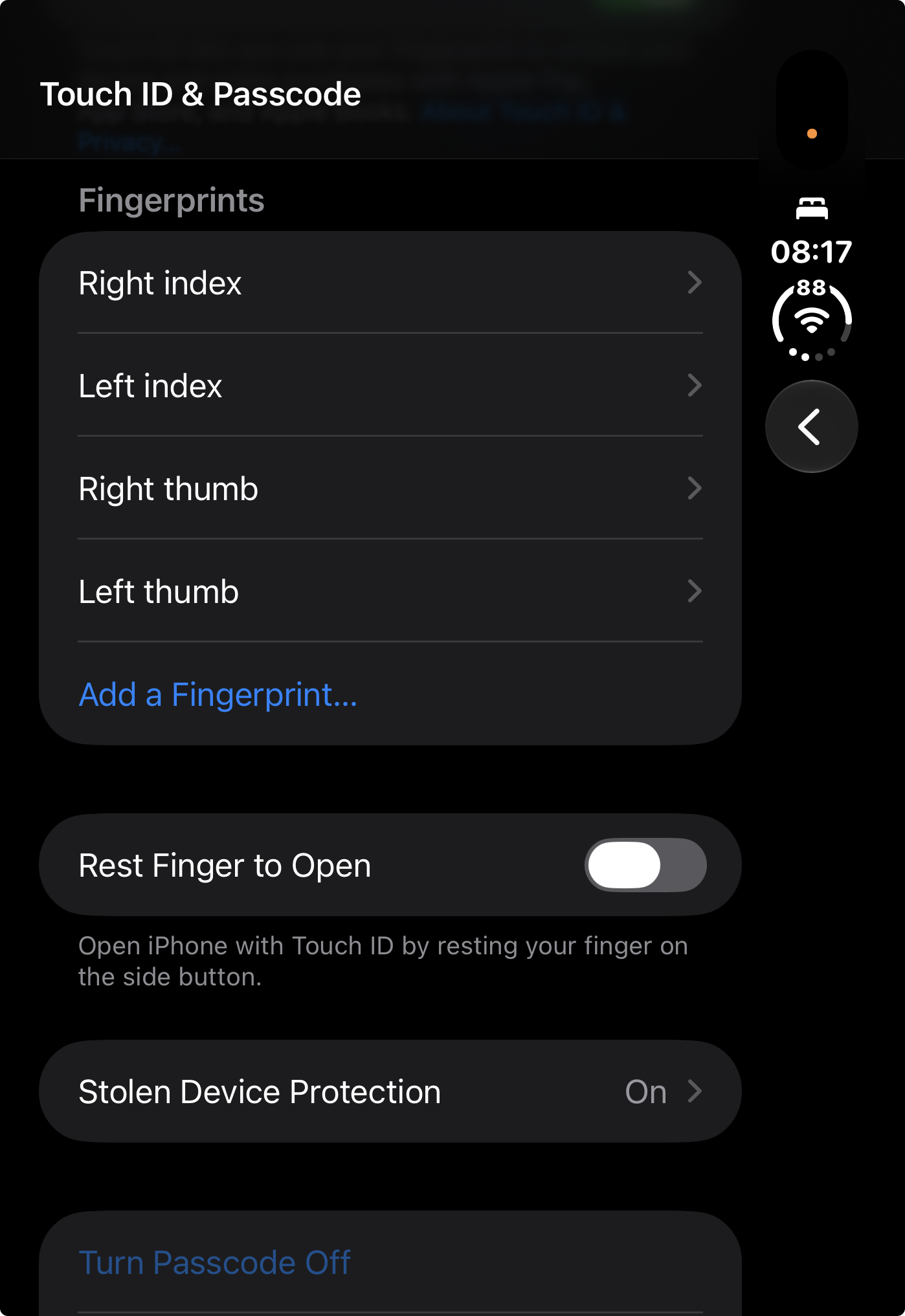
I also briefly enabled Unlock with Apple Watch, but found that the Duo was unlocking in my pocket far too often, occasionally registering accidental swipes and taps. I quickly turned that feature off, too.
With the upcoming iOS 27.3, Apple is adding Face Unlock using the outside front camera. More ways to unlock the device can’t be a bad thing.
Face Unlock won’t be as secure as Face ID, but it could make everyday unlocking more convenient while leaving Touch ID for secure authentication. I think the combination of Face Unlock, fewer registered fingerprints, and Rest Finger to Open enabled might be the ideal setup for me. That way, I can unlock the Duo conveniently without making it quite so easy to unlock accidentally.
Apple has given us so many different ways to unlock the Duo that I suspect everyone will have to experiment a little to figure out which combination works best for them.
The Best of Both Worlds?
The big question for me was whether the Duo could replace the two devices I’ve been using for years: an iPhone and an iPad mini.
The promise of the Duo is that I can have a pocketable phone when I want one and a larger display when I need it, without carrying two separate devices.
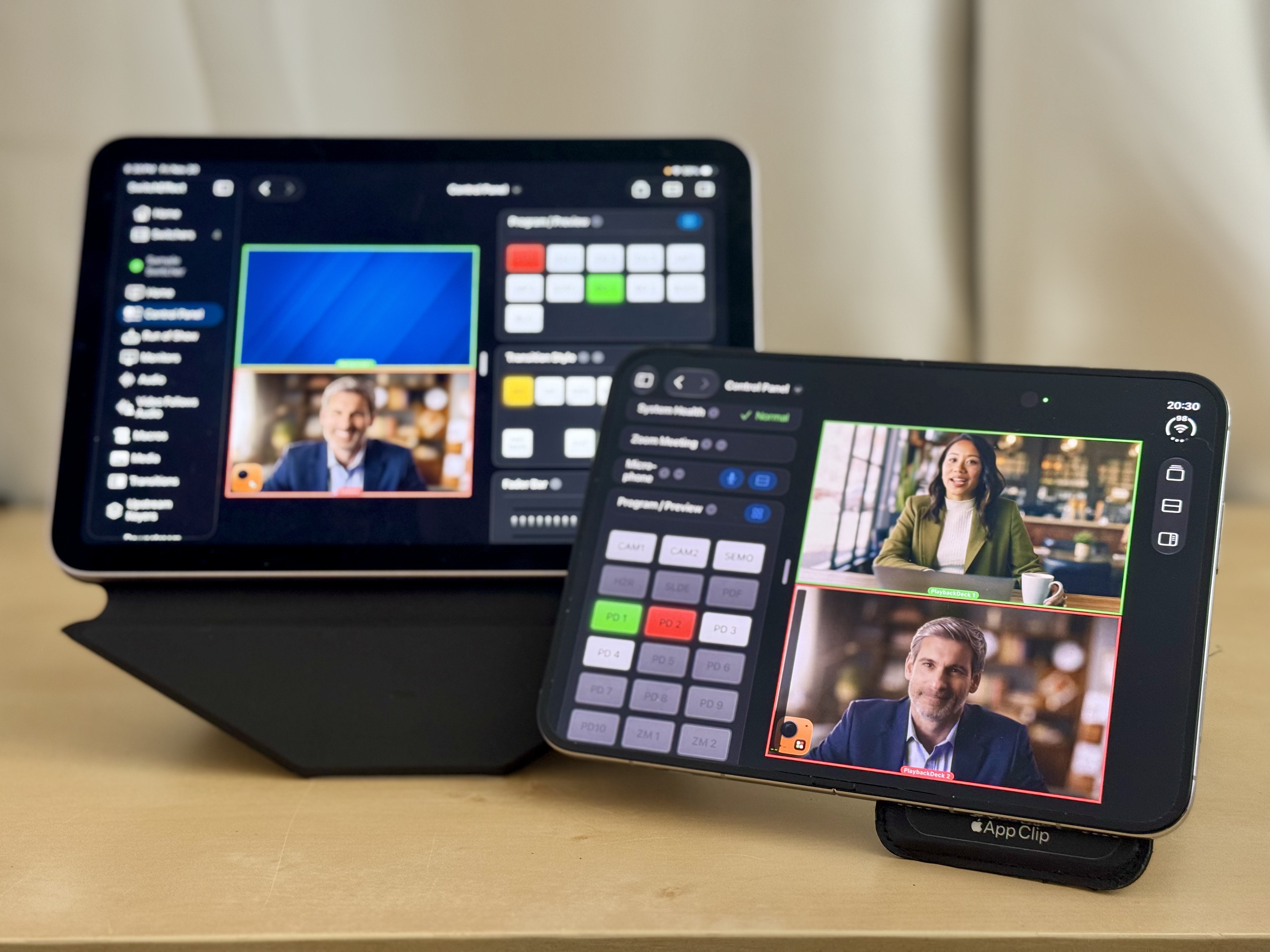
I got a chance to put that promise to the test during a four-day trip to San Diego. I brought the Duo as my primary computing device, leaving both my iPhone 15 Pro Max and iPad mini at home.
During the trip, I wrote several blog posts using the built-in keyboard and WriteHere. I used the larger screen for reading, browsing, and getting work done. For video production, I used my SwitchEffect Camera app to access additional cameras and shooting angles when filming product videos.
I didn’t miss my iPhone 15 Pro Max or iPad mini for day-to-day tasks.
As a developer and content creator, however, I may still carry a second iPhone or iPad for video production. SwitchEffect lets me use multiple devices as remote cameras, and having an iPhone 15 Pro Max or a newer iPhone 18 Pro would give me more flexibility when filming.
There are compromises, of course. The Duo doesn’t have the full camera system of an iPhone Pro Max, and its unfolded display isn’t quite as large as the one on the iPad mini. The mini also supports windowed multitasking, whereas the Duo is limited to two side-by-side apps, with a possible third playing video in Picture in Picture.
But I don’t think it’s fair to evaluate the Duo solely by comparing it against Apple’s best iPhone and smallest iPad.
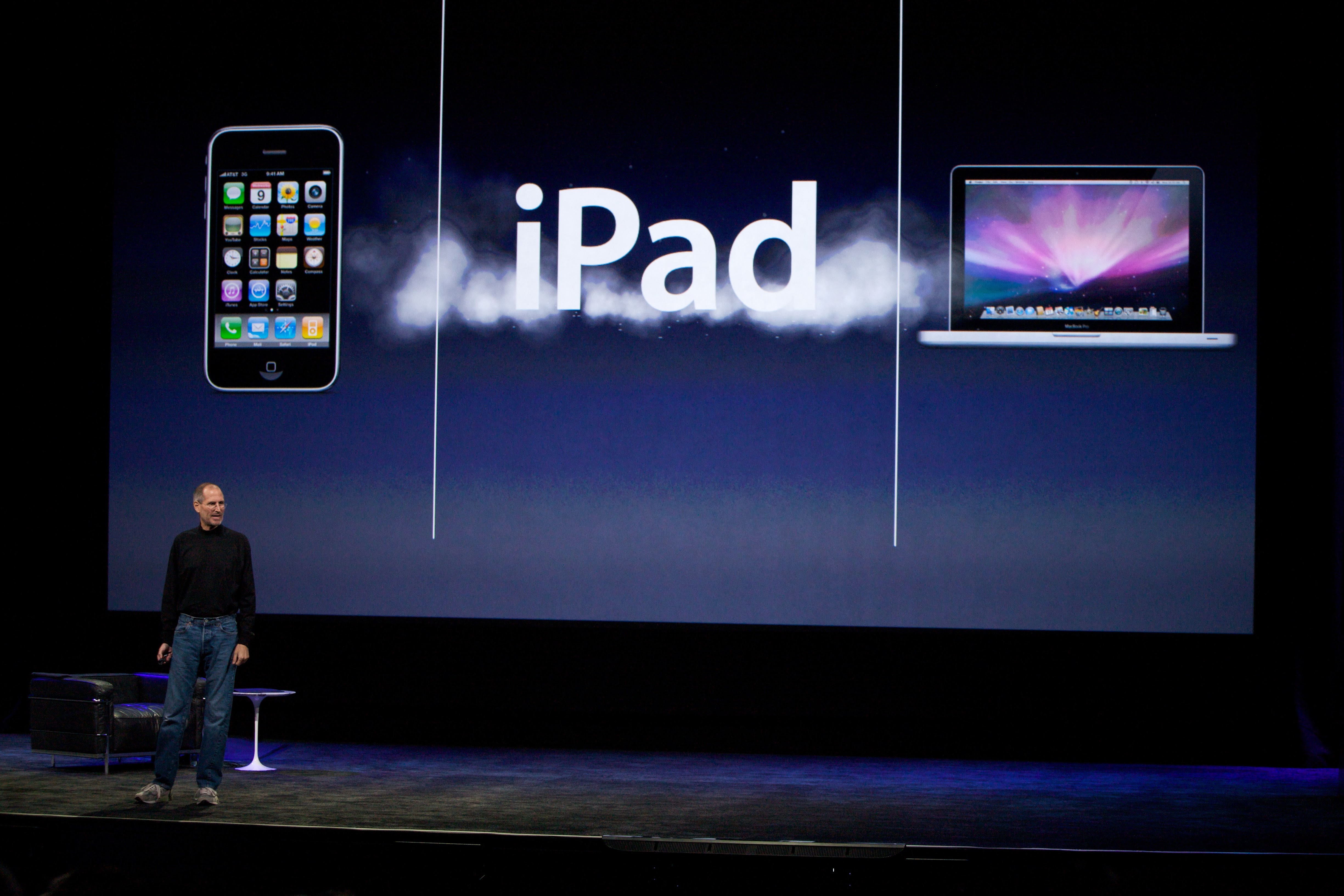
When Apple introduced the iPad in 2010, people tried to dismiss it as just a bigger iPhone. But it wasn’t. I think we’re going through something similar with the Duo.
What I Want from the Next Duo
As much as I’m enjoying this first-generation device, I already have a wish list for the next one.
The cameras are an obvious area for improvement. I’d love to see square sensors on the inside and back cameras so I could choose portrait or landscape orientation without sacrificing resolution. The inside front camera could certainly use an upgrade, and I miss having a dedicated telephoto lens like the one on my iPhone Pro Max.
I’d also like Apple to continue refining the physical design. Make it a little narrower, lighter, and less slippery. An aluminum frame might help with weight and heat dissipation, although that would depend on how Apple engineers the rest of the device.
Improving the hinge’s resistance to dust and debris is probably one of Apple’s biggest priorities. I don’t think I’ll be taking the Duo to the beach or Burning Man anytime soon!
I’d welcome an Action button, although rumors suggest it might be on the way out. And I’d prefer the USB-C port to be on the same side as the MagSafe charger.
But the feature that could really change how I use the Duo is extended desktop support for external displays.
Imagine carrying a single device that works as your phone, unfolds into a tablet, and connects to an external monitor to become a desktop computer.
That’s one of the few remaining holy grails of mobile computing for me. The new eighth-generation iPad mini supports extended desktop functionality, and I’d love to see Apple bring something similar to the Duo.
Of course, Apple isn’t going to deliver every feature I want in a single generation. The original iPhone was missing plenty of features that we now take for granted.
The Duo also opens the door to other folding form factors. Imagine an iPhone that folds into a small square, with an interface resembling Apple’s new HomeView or an Apple Watch face. Unfold it, and you have a conventional candy-bar-shaped iPhone. I’d be interested to see Apple experiment with something like that in the future.
That is, provided Apple doesn’t abandon its folding iPhone lineup like it did the iPhone mini.
I expect future versions to become thinner, lighter, more durable, and more capable. I’m looking forward to seeing how the product evolves!
Something Else Entirely
So, is the iPhone Duo the best of both worlds? Is it the best iPhone and the best iPad?
No, it’s not.
But it’s the best foldable iPhone and tablet from Apple yet!
That might seem like a trite answer, but it’s true.
The Duo isn’t really an iPhone, and it’s not really an iPad. It’s something else, and I’m going to treat it as such.
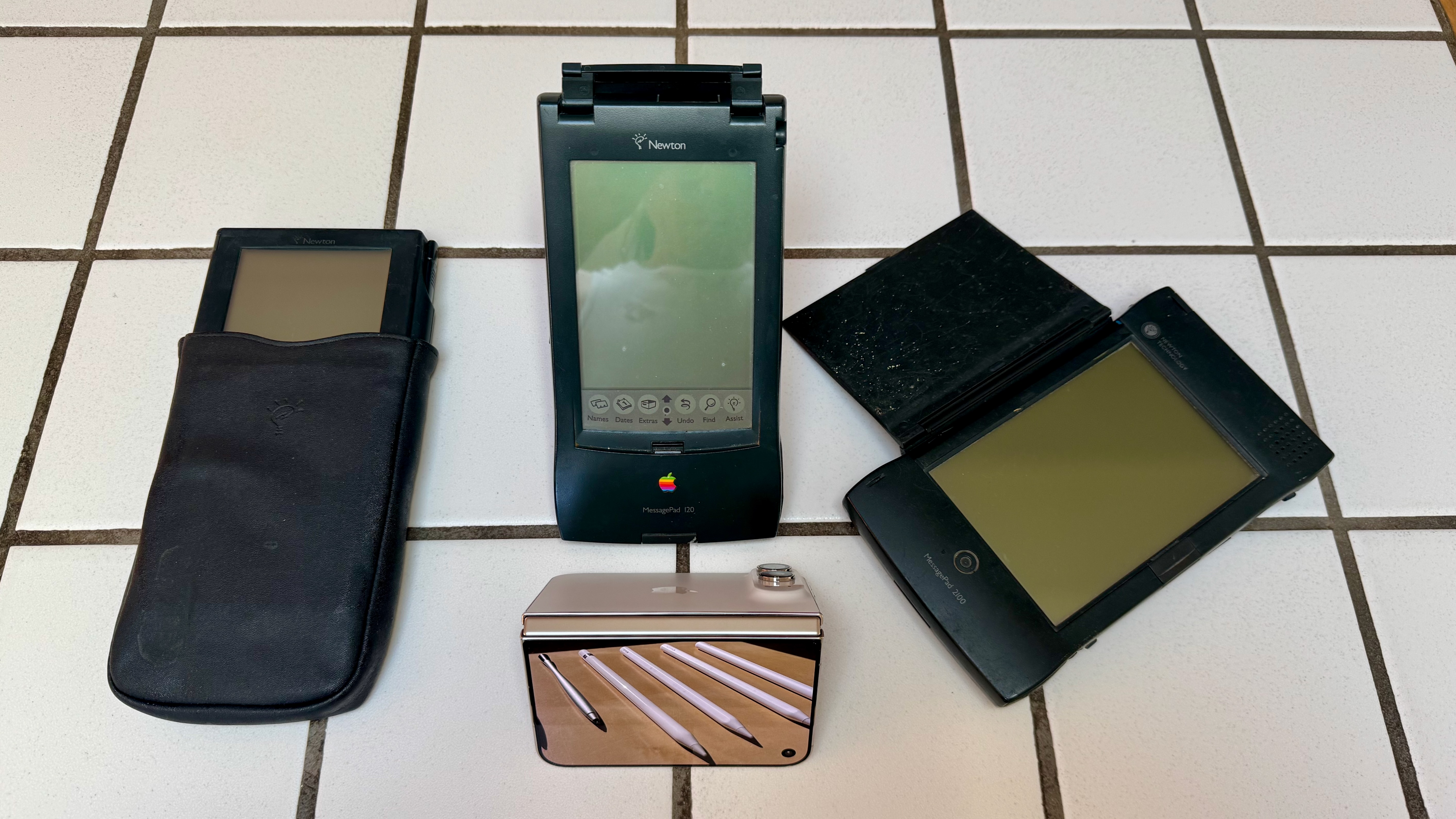
When I look at the Newton and Palm devices sitting next to the Duo on my desk, I can’t help but think about how far handheld computing has come over the past three decades.
In 1997, I wanted a Newton that could fit in my pocket. Apple never made one.
By 2026, I no longer wanted a pocket-sized Newton. I wanted an iPhone that could unfold into an iPad mini.
And now I have one.
It’s heavier than my Palm III, smaller than my Newton MessagePad 2100, and more powerful than anything I could have imagined in 1997.
After two and a half weeks with the Duo, I’m happy with it. There are things I’d like Apple to improve, but isn’t that always the case?
I waited nearly 30 years for a device like this. I can wait another year to see how Apple improves it.



Leave a Reply