Skip to content

tow.com

  • Home
  • Aboutu0026gt; bio I grew up in San Diego, and I lived there from the day I was born to the day I moved up to the Bay Area for college. SD’s a wonderful place to visit and live, with great beaches, beautiful weather, and a relaxing laid-back style to it. If your only impression of Southern California is Los Angeles, you owe it to yourself to visit San Diego! I graduated from Stanford University with a degree in Symbolic Systems. My focus was in human-computer interaction. Name: Adam Tow Year of Birth: 1975 Hometown: San Diego, CA Current Residence: SF Bay Area Education: See Curriculum Vitae Myers-Briggs Type: INFP Riso-Hudson Type: 7 – Enthusiast I was most recently a Reuters Digital Vision Fellow at Stanford University, where I am creating technology that enables the developing world to access Internet information and applications. Currently, I’m working on numerous projects in digital media, photography, videography, and online journaling. Previously, I led the MyPalm client team for the i705 handheld at Palm, Inc.. Prior to Palm, I founded and ran Foundation Systems, a software development and consulting firm specializing in mobile computing. I wrote and sold a number of acclaimed software packages for…
  • MixEffect
  • Action Phrase
  • RouteEffect
  • MsgFiler
  • Product Updates
  • Autumn Gem
  • Shortcuts

    Run Shortcut, an Elegant Launcher for Your Shortcuts from the Notification Center Widget

    Published by

    Adam Tow

    on

    June 2, 2019

    Run Shortcut lets you access all of your shortcuts from the Notification Center widget. Use your voice to search for, run and edit shortcuts on your device, or trigger shortcuts to run on remote iOS devices using NoteCuts. Its delightfully colorful interface even matches the colors you’ve chosen for your…

    Continue reading →: Run Shortcut, an Elegant Launcher for Your Shortcuts from the Notification Center Widget
  • Shortcuts

    NoteCuts, Automatic, Background Triggering of Shortcuts on Local or Remote iOS Devices

    Published by

    Adam Tow

    on

    June 2, 2019

    NoteCuts NoteCuts continually monitors shared notes on Apple Notes, Dropbox, and Evernote, enabling automatically running of shortcuts, even when the iOS device is locked and sleeping. Download NoteCuts from RoutineHub.co With NoteCuts, you can: Run shortcuts automatically, no tapping on notification banners required! Integrate with popular third-party services like IFTTT…

    Continue reading →: NoteCuts, Automatic, Background Triggering of Shortcuts on Local or Remote iOS Devices
  • Shortcuts

    Introducing PromptKit, an advanced dialog engine for Shortcuts and iOS

    Published by

    Adam Tow

    on

    May 16, 2019

    PromptKit is an advanced dialog engine for Shortcuts and iOS. PromptKit creates powerful, interactive, multilingual, and multi-step prompts featuring speech, dictation, menus, dialogs, and automatic language translation. For shortcut developers, the PromptKit API facilitates the creation of interactive prompts with branching logic, input validation, history, state, external shortcut support, and…

    Continue reading →: Introducing PromptKit, an advanced dialog engine for Shortcuts and iOS
  • Shortcuts

    Localization Helper

    Published by

    Adam Tow

    on

    February 11, 2019

    One of the less heralded but extremely important features of my shortcuts is their full support for localization out of the box. It’s something that I wanted to have from day one with my apps, as retrofitting an existing app can be extremely tedious. To assist others with localizing my…

    Continue reading →: Localization Helper
  • Shortcuts, Uncategorized

    Cronios, WatchCuts, and GeoCuts

    Published by

    Adam Tow

    on

    February 10, 2019

    Really jazzed about releasing two new shortcuts and an update to Cronios this weekend. I now have developed three distinct methods for running shortcuts automatically in the background: Date and Time: Cronios Remote Trigger from iCloud-connected device: WatchCuts + Cronios Location: GeoCuts + Cronios Cronios 1.3.0 adds a new Cron…

    Continue reading →: Cronios, WatchCuts, and GeoCuts
  • Shortcuts

    Cronios 1.1.0 with Keep-Alive Beep and Cronios Watcher

    Published by

    Adam Tow

    on

    January 18, 2019

    The full-featured shortcuts scheduler for iOS just got a lot better with Cronios 1.1! Configure your shortcuts to run automatically in the background on the dates, times, ranges, and intervals you specify, without any interaction on your part! What’s New in Version 1.1 Cronios 1.1 introductions some exciting new features:…

    Continue reading →: Cronios 1.1.0 with Keep-Alive Beep and Cronios Watcher
  • Shortcuts

    Shortcut App Framework

    Published by

    Adam Tow

    on

    January 12, 2019

    Shortcut App Framework App Framework is a starting point for shortcut developers to create complex applications in Shortcuts. Study and learn from the documentation and the heavily-commented shortcut; you’ll be writing your own shortcut apps in no time! Many of the techniques and code in App Framework are used in…

    Continue reading →: Shortcut App Framework
  • Shortcuts, Uncategorized

    Inspector – View and Modify Objects at Runtime for Shortcut Developers

    Published by

    Adam Tow

    on

    January 8, 2019

    I just released Inspector, a utility for shortcut developers to inspect and modify runtime objects such as dictionaries, lists, text, numbers, and boolean values. It is a powerful tool that goes far beyond the Show Result and Quick Look actions. Inspector is great for viewing and changing JSON API responses…

    Continue reading →: Inspector – View and Modify Objects at Runtime for Shortcut Developers
  • Shortcuts, Uncategorized

    How Are You Feeling – A Shortcut Integrating Cronios, IFTTT, and Google Sheets

    Published by

    Adam Tow

    on

    January 7, 2019

    Feeling (Cronios + IFTTT) is shortcut that asks you hourly how you are feeling. Working with Cronios, the shortcuts scheduler for iOS, Feeling (Cronios + IFTTT) records your dictated text to a Google Sheet via the IFTTT Maker Webhook. This post shows you how you can integrate four services: Google…

    Continue reading →: How Are You Feeling – A Shortcut Integrating Cronios, IFTTT, and Google Sheets
  • Shortcuts, Uncategorized

    Cronios – Run Your Shortcuts on an Automated Schedule in the Background

    Published by

    Adam Tow

    on

    December 30, 2018

    Cronios – Run Your Shortcuts on an Automatic Schedule in the Background! I’m really happy to share with you my latest shortcut. Cronios is a full-featured shortcuts scheduler^1 on iOS. Configure your shortcuts to run automatically in the background on the dates, times, ranges, and intervals you specify, without any…

    Continue reading →: Cronios – Run Your Shortcuts on an Automated Schedule in the Background
Previous Page Next Page

Adam, here

Welcome to tow.com, my home on the internet since 1995. I’m an indie software artist and creator of apps such as Action Phrase, MixEffect, MsgFiler, RouteEffect, Wipe My Screen, and more. I’m also the producer and co-director of Autumn Gem. Enjoy your visit here!
Let’s connect

  • YouTube
  • LinkedIn
  • X
  • Mastodon
  • Facebook

Recent posts

  • Action Phrase on The Last Angry DJ, Episode 107

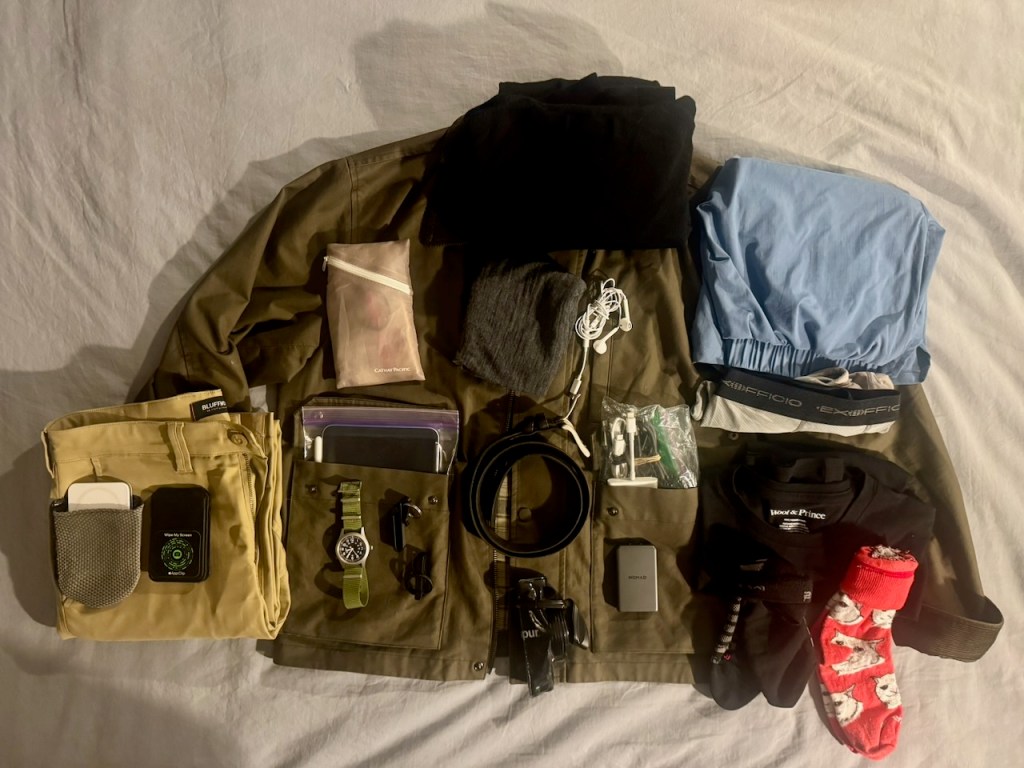
  • Three Stops, Zero Bags: Deep Dish Swift, Grand Canyon, NAB 2026

    Three Stops, Zero Bags: Deep Dish Swift, Grand Canyon, NAB 2026

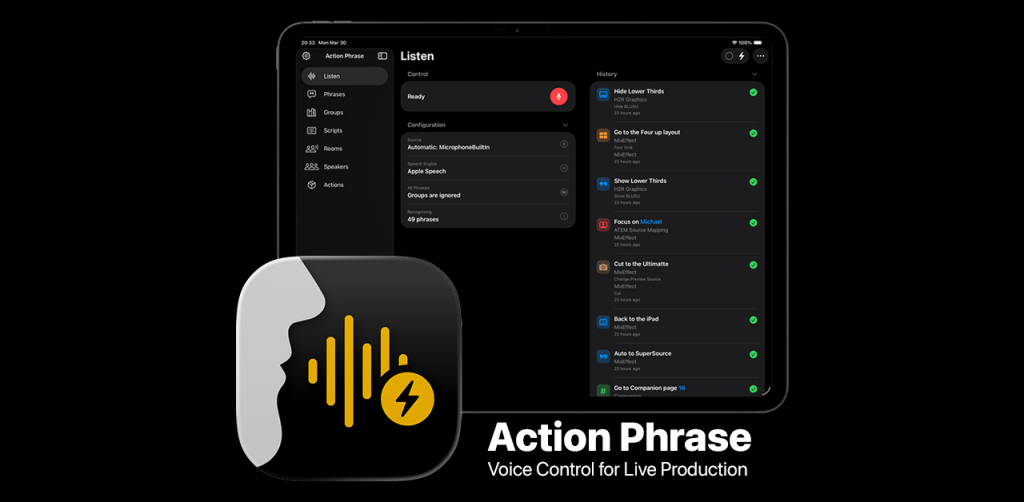
  • Action Phrase: Voice Control for Live Production

    Action Phrase: Voice Control for Live Production

  • Pre-WWDC26 gathering in San Jose scheduled for Saturday, June 6, 2026

    Pre-WWDC26 gathering in San Jose scheduled for Saturday, June 6, 2026

  • Southwest Airlines old and new boarding procedure

    Southwest Airlines old and new boarding procedure

  • Half marathon from the canyon to the ocean and back

    Half marathon from the canyon to the ocean and back

tow.com

  • Home
  • Aboutu0026gt; bio I grew up in San Diego, and I lived there from the day I was born to the day I moved up to the Bay Area for college. SD’s a wonderful place to visit and live, with great beaches, beautiful weather, and a relaxing laid-back style to it. If your only impression of Southern California is Los Angeles, you owe it to yourself to visit San Diego! I graduated from Stanford University with a degree in Symbolic Systems. My focus was in human-computer interaction. Name: Adam Tow Year of Birth: 1975 Hometown: San Diego, CA Current Residence: SF Bay Area Education: See Curriculum Vitae Myers-Briggs Type: INFP Riso-Hudson Type: 7 – Enthusiast I was most recently a Reuters Digital Vision Fellow at Stanford University, where I am creating technology that enables the developing world to access Internet information and applications. Currently, I’m working on numerous projects in digital media, photography, videography, and online journaling. Previously, I led the MyPalm client team for the i705 handheld at Palm, Inc.. Prior to Palm, I founded and ran Foundation Systems, a software development and consulting firm specializing in mobile computing. I wrote and sold a number of acclaimed software packages for…
  • MixEffect
  • Action Phrase
  • RouteEffect
  • MsgFiler
  • Product Updates
  • Autumn Gem


Loading Comments...
 

    • Subscribe Subscribed
      • tow.com
      • Join 236 other subscribers
      • Already have a WordPress.com account? Log in now.
      • tow.com
      • Subscribe Subscribed
      • Sign up
      • Log in
      • Report this content
      • View site in Reader
      • Manage subscriptions
      • Collapse this bar

    Notifications


